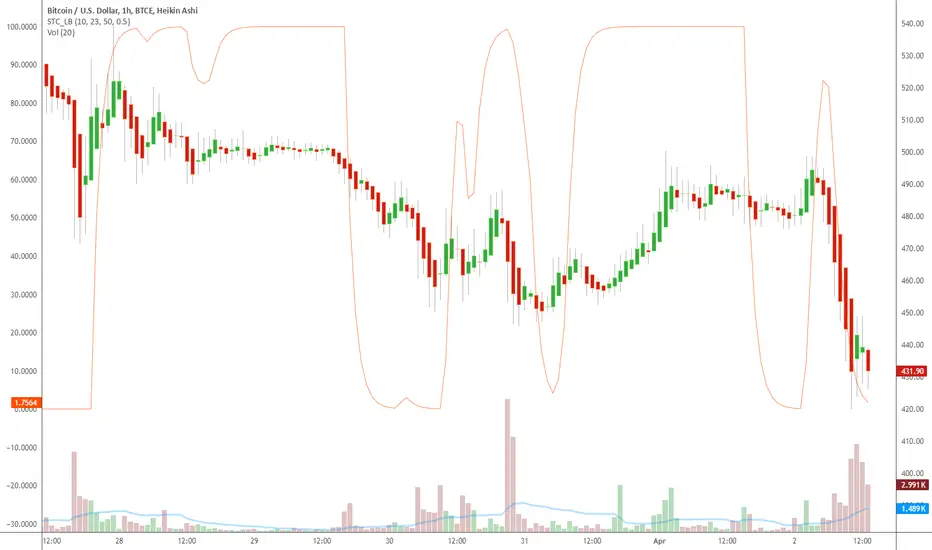
Indicator: Schaff Trend Cycle (STC)Another new indicator for TV community :)
STC detects up and down trends long before the MACD. It does this by using the same exponential moving averages (EMAs), but adds a cycle component to factor instrument cycle trends. STC gives more accuracy and reliability than the MACD.
More info: www.investopedia.com
Feel free to "Make mine" this chart and use the indicator in your charts. Appreciate any feedback on how effective this is for your instrument (I have tested this only with BTC).
For people trading BTC:
-------------------------------
Try 3/10 or 9/30 for MACD (fastLength/slowLength). They seem to catch the cycles better than the defaults. :)
Tìm kiếm tập lệnh với "btc走势预测"
YM Ultimate SNIPER v7# YM Ultimate SNIPER v7 - Documentation & Trading Guide
## 🎯 INTRABAR EDITION | Order Blocks + Liquidity Sweeps + IFVG + INTRABAR ANALYSIS
**TARGET: 3-7 High-Confluence Trades per Day**
**Philosophy: "Zones That Matter" + "See Inside The Candle"**
---
## ⚡ WHAT'S NEW IN v7
### Major Additions: INTRABAR ANALYSIS ENGINE
| Feature | Description | Edge It Provides |
|---------|-------------|------------------|
| **Intrabar Delta** | REAL buy/sell pressure from lower TF | Far more accurate than estimated delta |
| **Intrabar Momentum** | Direction consistency within bar | See if candle formed through conviction |
| **Absorption Detection** | High vol + low price movement | Spot institutional accumulation/distribution |
| **Internal Sweeps** | Stop hunts INSIDE candles | Catch hidden liquidity grabs |
| **Volume Distribution** | Where volume clustered in bar | TOP/MID/BOT volume clustering |
### The Intrabar Advantage
**Problem with Standard Analysis:**
- You only see the final OHLC of each candle
- Delta estimation is educated guesswork
- Internal price action is invisible
- Stop hunts inside bars go undetected
**Solution with Intrabar Analysis:**
- `request.security_lower_tf()` gives us the INSIDE view
- See actual lower timeframe candles within each bar
- Calculate TRUE delta from actual price direction
- Detect sweeps and reversals hidden from current timeframe
---
## 🔬 INTRABAR ANALYSIS DEEP DIVE
### How It Works
When you're on a 5-minute chart, intrabar analysis requests 1-minute data within each 5-minute bar. This gives us 5 sub-candles to analyze within each parent candle.
```
5-MIN CANDLE (What you normally see):
┌────────────────────────────────┐
│ │
│ OPEN ──────── CLOSE │
│ │
└────────────────────────────────┘
INTRABAR VIEW (What v7 sees):
┌────────────────────────────────┐
│ 🕐1 🕐2 🕐3 🕐4 🕐5 │
│ ▲ ▼ ▲ ▲ ▲ │
│ │ │ │ │ │ │
│ Each 1-min candle analyzed │
└────────────────────────────────┘
```
### Intrabar Delta (IB Delta)
**What It Is:**
Real buy/sell pressure calculated from actual lower timeframe candle directions.
**Why It's Better:**
- Standard delta: Estimated from close position within bar
- Intrabar delta: Calculated from 5+ actual candles with known direction
**Calculation:**
```
For each intrabar candle:
├── If bullish (close > open): More weight to buy volume
├── If bearish (close < open): More weight to sell volume
├── Volume distributed by close position within each micro-candle
└── Summed across all intrabar candles = TRUE DELTA
```
**Grades:**
| IB Delta % | Grade | Meaning |
|------------|-------|---------|
| 78%+ | 🔥 EXTREME | One side has overwhelming control |
| 70-77% | ✓✓ STRONG | Clear directional bias |
| 62-69% | ✓ DOMINANT | Healthy dominance |
| <62% | — NEUTRAL | Mixed/uncertain |
---
### Intrabar Momentum (IB Momentum)
**What It Is:**
The percentage of intrabar candles moving in the same direction.
**Why It Matters:**
A bullish candle could form through:
1. **High momentum:** 4 of 5 sub-candles bullish = Strong conviction
2. **Low momentum:** 2 bullish, 2 bearish, 1 bullish = Choppy formation
**Calculation:**
```
IB Momentum = max(bullish_count, bearish_count) / total_intrabar_candles
Example (5-min bar with 1-min intrabar):
├── 1st minute: Bullish ✓
├── 2nd minute: Bullish ✓
├── 3rd minute: Bearish ✗
├── 4th minute: Bullish ✓
├── 5th minute: Bullish ✓
└── IB Momentum = 4/5 = 80% BULLISH
```
**Thresholds:**
| IB Momentum % | Classification | Signal Quality |
|---------------|----------------|----------------|
| 75%+ | 🔥 STRONG | Very high conviction |
| 60-74% | ✓ CONFIRMED | Good directional bias |
| <60% | MIXED | Choppy, low conviction |
---
### Absorption Detection
**What It Is:**
Institutional accumulation/distribution signature - high volume with little price movement.
**The Theory:**
When institutions accumulate (buy), they absorb selling without moving price much:
- Retail sells → Institution buys at limit prices
- Volume spikes but price stays flat
- Once accumulation complete → price explodes up
**Detection Logic:**
```
ABSORPTION = High Volume + Low Price Movement + Volume Clustering
Conditions:
├── Volume per point > 1.5x average
├── Price movement < 60% of average range
├── Volume clusters in one zone (TOP/MID/BOT)
└── Cluster percentage >= 65% threshold
```
**Direction:**
- **BULL ABS:** Volume clustered at BOT + net buy delta = Buying at lows
- **BEAR ABS:** Volume clustered at TOP + net sell delta = Selling at highs
**Visual:** ✕ marker below (bull) or above (bear) the candle
---
### Internal Sweeps (Hidden Liquidity Grabs)
**What It Is:**
Stop hunts that happen INSIDE a candle - invisible on current timeframe.
**The Setup:**
```
INTERNAL BULLISH SWEEP:
┌─────────────────────────────────┐
│ │
│ First Half: Second Half: │
│ ▲▼▲▼ ▲▲▲ │
│ Forms lows Reverses UP │
│ ↓ ↑ │
│ SWEEP REJECTION │
└─────────────────────────────────┘
= Hidden liquidity grab at lows, bullish
```
**Detection:**
```
Internal Bull Sweep:
├── Early intrabar candles form a low
├── Later intrabar candles sweep below that low
├── Final intrabar candles close back above
├── Parent candle closes green
└── = Hidden sweep, bullish reversal
Internal Bear Sweep:
├── Early intrabar candles form a high
├── Later intrabar candles sweep above that high
├── Final intrabar candles close back below
├── Parent candle closes red
└── = Hidden sweep, bearish reversal
```
**Visual:** "iS" marker (intrabar Sweep) on the candle
---
### Volume Distribution
**What It Is:**
Where volume clustered within the parent candle - TOP, MID, or BOT third.
**Why It Matters:**
- **BOT clustering + bullish delta:** Institutions buying at lows (bullish)
- **TOP clustering + bearish delta:** Institutions selling at highs (bearish)
- **MID clustering:** Balanced/uncertain
**Calculation:**
```
Divide parent candle into 3 zones:
├── TOP third: high - (range/3)
├── MID third: middle zone
└── BOT third: low + (range/3)
For each intrabar candle:
├── Calculate midpoint
├── Assign volume to TOP/MID/BOT based on midpoint
└── Sum volumes by zone
```
---
## 📊 ENHANCED CONFLUENCE SCORING v7
### Score Components (Max ~14, normalized to 10)
| Factor | Points | Condition |
|--------|--------|-----------|
| **Tier** | 1-3 | B=1, A=2, S=3 |
| **FVG Zone** | +1.5 | Price in quality FVG |
| **Order Block** | +1.5 | Price in OB |
| **IFVG** | +1.0 | Price in Inverse FVG |
| **Strong Volume** | +1.0 | Volume ≥ 2x average |
| **Extreme Volume** | +0.5 | Volume ≥ 2.5x average |
| **Strong Delta** | +1.0 | Delta ≥ 70% |
| **Extreme Delta** | +0.5 | Delta ≥ 78% |
| **CVD Momentum** | +0.5-1.0 | CVD trending with signal |
| **Liquidity Sweep** | +1.5 | Recent sweep confirms direction |
| **IB Delta Confirm** | +0.9-1.5 | Intrabar delta matches direction |
| **IB Momentum** | +0.5-1.0 | Consistent intrabar direction |
| **IB Absorption** | +1.0 | Absorption detected matching direction |
| **IB Internal Sweep** | +1.0 | Hidden sweep confirms direction |
| **Volume Cluster** | +0.5 | Volume at favorable zone (BOT for bull) |
### Intrabar Confluence Breakdown
```
INTRABAR CONFLUENCE ADDITIONS:
IB Delta Confirmation:
├── Strong (70%+) + matching direction = +1.5 pts
├── Dominant (62%+) + matching direction = +0.9 pts
└── Not matching = +0 pts
IB Momentum:
├── Strong (75%+) + matching direction = +1.0 pts
├── Confirmed (60%+) + matching direction = +0.5 pts
└── Mixed/not matching = +0 pts
IB Absorption:
├── Bull absorption for LONG = +1.0 pts
├── Bear absorption for SHORT = +1.0 pts
└── No absorption or wrong direction = +0 pts
IB Internal Sweep:
├── Bull internal sweep for LONG = +1.0 pts
├── Bear internal sweep for SHORT = +1.0 pts
└── No internal sweep = +0 pts
Volume Cluster:
├── BOT cluster for LONG = +0.5 pts
├── TOP cluster for SHORT = +0.5 pts
└── MID cluster or wrong zone = +0 pts
```
---
## 🎯 IDEAL SETUPS v7 (HIGHEST WIN RATE)
### Setup 1: Absorption + Zone + Tier (NEW!)
```
Conditions:
├── Absorption detected (✕ marker)
├── Price at Order Block or FVG
├── Tier signal fires (S/A/B)
├── IB Delta confirms direction
├── Score: 8+ EXCELLENT
└── Win Rate: ~80-88%
WHY IT WORKS:
Absorption = institutions filling orders
Zone = known institutional level
Tier = significant move
= Triple institutional confirmation
```
### Setup 2: Internal Sweep + Zone
```
Conditions:
├── Internal sweep detected (iS marker)
├── At or near OB/FVG zone
├── IB momentum confirms (75%+)
├── Score: 7+ EXCELLENT
└── Win Rate: ~75-85%
WHY IT WORKS:
Hidden sweep = invisible stop hunt
Zone = where institutions defend
= Retail trapped, you enter with smart money
```
### Setup 3: Full Intrabar Alignment
```
Conditions:
├── IB Delta: Strong/Extreme (✓✓ or 🔥)
├── IB Momentum: Strong (🔥)
├── Volume Cluster: Favorable zone
├── Standard delta confirms
├── Score: 7+ EXCELLENT
└── Win Rate: ~75-82%
WHY IT WORKS:
All intrabar metrics align
= Maximum conviction in candle formation
= High probability continuation
```
### Setup 4: Standard v6 Setup (Still Valid)
```
Conditions:
├── Liquidity Sweep (LS↑ or LS↓)
├── Price at Order Block or FVG
├── Tier signal fires
├── Score: 7+ EXCELLENT
└── Win Rate: ~75-85%
```
---
## 📊 ENHANCED TABLE REFERENCE v7
The v7 table adds the **INTRABAR** section:
### CANDLE Section
| Row | What It Shows |
|-----|---------------|
| Points | Candle range in points + Tier (S/A/B/X) |
| Volume | Volume ratio + grade |
### ORDERFLOW Section
| Row | What It Shows |
|-----|---------------|
| Delta | Buy/Sell % + grade (now uses IB delta if available) |
| CVD | Direction + strength |
### INTRABAR Section (NEW!)
| Row | What It Shows |
|-----|---------------|
| IB Delta | TRUE intrabar buy/sell % + grade |
| IB Momentum | Direction consistency % + grade |
| Absorption | BULL ABS / BEAR ABS / — + 🎯 indicator |
### STRUCTURE Section
| Row | What It Shows |
|-----|---------------|
| FVG Zone | Current zone + quality score |
| Order Block | OB status |
| Liq Sweep | External LS↑/↓ or internal iS↑/↓ + indicator |
### SIGNAL Section
| Row | What It Shows |
|-----|---------------|
| Session | Current session + active indicator |
| SCORE | Numeric score /10 + classification |
---
## 🔧 INTRABAR SETTINGS GUIDE
### Intrabar Timeframe Selection
| Chart TF | Recommended Intrabar TF | Sub-candles |
|----------|------------------------|-------------|
| 1 min | 1 (same) | Limited data |
| 3 min | 1 | 3 candles |
| 5 min | 1 | 5 candles |
| 15 min | 1 or 5 | 15 or 3 candles |
| 30 min | 5 | 6 candles |
| 1 hour | 5 or 15 | 12 or 4 candles |
**Rule of Thumb:** Lower intrabar TF = more data = more accurate
### Parameter Tuning
**Absorption Threshold (Default: 65%)**
```
Lower (50-60%): More absorption signals, some false positives
Standard (65%): Balanced detection
Higher (70-80%): Fewer signals, higher quality
```
**Intrabar Momentum Min (Default: 60%)**
```
Lower (50-55%): Accepts mixed candles as directional
Standard (60%): Requires clear majority
Higher (70-80%): Requires strong conviction
```
**Intrabar Delta Weight (Default: 1.5)**
```
Lower (0.5-1.0): Intrabar delta contributes less to score
Standard (1.5): Full contribution
Higher (2.0-3.0): Intrabar delta heavily weighted
```
---
## ✅ ENTRY CHECKLIST v7
### Basic Requirements
- Signal present (S🎯/A🎯/B🎯 or Z)
- Score ≥ 4.5 (MEDIUM or better)
- Session active (🟢)
### Orderflow Confirmation
- Delta colored (not gray)
- CVD arrow matches direction
- Volume shows ✓ or better
### Intrabar Confirmation (NEW!)
- IB Delta matches direction (✓ or better)
- IB Momentum shows direction or strong (🔥)
- No conflicting absorption signal
### Structure Bonus
- In FVG Zone
- In Order Block
- Recent Liquidity Sweep
- Internal Sweep (iS)
- Absorption detected
- IFVG present
---
## 🚨 NEW ALERTS v7
### Intrabar-Specific Alerts
| Alert | What It Means | Priority |
|-------|---------------|----------|
| ⚡ INTRABAR BULL SWEEP | Hidden sweep lows inside candle | 🟠 HIGH |
| ⚡ INTRABAR BEAR SWEEP | Hidden sweep highs inside candle | 🟠 HIGH |
| 🎯 BULL ABSORPTION | Institutions accumulating | 🟠 HIGH |
| 🎯 BEAR ABSORPTION | Institutions distributing | 🟠 HIGH |
### Alert Priority Guide
| Alert | Priority | Action |
|-------|----------|--------|
| ⭐ EXCELLENT + ABSORPTION | 🔴 CRITICAL | Top-tier, enter immediately |
| ⭐ EXCELLENT LONG/SHORT | 🔴 CRITICAL | Check NOW |
| 🎯 ABSORPTION | 🟠 HIGH | Check for zone confluence |
| ⚡ INTRABAR SWEEP | 🟠 HIGH | Hidden opportunity |
| 🎯 S-TIER | 🟠 HIGH | Evaluate quickly |
---
## ⛔ DO NOT TRADE v7
All previous rules PLUS:
- IB Delta strongly conflicts with signal direction
- IB Momentum shows opposite direction at 75%+
- Absorption detected in OPPOSITE direction
- Score inflated only by intrabar (no structure)
- Intrabar data unavailable (empty array)
---
## 📝 TECHNICAL NOTES v7
### Compatibility
- **Pine Script v6** (required for `request.security_lower_tf()`)
- **Works on**: YM, MYM, NQ, MNQ, ES, MES, GC, MGC, BTC
- **Chart Type**: Standard candlestick (not Renko/Heikin Ashi)
- **Timeframes**: 1-minute to 4-hour recommended
- **Tick Charts**: Use 1-minute intrabar TF
### Performance Notes
- Intrabar analysis adds computational overhead
- If chart loads slowly, try higher intrabar TF
- `request.security_lower_tf()` returns array of data
- Empty arrays indicate no lower TF data available
### Timeframe Limitations
```
request.security_lower_tf() works when:
├── Intrabar TF < Chart TF (e.g., 1 min intrabar on 5 min chart)
└── Chart receives enough data from lower TF
Does NOT work when:
├── Intrabar TF >= Chart TF
├── Tick charts with minute intrabar (use seconds or same)
└── Very old historical data
```
---
## 📈 TRADE JOURNAL v7
```
DATE: ___________
SESSION: ☐ LDN ☐ NY ☐ PWR
SETUP TYPE:
☐ Absorption + Zone ☐ Internal Sweep ☐ Full IB Align
☐ Sweep + Zone ☐ IFVG ☐ OB+FVG ☐ Zone Entry
TRADE:
├── Time: _______
├── Signal: S🎯 / A🎯 / B🎯 / Z / LS / iS
├── Direction: LONG / SHORT
├── Score: ___/10 (EXCELLENT / MEDIUM)
├── Entry: _______
├── Stop: _______
├── Target: _______
│
├── In FVG Zone: ☐ Yes ☐ No
├── In Order Block: ☐ Yes ☐ No
├── Liquidity Sweep: ☐ Yes ☐ No
├── Internal Sweep: ☐ Yes ☐ No
├── Absorption: ☐ Yes ☐ No
├── IFVG Present: ☐ Yes ☐ No
│
├── IB Delta: _____% (BULL / BEAR)
├── IB Momentum: _____% (BULL / BEAR / MIXED)
├── Volume Cluster: TOP / MID / BOT
│
├── Result: +/- ___ pts ($_____)
└── Notes: _______________________
DAILY SUMMARY:
├── Trades: ___
├── EXCELLENT setups: ___
├── With Absorption: ___
├── With Internal Sweep: ___
├── Wins: ___ | Losses: ___
├── Net P/L: $_____
└── Best setup type: _______________________
```
---
## 🏆 GOLDEN RULES v7
> **"Intrabar shows the truth the candle hides."**
> **"Absorption = They're loading. Get ready."**
> **"Internal sweep = Hidden trap. Enter after."**
> **"IB Delta + IB Momentum aligned = Maximum conviction."**
> **"When intrabar conflicts with signal, trust intrabar."**
> **"Volume at lows + buying = Institutions accumulating."**
> **"Confluence beats conviction. Stack the factors."**
> **"Leave every trade with money. The next setup is coming."**
---
## 🔧 TROUBLESHOOTING v7
| Issue | Solution |
|-------|----------|
| No intrabar data | Lower your chart TF or raise intrabar TF |
| IB Delta always neutral | Check intrabar TF is lower than chart TF |
| Too many absorption signals | Raise absorption threshold to 70%+ |
| Missing internal sweeps | More common on volatile markets |
| Slow chart loading | Use higher intrabar TF (5 instead of 1) |
| IB section not in table | Enable "Show Intrabar Metrics" |
| Conflicting signals | Trust intrabar data over standard delta |
---
## 📚 QUICK REFERENCE CARD
```
┌─────────────────────────────────────────────────────────────────────────┐
│ YM ULTIMATE SNIPER v7 │
├─────────────────────────────────────────────────────────────────────────┤
│ │
│ SIGNALS: │
│ S🎯 = S-Tier (50+ pts) → HOLD position │
│ A🎯 = A-Tier (25-49 pts) → SWING trade │
│ B🎯 = B-Tier (12-24 pts) → SCALP quick │
│ Z = Zone entry │
│ LS↑/↓ = External Liquidity Sweep │
│ iS↑/↓ = Internal (intrabar) Sweep │
│ ✕ = Absorption detected │
│ │
│ INTRABAR METRICS: │
│ IB Delta = TRUE buy/sell from lower TF │
│ IB Momentum = Direction consistency within bar │
│ Absorption = High vol + low move = accumulation │
│ Vol Cluster = TOP/MID/BOT volume distribution │
│ │
│ INTRABAR GRADES: │
│ 🔥 = Extreme (78%+ delta or 75%+ momentum) │
│ ✓✓ = Strong (70%+ delta) │
│ ✓ = Confirmed (62%+ delta or 60%+ momentum) │
│ — = Neutral / Mixed │
│ │
│ HIGH PROBABILITY SETUPS: │
│ 1. Absorption + Zone + Tier (~80-88%) │
│ 2. Internal Sweep + Zone (~75-85%) │
│ 3. Full Intrabar Alignment (~75-82%) │
│ 4. Standard Sweep + Zone (~75-85%) │
│ │
│ SCORE CLASSIFICATION: │
│ EXCELLENT (7.0+) = Full size, high confidence │
│ MEDIUM (4.5-6.9) = Standard size, good setup │
│ WEAK (<4.5) = No signal shown │
│ │
└─────────────────────────────────────────────────────────────────────────┘
```
---
*© Alexandro Disla - YM Ultimate SNIPER v7*
*Intrabar Edition | See Inside The Candle*

Algoticks.in: RSI StrategyRSI Strategy - User Guide
Overview
This is a Relative Strength Index (RSI) strategy that generates trading signals based on overbought and oversold levels. It integrates with Algoticks.in API for automated trading on Delta Exchange.
Strategy Logic
Long Signal: When RSI crosses above the Oversold level (Mean Reversion / Dip Buy)
Short Signal: When RSI crosses below the Overbought level (Mean Reversion / Top Sell)
Automatically closes opposite positions before entering new ones
Quick Setup
1. Add to TradingView
Open TradingView and go to the chart
Click "Pine Editor" at the bottom
Paste the script code
Click "Add to Chart"
2. Configure Strategy Parameters
Strategy Settings
RSI Length (default: 14): The lookback period for RSI calculation
Overbought Level (default: 70): Level above which the asset is considered overbought
Oversold Level (default: 30): Level below which the asset is considered oversold
General API Settings
Paper Trading : Enable for testing without real money
Signal Type : Choose "Trading Signal" (default) for tracking
Exchange : DELTA (Delta Exchange)
Segment :
futures - Perpetual contracts
options - Call/Put options
spot - Spot trading
Order Settings: Basic
Quantity : Number of contracts (e.g., 1, 0.5, 2)
Validity :
GTC - Good Till Cancelled
IOC - Immediate or Cancel
FOK - Fill or Kill
DAY - Day order
Product : cross_margin or isolated_margin
Order Settings: Entry Type
Choose how orders are executed:
Market Order : Immediate fill at best price
Limit Order : Fill at specified price or better
Stop Market : Triggers at stop price, then market order
Stop Limit : Triggers at stop price, then limit order
Entry Prices (for Limit/Stop orders)
Limit Price:
Price : The value to use
Type : Last Price / Mark Price / Index Price
Mode :
Absolute - Exact price (e.g., 65000)
Relative - Offset from entry price
% Checkbox : If checked, relative uses percentage; if unchecked, uses points
Example:
Absolute: 65000 → Order at exactly 65000
Relative 1% (checked): Entry ± 1% of entry price
Relative 100 (unchecked): Entry ± 100 points
Trigger Price: Same logic as Limit Price, used for Stop orders
Exit / Bracket Prices (SL/TP)
Stop Loss (SL):
Type : Price type to monitor (Mark Price recommended)
Mode : Absolute or Relative
% : Percentage or points
SL : Stop loss value (e.g., 2 for 2%)
Trig : Optional trigger price (creates Stop-Limit SL)
Take Profit (TP): Same structure as SL
Example:
Long entry at 65000, SL = 2% → Exit at 63700 (65000 - 2%)
Short entry at 65000, TP = 3% → Exit at 63050 (65000 - 3%)
3. Options Trading Setup (Only if Segment = Options)
Strike Selection Method
User Defined Mode:
Manually specify exact strike and option type
Best for: Trading specific levels
Required fields:
Strike Price : e.g., "65000"
Option Type : Call or Put
Dynamic Mode:
System calculates strike based on ATM price
Best for: Automated strategies
Required fields:
Algo Type : Options Buying or Selling
Strike Offset : 0 (ATM), +1 (above ATM), -1 (below ATM)
Strike Interval : Gap between strikes (e.g., BTC: 500, ETH: 50)
Expiry Date Formats:
T+0 - Today
T+1 - Tomorrow
current week - This Friday
next week - Next Friday
current month - Last Friday of month
131125 - Specific date (13 Nov 2025)
4. Create Alert for Automation
Right-click on chart → "Add Alert"
Condition : Select your strategy name
Alert Actions : Webhook URL
Webhook URL : Your Algoticks.in API endpoint
Message : Leave as {{strategy.order.alert_message}} (contains JSON)
Click "Create"
The alert will automatically send JSON payloads to your API when signals occur.
Example Configurations
Standard RSI Reversal
Strategy: RSI Length = 14, OB = 70, OS = 30
Segment: futures
Order Type: market_order
Quantity: 1
SL: 1.5% (Relative)
TP: 3% (Relative)
Aggressive Scalping
Strategy: RSI Length = 7, OB = 80, OS = 20
Segment: futures
Order Type: market_order
Quantity: 0.5
SL: 0.5% (Relative)
TP: 1% (Relative)
Important Notes
Paper Trading First : Always test with paper trading enabled before live trading
Order Tags : Automatically generated for tracking (max 18 chars)
Position Management : Strategy closes opposite positions automatically
Signal Confirmation : Uses barstate.isconfirmed to prevent repainting
JSON Payload : All settings are converted to JSON and sent via webhook
Troubleshooting
No signals : Check if RSI is actually reaching your OB/OS levels
Orders not executing : Verify webhook URL and API credentials
Wrong strikes : Double-check Strike Interval for your asset
SL/TP not working : Ensure values are non-zero and mode is correct
Support
For API setup and connector configuration, visit Algoticks.in documentation.

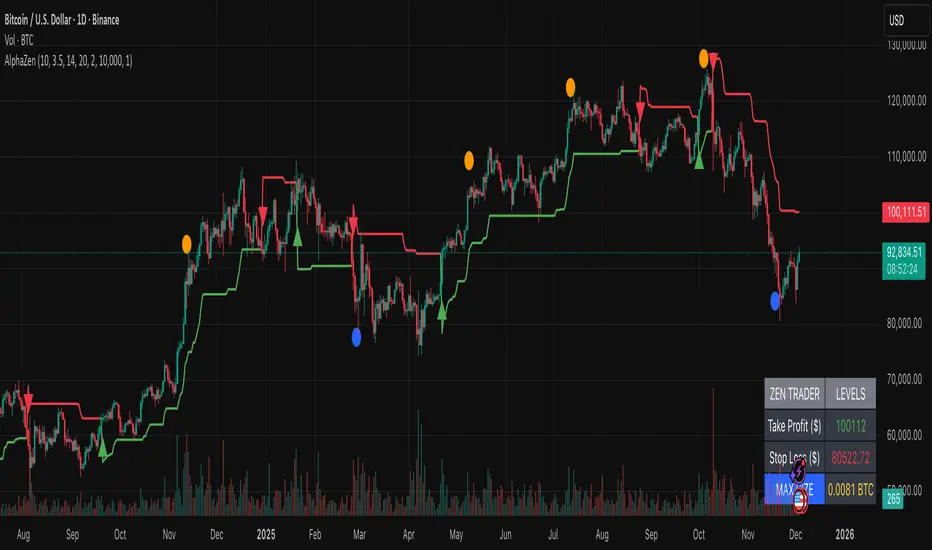
AlphaStrike: Zen ModeDescription:
The Problem most of us lose money because we try to do two opposing things at once: we chase trends when they are already overextended, and we try to catch falling knives before they are ready to bounce. We get chopped up in the middle.
The Solution AlphaStrike is a "Hybrid" system designed to separate these two battlefields. It combines a Trend Following engine (to keep you in big moves) with a Momentum Reversion engine (to spot exhaustion).
It essentially answers two questions:
"Is the trend my friend?" (Trend Filter)
"Is the rubber band about to snap?" (Reversal Signal)
How It Works (The "Zen" Logic) I stripped away the noise. No clouds, no confusing lines—just the signals that matter.
The Trend Line (Red/Green): This is your bias.
Green: Only look for buys.
Red: Only look for sells (or cash).
Rule: Never trade against the line color unless you are scalping a confirmed Reversal Signal.
The Circles (Reversals):
🔵 Blue Dot: "Oversold Rejection." Price stretched below the bands and wicked back up. This is a high-reward entry for dips.
🟠 Orange Dot: "Overbought Exhaustion." Price stretched too high and was rejected. This is your warning to take profits or tighten stops.
The Triangles (Breakouts):
Green/Red Triangles: These confirm the trend has officially flipped. This is the safer entry for conservative traders.
Risk Management (The Built-in Calculator) Trading is math, not magic. This indicator includes a "Smart Risk Table" in the bottom right corner.
It calculates the distance to the structural Stop Loss (invisible support/resistance swings).
It tells you exactly how much to buy to risk only 1% of your account.
Note: You must go to Settings and enter your actual Account Size for this to work.
Best Settings
Crypto (BTC/ETH): Use the default settings (Factor 3.5).
Forex/Stocks: Lower the Factor to 3.0 for more sensitivity.
Disclaimer: No indicator is perfect. This tool is designed to manage risk and identify probability, not to predict the future. Always use a stop loss.
Real Relative Strength Indicator### What is RRS (Real Relative Strength)?
RRS is a volatility-normalized relative strength indicator that shows you – in real time – whether your stock, crypto, or any asset is genuinely beating or lagging the broader market after adjusting for risk and volatility. Unlike the classic “price ÷ SPY” line that gets completely fooled by volatility regimes, RRS answers the only question that actually matters to professional traders:
“Is this ticker moving better (or worse) than the market on a risk-adjusted basis right now?”
It does this by measuring the excess momentum of your ticker versus a benchmark (SPY, QQQ, BTC, etc.) and then dividing that excess by the average volatility (ATR) of both instruments. The result is a clean, centered-around-zero oscillator that works the same way in calm markets, crash markets, or parabolic bull runs.
### How to Use the RRS Indicator (Aqua/Purple Area Version) in Practice
The indicator is deliberately simple to read once you know the rules:
Positive area (aqua) means genuine outperformance.
Negative area (purple) means genuine underperformance.
The farther from zero, the stronger the leadership or weakness.
#### Core Signals and How to Trade Them
- RRS crossing above zero → one of the highest-probability long signals in existence. The asset has just started outperforming the market on a risk-adjusted basis. Enter or add aggressively if price structure agrees.
- RRS crossing below zero → leadership is ending. Tighten stops, take partial or full profits, or flip short if you trade both sides.
- RRS above +2 (bright aqua area) → clear leadership. This is where the real money is made in bull markets. Trail stops, add on pullbacks, let winners run.
- RRS below –2 (bright purple area) → clear distribution or capitulation. Avoid new longs, consider short entries or protective puts.
- Extreme readings above +4 or below –4 (background tint appears) → rare, very high-conviction moves. Treat these like once-a-month opportunities.
- Divergence (not plotted here, but easy to spot visually): price making new highs while the aqua area is shrinking → distribution. Price making new lows while the purple area is shrinking → hidden buying and coming reversal.
#### Best Settings by Style and Asset Class
For stocks and ETFs: keep benchmark as SPY (or QQQ for tech-heavy names) and length 14–20 on daily/4H charts.
For crypto: change the benchmark to BTCUSD (or ETHUSD) immediately — otherwise the reading is meaningless. Length 10–14 works best on 1H–4H crypto charts because volatility is higher.
For day trading: drop length to 10–12 and use 15-minute or 5-minute charts. Signals are faster and still extremely clean.
#### Highest-Edge Setups (What Actually Prints Money)
- RRS crosses above zero while price is still below a major moving average (50 EMA, 200 SMA, etc.) → early leadership, often catches the exact bottom of a new leg up.
- RRS already deep aqua (+3 or higher) and price pulls back to support without RRS dropping below +1 → textbook add-on or re-entry zone.
- RRS deep purple and suddenly turns flat or starts curling up while price is still falling → hidden accumulation, usually the exact low tick.
That’s it. Master these few rules and the RRS becomes one of the most powerful edge tools you will ever use for rotation trading...

Titan AI: EWO Pro + Divergencias de VolumenBINANCE:BTCUSDT.P The indicator is only in Spanish.
Titan AI: EWO Pro is not your standard Elliott Wave Oscillator. It is a next-generation Order Flow & Volume engine designed to detect the true intent of the market. Unlike traditional oscillators that rely solely on price action, Titan EWO Pro incorporates a "Volume Efficiency" algorithm normalized via Z-Score (Standard Deviation).
This indicator is built for traders who need to see what is happening inside the candles. It answers the critical question: "Is the price moving with real institutional backing, or is it a fake-out with no volume?"
With the integrated "GOD MODE" Dashboard, you get a tactical Heads-Up Display (HUD) that translates complex mathematical data into clear, actionable signals in real-time.
💎 Key Features
Z-Score Normalized EWO:
Standard EWO indicators can vary wildly depending on the asset price (BTC vs. Forex).
Titan EWO Pro normalizes the data using Standard Deviations (Z-Score). This means a value of +2.0 represents a statistically significant extreme move, regardless of the timeframe or asset.
Volume Efficiency Algorithm:
The core calculation measures (Close - Open) / Volume. This determines how much volume was required to move the price.
High efficiency means price is moving easily (strong trend). Low efficiency means high volume but little movement (absorption/reversal).
Volume Divergences:
Automatically detects discrepancies between Price Action and Order Flow.
Bullish Divergence: Price makes a Lower Low, but Titan EWO makes a Higher Low (Accumulation).
Bearish Divergence: Price makes a Higher High, but Titan EWO makes a Lower High (Distribution).
Institutional Extremes (Reversals):
The indicator marks the +2.0 and -2.0 Standard Deviation levels.
When the histogram crosses these levels, the market is statistically overextended. Watch for Triangle Signals indicating a potential "V" reversal or exhaustion.
GOD MODE Dashboard (HUD):
A professional panel fixed to your screen (customizable position).
Trend: Displays strict Bullish (Green) or Bearish (Red) status.
Strength (Z): The exact Z-Score value.
Momentum: Tells you if the move is "Accelerating" or "Braking" (Decelerating).
Divergence: Real-time alert status.
🚀 How to Use
1. Trend Following (The Wave)
Green Bars: Look for Longs. Momentum is bullish and Order Flow supports the move.
Red Bars: Look for Shorts. Momentum is bearish.
Darker Colors: If the bars turn dark green or dark red, momentum is slowing down (Deceleration). This is a warning to tighten Stop Losses or wait for a new impulse.
2. Trading Reversals (The Extremes)
Statistical Extremes: If the histogram punches through the +2.0 or -2.0 dotted lines, the move is overextended (climax).
Triangles: Small triangles appear at the top/bottom of the chart when these extremes are hit. This is often a "Take Profit" signal or a contrarian entry point if confirmed by price action.
3. Divergences (The Smart Entry)
Look for the "Vol" circles.
A Green Circle at the bottom indicates that sellers are exhausted, but volume flow is shifting bullish.
A Red Circle at the top indicates that buyers are exhausted (price up, but volume flow down).
4. The Dashboard
Use the dashboard for confirmation.
Ideally: You want "ALCISTA" (Bullish), "ACELERANDO" (Accelerating), and a high Z-Score (> 0.5) for a strong Long trade.
⚙️ Settings
EWO Length: The lookback period for the oscillator (Default: 12).
Smoothing: Helps reduce noise in the histogram (Default: 10).
Pivot Lookback: Sensitivity for divergence detection (Default: 5).
Dashboard: You can toggle the panel ON/OFF, change its size (Tiny/Small/Normal), and move it to any corner of the chart.
Disclaimer
This tool is for educational and analytical purposes only. Trading involves risk. Always use proper risk management. Past performance does not guarantee future results.

Daily Anchored VWAPAnchors VWAP to whatever time you want instead of the usual start of session. I use it for BTC so that I can anchor around NY open instead of the night before.

AssetCorrelationLibraryLibrary "AssetCorrelationLibrary™"
detectIndicesFutures(ticker)
Detects Index Futures (NQ/ES/YM/RTY + micro variants)
Parameters:
ticker (string) : The ticker string to check (typically syminfo.ticker)
Returns: AssetPairing with secondary and tertiary assets configured
detectMetalsFutures(ticker)
Detects Metal Futures (GC/SI/HG + micro variants)
Parameters:
ticker (string) : The ticker string to check
Returns: AssetPairing with secondary and tertiary assets configured
detectForexFutures(ticker)
Detects Forex Futures (6E/6B + micro variants)
Parameters:
ticker (string) : The ticker string to check
Returns: AssetPairing with secondary and tertiary assets configured
detectEnergyFutures(ticker)
Detects Energy Futures (CL/RB/HO + micro variants)
Parameters:
ticker (string) : The ticker string to check
Returns: AssetPairing with secondary and tertiary assets configured
detectTreasuryFutures(ticker)
Detects Treasury Futures (ZB/ZF/ZN)
Parameters:
ticker (string) : The ticker string to check
Returns: AssetPairing with secondary and tertiary assets configured
detectForexCFD(ticker, tickerId)
Detects Forex CFD pairs (EUR/GBP/DXY, USD/JPY/CHF triads)
Parameters:
ticker (string) : The ticker string to check
tickerId (string) : The full ticker ID (syminfo.tickerid) for primary asset
Returns: AssetPairing with secondary and tertiary assets configured
detectCrypto(ticker, tickerId)
Detects major Crypto assets (BTC, ETH, SOL, XRP, alts)
Parameters:
ticker (string) : The ticker string to check
tickerId (string) : The full ticker ID for primary asset
Returns: AssetPairing with secondary and tertiary assets configured
detectMetalsCFD(ticker, tickerId)
Detects Metals CFD (XAU/XAG/Copper)
Parameters:
ticker (string) : The ticker string to check
tickerId (string) : The full ticker ID for primary asset
Returns: AssetPairing with secondary and tertiary assets configured
detectIndicesCFD(ticker, tickerId)
Detects Indices CFD (NAS100/SP500/DJ30)
Parameters:
ticker (string) : The ticker string to check
tickerId (string) : The full ticker ID for primary asset
Returns: AssetPairing with secondary and tertiary assets configured
detectEUStocks(ticker, tickerId)
Detects EU Stock Indices (GER40/EU50) - Dyad only
Parameters:
ticker (string) : The ticker string to check
tickerId (string) : The full ticker ID for primary asset
Returns: AssetPairing with secondary asset configured (tertiary empty for dyad)
getDefaultFallback(tickerId)
Returns default fallback assets (chart ticker only, no correlation)
Parameters:
tickerId (string) : The full ticker ID for primary asset
Returns: AssetPairing with chart ticker as primary, empty secondary/tertiary (no correlation)
applySessionModifierWithBackadjust(tickerStr, sessionType)
Applies futures session modifier to ticker WITH back adjustment
Parameters:
tickerStr (string) : The ticker to modify
sessionType (string) : The session type (syminfo.session)
Returns: Modified ticker string with session and backadjustment.on applied
applySessionModifierNoBackadjust(tickerStr, sessionType)
Applies futures session modifier to ticker WITHOUT back adjustment
Parameters:
tickerStr (string) : The ticker to modify
sessionType (string) : The session type (syminfo.session)
Returns: Modified ticker string with session and backadjustment.off applied
isTriadMode(pairing)
Checks if a pairing represents a valid triad (3 assets)
Parameters:
pairing (AssetPairing) : The AssetPairing to check
Returns: True if tertiary is non-empty (triad mode), false for dyad
getAssetTicker(tickerId)
Extracts clean ticker string from full ticker ID
Parameters:
tickerId (string) : The full ticker ID (e.g., "BITGET:BTCUSDT.P")
Returns: Clean ticker string (e.g., "BTCUSDT.P")
resolveTriad(chartTickerId, pairing)
Resolves triad asset assignments with proper inversion flags
Parameters:
chartTickerId (string) : The current chart's ticker ID (syminfo.tickerid)
pairing (AssetPairing) : The detected AssetPairing
Returns: Tuple
resolveDyad(chartTickerId, pairing)
Resolves dyad asset assignment with proper inversion flag
Parameters:
chartTickerId (string) : The current chart's ticker ID
pairing (AssetPairing) : The detected AssetPairing (dyad: tertiary is empty)
Returns: Tuple
resolveAssets(ticker, tickerId, assetType, sessionType, useBackadjust)
Main auto-detection entry point. Detects asset category and returns fully resolved config.
Parameters:
ticker (string) : The ticker string to check (typically syminfo.ticker)
tickerId (string) : The full ticker ID (typically syminfo.tickerid)
assetType (string) : The asset type (typically syminfo.type)
sessionType (string) : The session type for futures (typically syminfo.session)
useBackadjust (bool) : Whether to apply back adjustment for futures session alignment
Returns: AssetConfig with fully resolved assets, inversion flags, and detection status
resolveCurrentChart()
Simplified auto-detection using current chart's syminfo values
Returns: AssetConfig with fully resolved assets, inversion flags, and detection status
AssetPairing
Core asset pairing structure for triad/dyad configurations
Fields:
primary (series string) : The primary (chart) asset ticker ID
secondary (series string) : The secondary correlated asset ticker ID
tertiary (series string) : The tertiary correlated asset ticker ID (empty for dyad)
invertSecondary (series bool) : Whether secondary asset should be inverted for divergence calc
invertTertiary (series bool) : Whether tertiary asset should be inverted for divergence calc
AssetConfig
Full asset resolution result with mode detection and computed values
Fields:
detected (series bool) : Whether auto-detection succeeded
isTriadMode (series bool) : True if triad (3 assets), false if dyad (2 assets)
primary (series string) : The resolved primary asset ticker ID
secondary (series string) : The resolved secondary asset ticker ID
tertiary (series string) : The resolved tertiary asset ticker ID (empty for dyad)
invertSecondary (series bool) : Computed inversion flag for secondary asset
invertTertiary (series bool) : Computed inversion flag for tertiary asset
assetCategory (series string) : String describing the detected asset category
Note to potential users.
I did not really intend to make this public but i have to in order to avoid any potential compliance issues with the TradingView Moderation Team and the House Rules.
However if you are to use this library, you cannot make your code closed source / invite only as it is intellectual property. The only exception to this is if I am credited in the header of your code and i explicitly give permission to do so.
As per the TradingView house rules, you are completely FREE to do with this as you like, provided the script stays private.
Use the @fstarcapital tag to give credits
❤️ from cephxs

Trendline Breaks + Supertrend [Delta BTC-P]Trendline Breaks + Supertrend in same direct Best on 5 min

Easy Crypto Signal FREE🆓 FREE Bitcoin & Crypto Trading Indicator
Easy Crypto Signal FREE helps you make better trading decisions with real-time BUY/SELL signals based on multiple technical indicators.
✅ What you get in FREE version:
• Real-time BUY/SELL signals (green/red arrows)
• Trading SCORE (0-100%) - market strength indicator
• Works on BTC, ETH, and all major altcoins
• Optimized for 4h timeframe (works on all timeframes)
• Simple visual interface
• Basic alert system
📊 How it works:
The indicator combines RSI, MACD, EMA trends, and volume analysis to generate a composite SCORE (0-100%).
• SCORE > 65% = BUY signal 🟢
• SCORE < 35% = SELL signal 🔴
• SCORE 35-65% = WAIT (neutral zone) 🟡
⚠️ FREE Version Limitations:
• No detailed RSI values
• No MACD trend details
• No trend strength indicators
• Fixed sensitivity (65%)
• Limited customization
💎 Want the FULL PRO version?
🚀 PRO includes:
• Full RSI + MACD + Trend analysis displayed
• Customizable sensitivity (40-80%)
• Advanced alert customization
• Professional clean interface
• Volume strength indicator
• NO watermarks
• Premium support
📊 Proven Backtest Results:
• 57.1% Win Rate
• 3.36 Profit Factor (Excellent)
• +9.55% return in 3 months
• Only -2.69% Max Drawdown (Low Risk)
🔗 Get PRO version:
📈 Best practices:
1. Use on 4h timeframe for best results
2. Combine with your own analysis
3. Always set Stop Loss (5-10%)
4. Test on demo account first
5. Don't trade based on signals alone
⚠️ Risk Disclaimer:
Cryptocurrency trading involves substantial risk. This indicator is for educational purposes only and does not guarantee profits. Past performance does not indicate future results. Always do your own research and never invest more than you can afford to lose.
📧 Questions or Feedback?
Comment below or message me directly!
🌟 If you find this helpful, please give it a like and share!
v1.0 - Initial FREE release
• Basic BUY/SELL signal system
• Score indicator 0-100%
• Optimized for 4h timeframe
• Works on all crypto pairs

The Oracle: Dip & Top Adaptive Sniper [Hakan Yorganci]█ OVERVIEW
The Oracle: Dip & Top Adaptive Sniper is a precision-focused trend trading strategy designed to solve the biggest problem in swing trading: Timing.
Most trend-following strategies chase price ("FOMO"), buying when the asset is already overextended. The Oracle takes a different approach. It adopts a "Sniper" mentality: it identifies a strong macro trend but patiently waits for a Mean Reversion (pullback) to execute an entry at a discounted price.
By combining the structural strength of Moving Averages (SMA 50/200) with the momentum precision of RSI and the volatility filtering of ADX, this script filters out noise and targets high-probability setups.
█ HOW IT WORKS
This strategy operates on a strictly algorithmic protocol known as "The Yorganci Protocol," which involves three distinct phases: Filter, Target, and Execute.
1. The Macro Filter (Trend Identification)
* SMA 200 Rule: By default, the strategy only scans for buy signals when the price is trading above the 200-period Simple Moving Average. This ensures we are always trading in the direction of the long-term bull market.
* Adaptive Switch: A new feature allows users to toggle the Only Buy Above SMA 200? filter OFF. This enables the strategy to hunt for oversold bounces (dead cat bounces) even during bearish or neutral market structures.
2. The Volatility Filter (ADX Integration)
* Sideways Protection: One of the main weaknesses of moving average strategies is "whipsaw" losses during choppy, ranging markets.
* Solution: The Oracle utilizes the ADX (Average Directional Index). It will BLOCK any trade entry if the ADX is below the threshold (Default: 20). This ensures capital is only deployed when a genuine trend is present.
3. The Sniper Entry (Buying the Dip)
* Instead of buying on breakout strength (e.g., RSI > 60), The Oracle waits for the RSI Moving Average to dip into the "Value Zone" (Default: 45) and cross back up. This technique allows for tighter stops and higher Risk/Reward ratios compared to traditional breakout systems.
█ EXIT STRATEGY
The Oracle employs a dynamic dual-exit mechanism to maximize gains and protect capital:
* Take Profit (The Peak): The strategy monitors RSI heat. When the RSI Moving Average breaches the Overbought Threshold (Default: 75), it signals a "Take Profit", securing gains near the local top before a potential reversal.
* Stop Loss (Trend Invalidated): If the market structure fails and the price closes below the 50-period SMA, the position is immediately closed to prevent deep drawdowns.
█ SETTINGS & CONFIGURATION
* Moving Averages: Fully customizable lengths for Support (SMA 50) and Trend (SMA 200).
* Trend Filter: Checkbox to enable/disable the "Bull Market Only" rule.
* RSI Thresholds:
* Sniper Buy Level: Adjustable (Default: 45). Lower values = Deeper dips, fewer trades.
* Peak Sell Level: Adjustable (Default: 75). Higher values = Longer holds, potentially higher profit.
* ADX Filter: Checkbox to enable/disable volatility filtering.
█ BEST PRACTICES
* Timeframe: Designed primarily for 4H (4-Hour) charts for swing trading. It can also be used on 1H for more frequent signals.
* Assets: Highly effective on trending assets such as Bitcoin (BTC), Ethereum (ETH), and high-volume Altcoins.
* Risk Warning: This strategy is designed for "Long Only" spot or leverage trading. Always use proper risk management.
█ CREDITS
* Original Concept: Inspired by the foundational work of Murat Besiroglu (@muratkbesiroglu).
* Algorithm Development & Enhancements: Developed by Hakan Yorganci (@hknyrgnc).
* Modifications include: Integration of ADX filters, Mean Reversion entry logic (RSI Dip), and Dynamic Peak Profit taking.

Wyckoff + VSA Ultimate - Complete Market Analysis
**Wyckoff + VSA Ultimate** combines three proven methodologies into one powerful indicator:
🔷 **Wyckoff Method** - Identifies market accumulation and distribution phases
🔷 **Volume Spread Analysis** - Confirms moves with volume and price spread
🔷 **Random Walk Index** - Validates trend strength and direction
**MAIN SIGNALS:**
📊 **Wyckoff Signals** (Green = Bullish, Red = Bearish)
• SC (Selling Climax) - Major buying opportunity
• BC (Buying Climax) - Major selling opportunity
• AR (Automatic Rally) - Confirms accumulation
• DAR (Automatic Reaction) - Confirms distribution
• ST (Secondary Test) - Final test before move
📊 **VSA Patterns**
• Upthrust bars (weakness after rally)
• Reverse upthrust (strength after decline)
• No demand/supply bars
• Stopping volume
• Effort failures
**KEY FEATURES:**
✅ Multiple signal confirmation reduces false signals
✅ Real-time info table shows phase, volume, trends
✅ Dynamic stop loss levels calculated automatically
✅ Accumulation/Distribution boxes on chart
✅ Customizable filters for your trading style
✅ 12 alert conditions for all major signals
**HOW TO USE:**
For Swing Trading (4H/Daily):
1. Enable "Require VSA Confirmation"
2. Wait for SC or BC signals
3. Use displayed stop levels
4. Target next opposite phase
For Day Trading (15m/1H):
1. Enable "Require Trend Confirmation"
2. Trade only trend-aligned signals
3. Increase volume threshold to 1.5
4. Use tighter risk management
**BEST FOR:**
✅ Stocks (high volume)
✅ Forex majors
✅ Crypto (BTC, ETH)
✅ Index futures
**SETTINGS:**
Customize everything:
• RSI & Pivot parameters
• Volume & Spread analysis
• Trend periods (RWI)
• Signal filters
• Visual display options
**ALERTS:**
Pre-configured alerts for:
• All Wyckoff signals
• VSA reversals
• Strong buy/sell combinations
**Credits:** Integrates Wyckoff (faytterro) and VSA (theehoganator) methods.
**Disclaimer:** Educational purposes only. Use proper risk management. Past performance doesn't guarantee future results.
---
Pine Script™ v6
---

Viprasol Elite Flow Pro - Premium Order Flow & Trend System═══════════════════════════════════════════════════════════════
🔥 VIPRASOL ELITE FLOW PRO
Professional Order Flow & Trend Detection System
═══════════════════════════════════════════════════════════════
📊 WHAT IS THIS INDICATOR?
Viprasol Elite Flow Pro is a comprehensive trading system that combines institutional order flow analysis with adaptive trend detection. Unlike basic indicators, this tool identifies high-probability setups by analyzing where smart money is likely positioning, while filtering signals through multiple confirmation layers.
This indicator is designed for traders who want to:
✓ Identify premium (supply) and discount (demand) zones automatically
✓ Detect trend direction with adaptive cloud technology
✓ Spot high-volume rejection points before major moves
✓ Filter low-quality signals with intelligent confirmation logic
✓ Track market strength in real-time via elite dashboard
═══════════════════════════════════════════════════════════════
🎯 CORE FEATURES
═══════════════════════════════════════════════════════════════
1️⃣ ELITE TREND ENGINE
• Adaptive Moving Average system (Fast/Adaptive/Smooth modes)
• Dynamic trend cloud that expands/contracts with volatility
• Real-time trend state tracking (Bullish/Bearish/Ranging)
• Trend strength meter (0-10 scale)
• ATR-based volatility adjustments
2️⃣ ORDER FLOW DETECTION
• Automatic Premium Zone (Supply) identification
• Automatic Discount Zone (Demand) identification
• Smart zone extension - zones remain valid until broken
• Zone rejection detection with price action confirmation
• Customizable zone strength (5-30 bars lookback)
3️⃣ VOLUME INTELLIGENCE
• Volume spike detection (configurable threshold)
• Climax bar identification (exhaustion signals)
• Volume filter for signal validation
• Institutional activity detection
4️⃣ SMART SIGNAL SYSTEM
• 3 Signal Modes: Aggressive, Balanced, Conservative
• Multi-layer confirmation logic
• Automatic profit targets (2:1 risk-reward)
• Stop loss suggestions based on ATR
• Prevents overtrading with bars-since-signal filter
5️⃣ ELITE DASHBOARD (HUD)
• Real-time trend direction and strength
• Volume status monitoring
• Active zones counter
• Market volatility gauge
• Current signal status
• 4 positioning options, compact mode available
6️⃣ PREMIUM STYLING
• 4 Professional color themes (Cyber/Gold/Ocean/Fire)
• Adjustable transparency and label sizes
• Clean, institutional-grade visuals
• Optimized for all chart types
═══════════════════════════════════════════════════════════════
📖 HOW TO USE THIS INDICATOR
═══════════════════════════════════════════════════════════════
STEP 1: TREND IDENTIFICATION
→ Green Cloud = Bullish trend - look for LONG opportunities
→ Red Cloud = Bearish trend - look for SHORT opportunities
→ Purple Cloud = Ranging - wait for breakout or fade extremes
STEP 2: ZONE ANALYSIS
→ PREMIUM (Red) zones = Potential resistance/supply areas
→ DISCOUNT (Green) zones = Potential support/demand areas
→ Price rejecting from zones = high-probability setups
STEP 3: SIGNAL CONFIRMATION
→ Wait for "LONG" or "SHORT" labels to appear
→ Check dashboard for trend strength (Moderate/Strong preferred)
→ Confirm volume status is "HIGH" or "CLIMAX"
→ Entry: Enter when label appears
→ Stop Loss: Use dotted line (1 ATR away)
→ Take Profit: Use dashed line (2 ATR away)
STEP 4: RISK MANAGEMENT
→ Never risk more than 1-2% per trade
→ Use the provided stop loss levels
→ Trail stops as price moves in your favor
→ Avoid trading during low volatility periods
═══════════════════════════════════════════════════════════════
⚙️ RECOMMENDED SETTINGS
═══════════════════════════════════════════════════════════════
FOR SCALPING (1M - 5M):
- Trend Type: Fast
- Sensitivity: 15
- Signal Mode: Aggressive
- Zone Strength: 8
FOR DAY TRADING (15M - 1H):
- Trend Type: Adaptive
- Sensitivity: 21 (default)
- Signal Mode: Balanced
- Zone Strength: 12 (default)
FOR SWING TRADING (4H - Daily):
- Trend Type: Smooth
- Sensitivity: 34
- Signal Mode: Conservative
- Zone Strength: 20
BEST MARKETS:
✓ Crypto (BTC, ETH, major altcoins)
✓ Forex (Major pairs: EUR/USD, GBP/USD)
✓ Indices (S&P 500, NASDAQ, DAX)
✓ High-liquidity stocks
═══════════════════════════════════════════════════════════════
🎓 UNDERSTANDING THE METHODOLOGY
═══════════════════════════════════════════════════════════════
This indicator is built on three core concepts:
1. ORDER FLOW THEORY
Markets move between premium (expensive) and discount (cheap) zones. Smart money accumulates in discount zones and distributes in premium zones. This indicator identifies these zones automatically.
2. ADAPTIVE TREND FOLLOWING
Unlike fixed-period moving averages, the Elite Trend Engine adjusts to current market volatility, providing more accurate trend signals in both trending and ranging conditions.
3. CONFLUENCE-BASED ENTRIES
Signals only trigger when multiple conditions align:
- Price in correct zone (premium for shorts, discount for longs)
- Trend confirmation (cloud color matches direction)
- Volume validation (spike or climax present)
- Price action strength (strong rejection candles)
This multi-layer approach dramatically reduces false signals.
═══════════════════════════════════════════════════════════════
🔔 ALERT SETUP
═══════════════════════════════════════════════════════════════
This indicator includes 5 alert types:
1. Long Signal → Triggers when buy conditions met
2. Short Signal → Triggers when sell conditions met
3. Volume Climax → Warns of pot


Superior-Range Bound Renko - Alerts - 11-29-25 - Signal LynxSuperior-Range Bound Renko – Alerts Edition with Advanced Risk Management Template
Signal Lynx | Free Scripts supporting Automation for the Night-Shift Nation 🌙
1. Overview
This is the Alerts & Indicator Edition of Superior-Range Bound Renko (RBR).
The Strategy version is built for backtesting inside TradingView.
This Alerts version is built for automation: it emits clean, discrete alert events that you can route into webhooks, bots, or relay engines (including your own Signal Lynx-style infrastructure).
Under the hood, this script contains the same core engine as the strategy:
Adaptive Range Bounding based on volatility
Renko Brick Emulation on standard candles
A stack of Laguerre Filters for impulse detection
K-Means-style Adaptive SuperTrend for trend confirmation
The full Signal Lynx Risk Management Engine (state machine, layered exits, AATS, RSIS, etc.)
The difference is in what we output:
Instead of placing historical trades, this version:
Plots the entry and RM signals in a separate pane (overlay = false)
Exposes alertconditions for:
Long Entry
Short Entry
Close Long
Close Short
TP1, TP2, TP3 hits (Staged Take Profit)
This makes it ideal as the signal source for automated execution via TradingView Alerts + Webhooks.
2. Quick Action Guide (TL;DR)
Best Timeframe:
4H and above. This is a swing-trading / position-trading style engine, not a micro-scalper.
Best Assets:
Volatile but structured markets, e.g.:
BTC, ETH, XAUUSD (Gold), GBPJPY, and similar high-volatility majors or indices.
Script Type:
indicator() – Alerts & Visualization Only
No built-in order placement
All “orders” are emitted as alerts for your external bot or manual handling
Strategy Type:
Volatility-Adaptive Trend Following + Impulse Detection
using Renko-like structure and multi-layer Laguerre filters.
Repainting:
Designed to be non-repainting on closed candles.
The underlying Risk Management engine is built around previous-bar data (close , high , low ) for execution-critical logic.
Intrabar values can move while the bar is forming (normal for any advanced signal), but once a bar closes, the alert logic is stable.
Recommended Alert Settings:
Condition: one of the built-in signals (see section 3.B)
Options: “Once Per Bar Close” is strongly recommended for automation
Message: JSON, CSV, or simple tokens – whatever your webhook / relay expects
3. Detailed Report: How the Alerts Edition Works
A. Relationship to the Strategy Version
The Alerts Edition shares the same internal logic as the strategy version:
Same Adaptive Lookback and volatility normalization
Same Range and Close Range construction
Same Renko Brick Emulator and directional memory (renkoDir)
Same Fib structures, Laguerre stack, K-Means SuperTrend, and Baseline signals (B1, B2)
Same Risk Management Engine and layered exits
In the strategy script, these signals are wired into strategy.entry, strategy.exit, and strategy.close.
In the alerts script:
We still compute the final entry/exit signals (Fin, CloseEmAll, TakeProfit1Plot, etc.)
Instead of placing trades, we:
Plot them for visual inspection
Expose them via alertcondition(...) so that TradingView can fire alerts.
This ensures that:
If you use the same settings on the same symbol/timeframe, the Alerts Edition and Strategy Edition agree on where entries and exits occur.
(Subject only to normal intrabar vs. bar-close differences.)
B. Signals & Alert Conditions
The alerts script focuses on discrete, automation-friendly events.
Internally, the main signals are:
Fin – Final entry decision from the RM engine
CloseEmAll – RM-driven “hard close” signal (for full-position exits)
TakeProfit1Plot / 2Plot / 3Plot – One-time event markers when each TP stage is hit
On the chart (in the separate indicator pane), you get:
plot(Fin) – where:
+2 = Long Entry event
-2 = Short Entry event
plot(CloseEmAll) – where:
+1 = “Close Long” event
-1 = “Close Short” event
plot(TP1/TP2/TP3) (if Staged TP is enabled) – integer tags for TP hits:
+1 / +2 / +3 = TP1 / TP2 / TP3 for Longs
-1 / -2 / -3 = TP1 / TP2 / TP3 for Shorts
The corresponding alertconditions are:
Long Entry
alertcondition(Fin == 2, title="Long Entry", message="Long Entry Triggered")
Fire this to open/scale a long position in your bot.
Short Entry
alertcondition(Fin == -2, title="Short Entry", message="Short Entry Triggered")
Fire this to open/scale a short position.
Close Long
alertcondition(CloseEmAll == 1, title="Close Long", message="Close Long Triggered")
Fire this to fully exit a long position.
Close Short
alertcondition(CloseEmAll == -1, title="Close Short", message="Close Short Triggered")
Fire this to fully exit a short position.
TP 1 Hit
alertcondition(TakeProfit1Plot != 0, title="TP 1 Hit", message="TP 1 Level Reached")
First staged take profit hit (either long or short). Your bot can interpret the direction based on position state or message tags.
TP 2 Hit
alertcondition(TakeProfit2Plot != 0, title="TP 2 Hit", message="TP 2 Level Reached")
TP 3 Hit
alertcondition(TakeProfit3Plot != 0, title="TP 3 Hit", message="TP 3 Level Reached")
Together, these give you a complete trade lifecycle:
Open Long / Short
Optionally scale out via TP1/TP2/TP3
Close remaining via Close Long / Close Short
All while the Risk Management Engine enforces the same logic as the strategy version.
C. Using This Script for Automation
This Alerts Edition is designed for:
Webhook-based bots
Execution relays (e.g., your own Lynx-Relay-style engine)
Dedicated external trade managers
Typical setup flow:
Add the script to your chart
Same symbol, timeframe, and settings you use in the Strategy Edition backtests.
Configure Inputs:
Longs / Shorts enabled
Risk Management toggles (SL, TS, Staged TP, AATS, RSIS)
Weekend filter (if you do not want weekend trades)
RBR-specific knobs (Adaptive Lookback, Brick type, ATR vs Standard Brick, etc.)
Create Alerts for Each Event Type You Need:
Long Entry
Short Entry
Close Long
Close Short
TP1 / TP2 / TP3 (optional, if your bot handles partial closes)
For each:
Condition: the corresponding alertcondition
Option: “Once Per Bar Close” is strongly recommended
Message:
You can use structured JSON or a simple token set like:
{"side":"long","event":"entry","symbol":"{{ticker}}","time":"{{timenow}}"}
or a simpler text for manual trading like:
LONG ENTRY | {{ticker}} | {{interval}}
Wire Up Your Bot / Relay:
Point TradingView’s webhook URL to your execution engine
Parse the messages and map them into:
Exchange
Symbol
Side (long/short)
Action (open/close/partial)
Size and risk model (this script does not position-size for you; it only signals when, not how much.)
Because the alerts come from a non-repainting, RM-backed engine that you’ve already validated via the Strategy Edition, you get a much cleaner automation pipeline.
D. Repainting Protection (Alerts Edition)
The same protections as the Strategy Edition apply here:
Execution-critical logic (trailing stop, TP triggers, SL, RM state changes) uses previous bar OHLC:
open , high , low , close
No security() with lookahead or future-bar dependencies.
This means:
Alerts are designed to fire on states that would have been visible at bar close, not on hypothetical “future history.”
Important practical note:
Intrabar: While a bar is forming, internal conditions can oscillate.
Bar Close: With “Once Per Bar Close” alerts, the fired signal corresponds to the final state of the engine for that candle, matching your Strategy Edition expectations.
4. For Developers & Modders
You can treat this Alerts script as an ”RM + Alert Framework” and inject any signal logic you want.
Where to plug in:
Find the section:
// BASELINE & SIGNAL GENERATION
You’ll see how B1 and B2 are built from the RBR stack and then combined:
baseSig = B2
altSig = B1
finalSig = sigSwap ? baseSig : altSig
To use your own logic:
Replace or wrap the code that sets baseSig / altSig with your own conditions:
e.g., RSI, MACD, Heikin Ashi filters, candle patterns, volume filters, etc.
Make sure your final decision is still:
2 → Long / Buy signal
-2 → Short / Sell signal
0 → No trade
finalSig is then passed into the RM engine and eventually becomes Fin, which:
Drives the Long/Short Entry alerts
Interacts with the RM state machine to integrate properly with AATS, SL, TS, TP, etc.
Because this script already exposes alertconditions for key lifecycle events, you don’t need to re-wire alerts each time — just ensure your logic feeds into finalSig correctly.
This lets you use the Signal Lynx Risk Management Engine + Alerts wrapper as a drop-in chassis for your own strategies.
5. About Signal Lynx
Automation for the Night-Shift Nation 🌙
Signal Lynx builds tools and templates that help traders move from:
“I have an indicator” → “I have a structured, automatable strategy with real risk management.”
This Superior-Range Bound Renko – Alerts Edition is the automation-focused companion to the Strategy Edition. It’s designed for:
Traders who backtest with the Strategy version
Then deploy live signals with this Alerts version via webhooks or bots
While relying on the same non-repainting, RM-driven logic
We release this code under the Mozilla Public License 2.0 (MPL-2.0) to support the Pine community with:
Transparent, inspectable logic
A reusable Risk Management template
A reference implementation of advanced adaptive logic + alerts
If you are exploring full-stack automation (TradingView → Webhooks → Exchange / VPS), keep Signal Lynx in your search.
License: Mozilla Public License 2.0 (Open Source).
If you build improvements or helpful variants, please consider sharing them back with the community.

Super-AO with Risk Management Strategy Template - 11-29-25Super-AO Strategy with Advanced Risk Management Template
Signal Lynx | Free Scripts supporting Automation for the Night-Shift Nation 🌙
1. Overview
Welcome to the Super-AO Strategy. This is more than just a buy/sell indicator; it is a complete, open-source Risk Management (RM) Template designed for the Pine Script community.
At its core, this script implements a robust swing-trading strategy combining the SuperTrend (for macro direction) and the Awesome Oscillator (for momentum). However, the real power lies under the hood: a custom-built Risk Management Engine that handles trade states, prevents repainting, and manages complex exit conditions like Staged Take Profits and Advanced Adaptive Trailing Stops (AATS).
We are releasing this code to help traders transition from simple indicators to professional-grade strategy structures.
2. Quick Action Guide (TL;DR)
Best Timeframe: 4 Hours (H4) and above. Designed for Swing Trading.
Best Assets: "Well-behaved" assets with clear liquidity (Major Forex pairs, BTC, ETH, Indices).
Strategy Type: Trend Following + Momentum Confirmation.
Key Feature: The Risk Management Engine is modular. You can strip out the "Super-AO" logic and insert your own strategy logic into the template easily.
Repainting: Strictly Non-Repainting. The engine calculates logic based on confirmed candle closes.
3. Detailed Report: How It Works
A. The Strategy Logic: Super-AO
The entry logic is based on the convergence of two classic indicators:
SuperTrend: Determines the overall trend bias (Green/Red).
Awesome Oscillator (AO): Measures market momentum.
The Signal:
LONG (+2): SuperTrend is Green AND AO is above the Zero Line AND AO is Rising.
SHORT (-2): SuperTrend is Red AND AO is below the Zero Line AND AO is Falling.
By requiring momentum to agree with the trend, this system filters out many false signals found in ranging markets.
B. The Risk Management (RM) Engine
This script features a proprietary State Machine designed by Signal Lynx. Unlike standard strategies that simply fire orders, this engine separates the Signal from the Execution.
Logic Injection: The engine listens for a specific integer signal: +2 (Buy) or -2 (Sell). This makes the code a Template. You can delete the Super-AO section, write your own logic, and simply pass a +2 or -2 to the RM_EngineInput variable. The engine handles the rest.
Trade States: The engine tracks the state of the trade (Entry, In-Trade, Exiting) to prevent signal spamming.
Aggressive vs. Conservative:
Conservative Mode: Waits for a full trend reversal before taking a new trade.
Aggressive Mode: Allows for re-entries if the trend is strong and valid conditions present themselves again (Pyramiding Type 1).
C. Advanced Exit Protocols
The strategy does not rely on a single exit point. It employs a "Layered Defense" approach:
Hard Stop Loss: A fixed percentage safety net.
Staged Take Profits (Scaling Out): The script allows you to set 3 distinct Take Profit levels. For example, you can close 10% of your position at TP1, 10% at TP2, and let the remaining 80% ride the trend.
Trailing Stop: A standard percentage-based trailer.
Advanced Adaptive Trailing Stop (AATS): This is a highly sophisticated volatility stop. It calculates market structure using Hirashima Sugita (HSRS) levels and Bollinger Bands to determine the "floor" and "ceiling" of price action.
If volatility is high: The stop loosens to prevent wicking out.
If volatility is low: The stop tightens to protect profit.
D. Repainting Protection
Many Pine Script strategies look great in backtesting but fail in live trading because they rely on "real-time" price data that disappears when the candle closes.
This Risk Management engine explicitly pulls data from the previous candle close (close , high , low ) for its calculations. This ensures that the backtest results you see match the reality of live execution.
4. For Developers & Modders
We encourage you to tear this code apart!
Look for the section titled // Super-AO Strategy Logic.
Replace that block with your own RSI, MACD, or Price Action logic.
Ensure your logic outputs a 2 for Buy and -2 for Sell.
Connect it to RM_EngineInput.
You now have a fully functioning Risk Management system for your custom strategy.
5. About Signal Lynx
Automation for the Night-Shift Nation 🌙
This code has been in action since 2022 and is a known performer in PineScript v5. We provide this open source to help the community build better, safer automated systems.
If you are looking to automate your strategies, please take a look at Signal Lynx in your search.
License: Mozilla Public License 2.0 (Open Source). If you make beneficial modifications, please release them back to the community!
