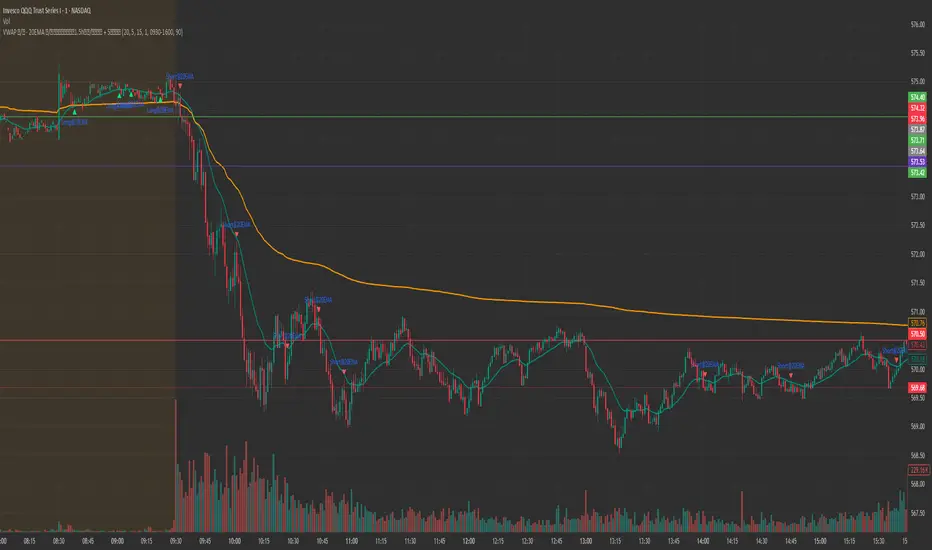
EMA20 Entry with Lei Teacher Strategy_Trend_Follow_RuleEMA20 Entry with Lei Teacher Strategy Trend Follow Entry AlertChỉ báo Pine Script®của maxllmaCập nhật 22
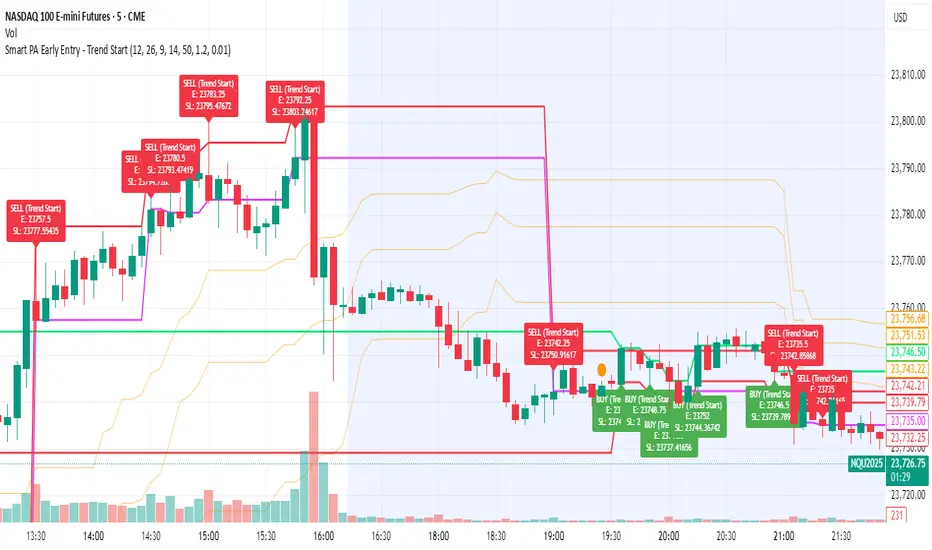
Smart PA Early Entry - Trend StartSmart PA Early Entry Indicator (MACD + FVG + Fibonacci) This TradingView indicator helps traders spot potential trend reversals early by combining multiple technical tools: MACD Momentum – Identifies the direction of the trend. Volume Filter – Confirms strong market participation for reliable signals. Fair Value Gaps (FVG) – Highlights areas where price may reverse or continue strongly. Fibonacci Retracement Levels – Pinpoints key support/resistance zones for early entries. ATR-based Stop Loss – Automatically calculates a dynamic stop-loss based on market volatility. Trend Start Signals – Alerts only appear on the first candle of a potential trend change to avoid repeated signals. Visual Labels & Plots – Shows entry price, stop-loss, FVG zones, and Fibonacci levels for easy chart reading. Ideal for: Intraday and swing traders looking for high-probability entries near trend reversals with clear risk management.Chỉ báo Pine Script®của Pal7781150
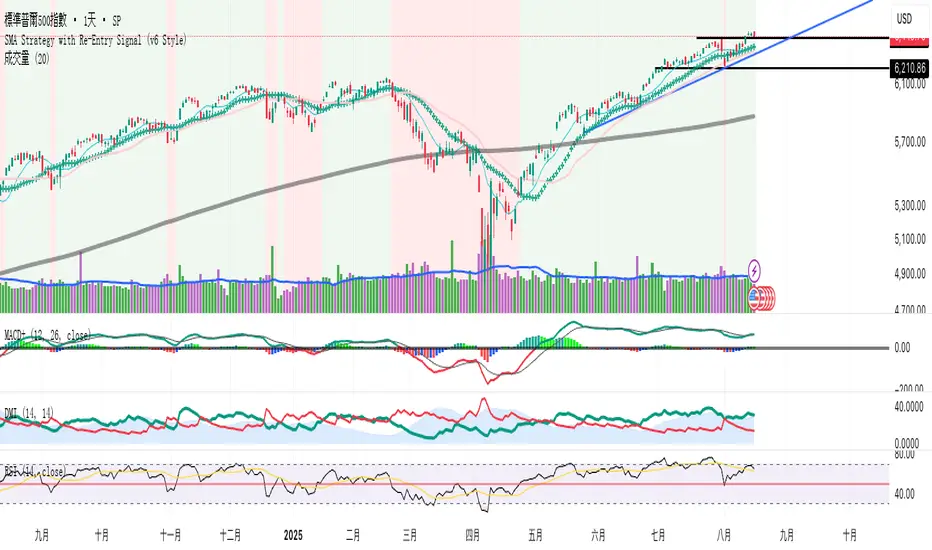
SMA Strategy with Re-Entry Signal (v6 Style)*SMA Trend Strategy with Re-Entry Signal (v6 Edition)* This indicator is based on a classic moving average trend-following system, enhanced with re-entry signals designed for medium to short-term traders. --- ### 📈 Key Features: 1. *Trend Detection Logic:* - The 30-period SMA (SMA30) is used as the trend filter. - When the closing price is above the SMA30, the market is considered to be in an uptrend. 2. *Re-Entry Signal:* - While in an uptrend, if the closing price crosses above the SMA20, a re-entry (add position) signal is triggered. - These signals are shown with green upward arrows below the bars. 3. *Background Highlighting:* - Green background: indicates an uptrend. - Red background: indicates a break below SMA30, suggesting weakening momentum. 4. *Multi-SMA Visualization:* - Five SMAs are displayed: SMA10, SMA20, SMA30, SMA60, and SMA250. - This helps visualize both short-term and long-term trend structures. --- ### 🔍 Usage Tips: - Use this script directly on your main chart to monitor trend direction and wait for re-entry signals during pullbacks. - Combine with other tools like volume, price action, or candlestick patterns to confirm entries. --- ### ⚠️ Disclaimer: - This indicator is for educational and informational purposes only. It does not constitute financial advice or a buy/sell signal. - Avoid relying solely on this script for trading decisions. Always manage your own risk. --- 👨💻 *Developer’s Note:* This script is 100% manually developed, not copied or auto-generated. It is an original implementation based on my personal trading logic. Suggestions and feedback are welcome!Chỉ báo Pine Script®của bonniestock202092
Scalper SMA-RSI-MACD – Entry/Exit Signals v2Scalper SMA–RSI–MACD Strategy (Intraday) – Indicator Version This is an intraday scalping and short-term trading tool designed for manual trading. It provides entry and exit signals based on a combination of trend, momentum, and volatility-based risk management. Core Components Trend Filter (Optional) Uses an EMA (default 200) and an SMA ribbon (5/8/13) to identify the primary trend direction. Only allows long trades in uptrend and short trades in downtrend (can be turned off for more signals). Entry Conditions RSI Pullback: Detects oversold (for long) or overbought (for short) conditions based on a short RSI (default length = 4). MACD Momentum Turn: Detects bullish or bearish MACD crossovers or momentum shifts. Both conditions must occur within a specified lookback period (default = last 3 bars). Stop Loss (SL) Placement SL is placed at a fixed multiple of the ATR (Average True Range) from the entry price (default = 1.5 × ATR). Adjusting the multiplier changes how far the SL is placed. Take Profit (TP) Levels Two targets: TP1 and TP2, each based on R-multiples of the SL distance. Default: TP1 = 1 × risk (1:1 R/R), TP2 = 2 × risk (1:2 R/R). Exit Modes (Selectable) TP1 or SL TP2 or SL Opposite signal (exit when the opposite entry condition appears) Session Filter (Optional) Can restrict trading signals to specific market hours (default off for more signals). Signals and Alerts Displays LONG and SHORT arrows for entries. Plots SL and TP levels on the chart. Marks exits as TP, SL, or opposite signal. Built-in alertcondition() allows creating TradingView alerts for all entry and exit events. Typical Usage Works best on 1-minute to 5-minute charts for scalping; can be adapted to higher timeframes for swing trading. Ideal for manual execution — the trader sees the signal, checks market conditions, and decides whether to enter. Can be tuned for more or fewer signals by adjusting RSI thresholds, MACD lookback, and trend filter settings.Chỉ báo Pine Script®của Oberon777156
Multi-Signal Entry V1Multi‑Signal Entry v1 – (clean, versioned for tracking changes) SQQQ Entry Scanner – (specific to your use case) TQQQ/SQQQ Buy Alert – (clear that it’s for both sides if you add short logic later) VWAP RSI ATR Vol Spike – (great if you want a technical name showing what’s used) Fast Entry Signal Bot – (if you want a simple, trading-friendly name)Chỉ báo Pine Script®của Pwrrrhous3
Liquidity Grab Entry Signals [Daily Enhanced]Liquidity Grab Entry Signals is a powerful tool designed to detect intraday reversal opportunities around daily high/low liquidity zones. Core features: – Plots current daily high/low levels – Identifies price interaction with these key zones – Confirms rejection via strong engulfing candles – Plots real-time long/short entry signals directly on chart – Includes alerts for both long and short setups This script is ideal for scalpers and intraday traders looking to exploit stop hunts, liquidity sweeps, and false breakouts. Optimized for instruments like US30, NAS100, Gold, BTC and more. Customize the sensitivity buffer to suit your asset and timeframe. Use this in combination with VWAP, FVG or Smart Money concepts for enhanced confirmation. --- Built for: 1s–15m charts Includes: Alerts + Custom Settings Type: Non-repainting Trade with clarity around the most manipulated price levels of the day. Chỉ báo Pine Script®của ChartEdgePro113
Ayman Entry Signal – Ultimate PRO (Scalping Gold Settings)1. Overview This indicator is a professional gold scalping tool built for TradingView using Pine Script v6. It combines multiple price action and technical filters to generate high-probability Buy/Sell signals with built-in trade management features (TP1, TP2, SL, Break Even, Partial Close, Stats tracking). It is optimized for XAUUSD but can be applied to other assets with proper setting adjustments. 2. Key Features Multi-Condition Trade Signals – EMA trend, Break of Structure, Order Blocks, FVG, Liquidity Sweeps, Pin Bars, Higher Timeframe confirmation, Trend Cloud, SMA Cross, and ADX. Full Trade Management – Auto-calculates lot size, SL, TP1, TP2, Break Even, Partial Close. Dynamic Chart Drawing – Entry lines, SL/TP lines, trade boxes, and real-time PnL. Statistics Panel – Tracks wins, losses, breakeven trades, and total PnL over selected dates. Customizable Filters – All filters can be turned ON/OFF to match your strategy. 3. Main Inputs & Settings Account Settings Capital ($) – Total trading capital. Risk Percentage (%) – Risk per trade. TP to SL Ratio – Risk-to-reward ratio. Value Per Point ($) – Value per pip/point for lot size calculation. SL Buffer – Extra points added to SL to avoid stop hunts. Take Profit Settings TP1 % of Full Target – Fraction of TP1 compared to TP2. Move SL to Entry after TP1? – Activates Break Even after TP1. Break Even Buffer – Extra points when moving SL to BE. Take Partial Close at TP1 – Option to close half at TP1. Signal Filters ATR Period – For SL/TP calculation buffer. EMA Trend – Uses EMA 9/21 crossover for trend. Break of Structure (BoS) – Requires structure break confirmation. Order Block (OB) – Validates trades within OB zones. Fair Value Gap (FVG) – Confirms trades inside FVGs. Liquidity Sweep – Checks if liquidity zones are swept. Pin Bar Confirmation – Uses candlestick patterns for extra confirmation. Pin Bar Body Ratio – Controls strictness of Pin Bar filter. Higher Timeframe Filters (HTF) HTF EMA Confirmation – Confirms lower timeframe trades with higher timeframe trend. HTF BoS – Confirms with higher timeframe structure break. HTF Timeframe – Selects higher timeframe. Advanced Filters SuperTrend Filter – Confirms trades based on SuperTrend. ADX Filter – Filters out low volatility periods. SMA Cross Filter – Uses SMA 8/9 cross as filter. Trend Cloud Filter – Uses EMA 50/200 as a cloud trend filter. 4. How It Works Buy Signal Conditions EMA 9 > EMA 21 (trend bullish) Optional filters (BoS, OB, FVG, Liquidity Sweep, Pin Bar, HTF confirmations, ADX, SMA Cross, Trend Cloud) must pass if enabled. When all active filters pass → Buy signal triggers. Sell Signal Conditions EMA 9 < EMA 21 (trend bearish) Same filtering process but for bearish conditions. When all active filters pass → Sell signal triggers. 5. Trade Execution & Management When a signal triggers: Lot size is auto-calculated based on risk % and SL distance. SL is placed beyond recent swing high/low + ATR buffer. TP1 and TP2 are calculated from the SL using the reward-to-risk ratio. Break Even: If enabled, SL moves to entry price after TP1 is hit. Partial Close: If enabled, half of the position closes at TP1. Trade Exit: Full exit at TP2, SL hit, or partial close at TP1. 6. Chart Display Entry Line – Shows entry price. SL Line – Red dashed line at stop loss level. TP1 Line – Lime dashed line for TP1. TP2 Line – Green dashed line for TP2. PnL Labels – Displays real-time profit/loss in $. Trade Box – Visual area showing trade range. Pin Bar Shapes – Optional, marks Pin Bars. 7. Statistics Panel Stats Header – Shows “Stats”. Total Trades Wins Losses Breakeven Trades Total PnL Can be reset or filtered by date. 8. How to Use Load the Indicator in TradingView. Select Gold (XAUUSD) on your preferred scalping timeframe (1m, 5m, 15m). Adjust settings: Use default gold scalping settings for quick start. Enable/disable filters according to your style. Wait for a Buy/Sell alert. Confirm visually that all desired conditions align. Place trade with calculated lot size, SL, and TP levels shown on chart. Let trade run – the indicator manages Break Even & Partial Close if enabled. 9. Recommended Timeframes Scalping: 1m, 5m, 15m Day Trading: 15m, 30m, 1H Swing: 4H, Daily (adjust settings accordingly)Chỉ báo Pine Script®của Wealth-Road480
AymaN Entry Signal – With HTF + Pin Bar + Multi TP + BE + V1Ayman Entry Signal – Indicator Description Overview Ayman Entry Signal – With HTF + Pin Bar + Multi TP + BE + Stats Panel (V1) This is a professional-grade Pine Script indicator designed for scalping and intraday trading, with full trade management, multi-confirmation logic, and advanced visualization. The tool is ideal for traders focused on XAUUSD (Gold), Forex, and other volatile instruments who seek both precision entries and structured exits with dynamic risk control. Main Features Advanced Entry Logic: - EMA fast/slow crossovers (configurable) - Optional conditions: Break of Structure (BoS), Order Block (OB), Fair Value Gap (FVG), Liquidity sweeps, Pin Bars - HTF confirmation using EMA or BoS - Real-time entry condition display Trade Management: - Dynamic calculation of Entry, SL (with ATR buffer), TP1, TP2 - Supports Partial Close and Break Even logic after TP1 - Visual PnL label (dynamic and color-coded) Statistics Panel: - Shows total trades, win/loss/breakeven count, cumulative PnL - Filter by custom date or session - Fully customizable panel appearance Trade Visualization: - Trade box includes all trade levels (Entry, SL, TP1, TP2) - Visual display of trade conditions and PnL result - Option to keep previous trades on chart Alert System: - Alerts for Buy and Sell entries - Compatible with webhook automation systems like MT5/MT4 Customization & Inputs - Capital & risk per trade - Value per pip/point - SL buffer (ATR-based) - Manual EMA override - Enable/disable: EMA, BoS, OB, FVG, Liquidity, Pin Bars - HTF: timeframe + confirmation logic - Trade box/labels visibility - Full color customization - PnL label position: top, center, or bottom Recommended Use - Ideal for Gold scalping (XAUUSD), also effective for Forex - Best on 1m–15m charts; use HTF confirmation from 15m–4H - Pairs well with semi-automated systems using alerts and webhooks Disclaimer Note: This is a non-executing indicator. It does not place trades but provides visual and statistical guidance for professional manual or semi-automated trading. Chỉ báo Pine Script®của Wealth-Road91
Futures Trade Entry Indicator (MTF)Work in Progress with the help of Claude. Not ready for active trading. Public for help improving. This will be a multi-timeframe futures trading indicator with supply/demand zones, Fair Value Gaps (FVGs), and sophisticated entry/exit logic.I've created a comprehensive Pine Script v6 indicator that matches all your specifications! Here's what the script includes: ## **Key Features Implemented:** ### **🔄 Multi-Timeframe Logic** - **1H Chart Data**: Detects Supply Zones, Demand Zones, and Fair Value Gaps - **Current Timeframe**: Monitors for re-entry and confirmation signals ### **📊 Zone Detection** - **Supply Zones**: Identified using pivot highs with configurable strength - **Demand Zones**: Identified using pivot lows with touch validation - **Fair Value Gaps**: Both bullish and bearish FVGs detected automatically - **Auto-Expiry**: Zones expire after 24 hours (configurable) ### **⚡ Entry Logic** - **Dual Confirmation Required**: - ✅ Engulfing candle pattern (bullish/bearish) - ✅ Market structure shift (HH→LL or LL→HH) - **Zone Re-entry**: Price must be within identified zones/FVGs ### **🎯 Probability System** - **Smart Scoring**: Based on zone age, strength, and risk/reward ratio - **Color-Coded**: Green (High), Yellow (Medium), Red (Low) - **Real-time Calculation**: Updates with each potential entry ### **🎨 Visual Elements** - **Colored Zones**: Supply (red), Demand (green), FVGs (blue/orange) - **Entry Labels**: 🟩 LONG / 🟥 SHORT markers - **Probability Labels**: Display confidence levels - **Confirmation Shapes**: Triangle indicators for pattern completion ### **⚙️ Manual Controls** All the requested toggles are available in the settings panel: - Show/Hide Supply Zones - Show/Hide Demand Zones - Show/Hide FVGs - Show/Hide Labels - Show/Hide Probability - Zone strength and expiry settings - Custom colors for all elements ### **🔔 Alert System** - Entry opportunity alerts - Includes probability assessment - Ticker symbol identification ## **Usage Instructions:** 1. **Apply to 15m chart** for active trading signals 2. **Configure settings** based on your preferences 3. **Set up alerts** for automated notifications 4. **Monitor probability levels** for trade quality assessment The script automatically handles the complex multi-timeframe analysis while keeping the interface clean and user-friendly. All zones update dynamically and expire appropriately to avoid clutter. Would you like me to adjust any specific parameters or add additional features?Chỉ báo Pine Script®của A_warrior11120
Universal ATR Grid from Entry Price with AlertsUniversal ATR Grid from Entry Price with Alerts This Pine Script v6 indicator creates a dynamic price grid based on a user-defined entry price and ATR for selected instruments (SOLUSDT, XRPUSDT, DOGEUSDT, PEPEUSDT, WIFUSDT). Users can customize the entry price, ATR, number of levels (up to 5), and step multiplier per instrument. The grid shows long (green) and short (red) levels around the entry price (gray), with labels offset right. Lines extend from labels to the current bar, updating dynamically. Alerts trigger on breakouts of long, short, and entry levels. Instrument names can be modified in the script.Chỉ báo Pine Script®của paulmar-vs55
5DMA Optional HMA Entry📈 5DMA Optional HMA Entry Signal – Precision-Based Momentum Trigger Category: Trend-Following / Reversal Timing / Entry Optimization 🔍 Overview: The 5DMA Optional HMA Entry indicator is a refined price-action entry tool built for traders who rely on clean trend alignment and precise timing. This script identifies breakout-style entry points when price gains upward momentum relative to short-term moving averages — specifically the 5-day Simple Moving Average (5DMA) and an optional Hull Moving Average (HMA). Whether you're swing trading stocks, scalping ETFs like UVXY or VXX, or looking for pullback recovery entries, this tool helps time your long entries with clarity and flexibility. ⚙️ Core Logic: Primary Condition (Always On): 🔹 Close must be above the 5DMA – ensuring upward short-term momentum is confirmed. Optional Condition (Toggled by User): 🔹 Close above the HMA – adds slope-responsive trend filtering for smoother setups. Enable or disable via checkbox. Bonus Entry Filter (Optional): 🔹 Green Candle Wick Breakout – optional pattern logic that detects bullish momentum when the high pierces above both MAs, with a green body. Reset Mechanism: 🔁 Signal resets only after price closes back below all active MAs (5DMA and HMA if enabled), reducing noise and avoiding repeated signals during chop. 🧠 Why This Works: This indicator captures the kind of setups that professional traders look for: Momentum crossovers without chasing late. Mean reversion snapbacks that align with fresh bullish moves. Avoids premature entries by requiring clear structure above moving averages. Optional HMA filter allows adaptability: turn it off during choppy markets or range conditions, and on during trending environments. 🔔 Features: ✅ Adjustable HMA Length ✅ Enable/Disable HMA Filter ✅ Optional Green Wick Breakout Detection ✅ Visual “Buy” label plotted below qualifying bars ✅ Real-time Alert Conditions for automated trading or manual alerts 🎯 Use Cases: VIX-based ETFs (e.g., UVXY, VXX): Catch early breakouts aligned with volatility spikes. Growth Stocks: Time pullback entries during bullish runs. Futures/Indices: Combine with macro levels for intraday scalps or swing setups. Overlay on Trend Filters: Combine with RSI, MACD, or VWAP for confirmation. 🛠️ Recommended Settings: For smooth setups in volatile names, use: HMA Length: 20 Keep green wick filter ON For fast momentum trades, disable the HMA filter to act on 5DMA alone. ⭐ Final Thoughts: This script is built to serve both systematic traders and discretionary scalpers who want actionable signals without noise or lag. The toggleable HMA feature lets you adjust sensitivity depending on market conditions — a key edge in adapting to volatility cycles. Perfect for those who value clean, non-repainting entries rooted in logical structure.Chỉ báo Pine Script®của AlphaDan1044
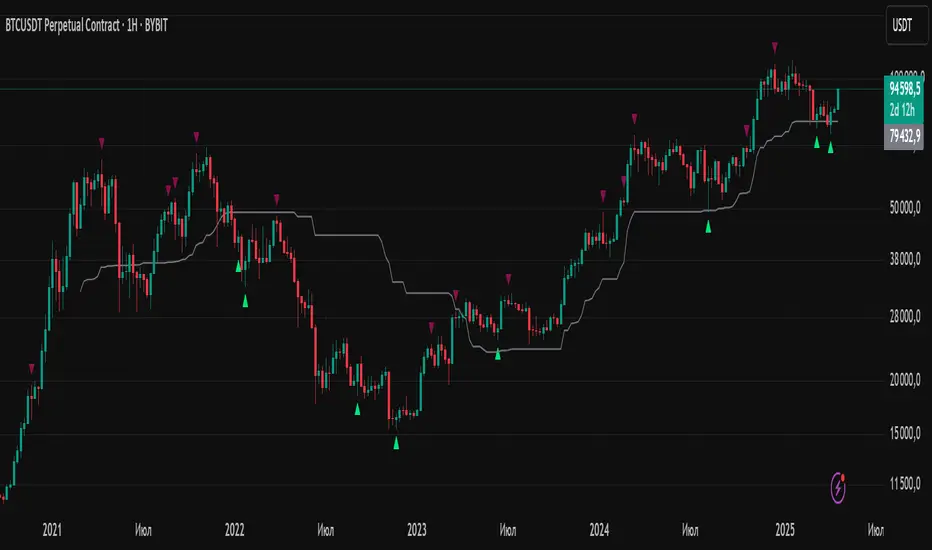
Fibonacci Entry Bands [AlgoAlpha]OVERVIEW This script plots Fibonacci Entry Bands, a trend-following and mean-reversion hybrid system built around dynamic volatility-adjusted bands scaled using key Fibonacci levels. It calculates a smoothed basis line and overlays multiple bands at fixed Fibonacci multipliers of either ATR or standard deviation. Depending on the trend direction, specific upper or lower bands become active, offering a clear framework for entry timing, trend identification, and profit-taking zones. CONCEPTS The core idea is to use Fibonacci levels—0.618, 1.0, 1.618, and 2.618—as multipliers on a volatility measure to form layered price bands around a trend-following moving average. Trends are defined by whether the basis is rising or falling. The trend determines which side of the bands is emphasized: upper bands for downtrends, lower bands for uptrends. This approach captures both directional bias and extreme price extensions. Take-profit logic is built in via crossovers relative to the outermost bands, scaled by user-selected aggressiveness. FEATURES Basis Line – A double EMA smoothing of the source defines trend direction and acts as the central mean. Volatility Bands – Four levels per side (based on selected ATR or stdev) mark the Fibonacci bands. These become visible only when trend direction matches the side (e.g., only lower bands plot in an uptrend). Bar Coloring – Bars are shaded with adjustable transparency depending on distance from the basis, with color intensity helping gauge overextension. Entry Arrows – A trend shift triggers either a long or short signal, with a marker at the outermost band with ▲/▼ signs. Take-Profit Crosses – If price rejects near the outer band (based on aggressiveness setting), a cross appears marking potential profit-taking. Bounce Signals – Minor pullbacks that respect the basis line are marked with triangle arrows, hinting at continuation setups. Customization – Users can toggle bar coloring, signal markers, and select between ATR/stdev as well as take-profit aggressiveness. Alerts – All major signals, including entries, take-profits, and bounces, are available as alert conditions. USAGE To use this tool, load it on your chart, adjust the inputs for volatility method and aggressiveness, and wait for entries to form on trend changes. Use TP crosses and bounce arrows as potential exit or scale-in signals.Chỉ báo Pine Script®của AlgoAlpha1313 4 K
Fibonacci Optimal Entry Zone [OTE] (Zeiierman)█ Overview Fibonacci Optimal Entry Zone (Zeiierman) is a high-precision market structure tool designed to help traders identify ideal entry zones during trending markets. Built on the principles of Smart Money Concepts (SMC) and Fibonacci retracements, this indicator highlights key areas where price is most likely to react — specifically within the "Golden Zone" (between the 50% and 61.8% retracement). It tracks structural pivot shifts (CHoCH) and dynamically adjusts Fibonacci levels based on real-time swing tracking. Whether you're trading breakouts, pullbacks, or optimal entries, this tool brings unparalleled clarity to structure-based strategies. Ideal for traders who rely on confluence, this indicator visually synchronizes swing highs/lows, market structure shifts, Fibonacci retracement levels, and trend alignment — all without clutter or lag. ⚪ The Structural Assumption Price moves in waves, but key retracements often lead to continuation or reversal — especially when aligned with structure breaks and trend shifts. The Optimal Entry Zone captures this behavior by anchoring Fibonacci levels between recent swing extremes. The most powerful area — the Golden Zone — marks where institutional re-entry is likely, providing traders with a sniper-like roadmap to structure-based entries. █ How It Works ⚪ Structure Tracking Engine At its core, the indicator detects pivots and classifies trend direction: Structure Period – Determines the depth of pivots used to detect swing highs/lows. CHoCH – Break of structure logic identifies where the trend shifts or continues, marked visually on the chart. Bullish & Bearish Modes – Independently toggle uptrend and downtrend detection and styling. ⚪ Fibonacci Engine Upon each confirmed structural shift, Fibonacci retracement levels are projected between swing extremes: Custom Levels – Choose which retracements (0.50, 0.618, etc.) are shown. Real-Time Adjustments – When "Swing Tracker" is enabled, levels and labels update dynamically as price forms new swings. Example: If you disable the Swing Tracker, the Golden Level is calculated using the most recent confirmed swing high and low. If you enable the Swing Tracker, the Golden Level is calculated from the latest swing high or low, making it more adaptive as the trend evolves in real time. █ How to Use ⚪ Structure-Based Entry Wait for CHoCH events and use the resulting Fibonacci projection to identify entry points. Enter trades as price taps into the Golden Zone, especially when confluence forms with swing structure or order blocks. ⚪ Real-Time Reaction Tracking Enable Swing Tracker to keep the tool live — constantly updating zones as price shifts. This is especially useful for scalpers or intraday traders who rely on fresh swing zones. █ Settings Structure Period – Number of bars used to define swing pivots. Larger values = stronger structure. Swing Tracker – Auto-updates fib levels as new highs/lows form. Show Previous Levels – Keep older fib zones on chart or reset with each structure shift. ----------------- Disclaimer The content provided in my scripts, indicators, ideas, algorithms, and systems is for educational and informational purposes only. It does not constitute financial advice, investment recommendations, or a solicitation to buy or sell any financial instruments. I will not accept liability for any loss or damage, including without limitation any loss of profit, which may arise directly or indirectly from the use of or reliance on such information. All investments involve risk, and the past performance of a security, industry, sector, market, financial product, trading strategy, backtest, or individual's trading does not guarantee future results or returns. Investors are fully responsible for any investment decisions they make. Such decisions should be based solely on an evaluation of their financial circumstances, investment objectives, risk tolerance, and liquidity needs. Chỉ báo Pine Script®của Zeiierman1515 3.7 K
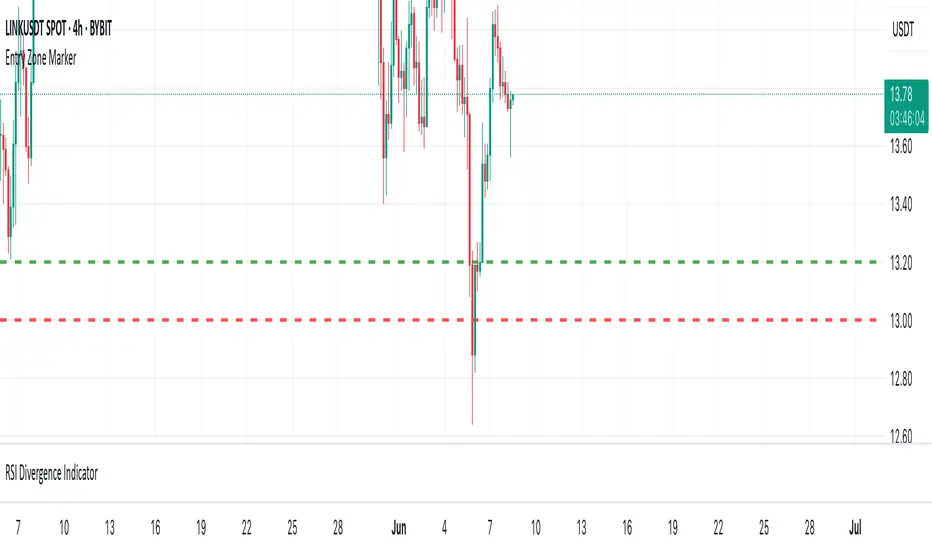
P&L Entry Zone Marker (clean)This indicator is a simple visual calculator for futures traders. It helps you track your long and short entry zones based on position size and average price. 🔹 Green line – recalculated long entry after averaging down. 🔹 Red line – short entry point. You can manually input your initial entry, volume, averaging volume, and averaging price. The script calculates your new average entry for long positions and plots both lines as full horizontal levels across the chart. ✳️ Useful for: Visualizing break-even zones Planning P&L zones for hedged positions Quickly aligning your trades with market structure ✅ Clean version — no labels, just lines. 📉 Works on all symbols and timeframes.Chỉ báo Pine Script®của oleksandrgridinCập nhật 120
AltcoinEvreni Entry/TP RR ToolMulti-Entry / Take-Profit Risk-Reward Tool This indicator is designed to help traders visually plan and manage their trade entries, take-profit targets, stop-loss levels, and risk/reward calculations directly on the chart. Key Features: --- Up to 3 customizable entry levels with separate position sizing for each. --- Up to 5 take-profit (TP) levels, each with individual allocation percentages. --- Automatic calculation of weighted average entry price. --- Dynamic risk and potential profit calculation based on your inputs. --- Visual colored zones for entry, stop-loss, and take-profit areas on the chart. --- Adjustable leverage and margin for position sizing. --- Informative floating table displaying position type, entries, stop-loss, risk in $, potential --- profit in $, and overall RR ratio. --- Fully customizable appearance (colors, box width, table font size, etc.). How to Use: 1- Set your trade direction (Long or Short). 2- Enter your planned entry prices, allocation percentages, and stop-loss. 3- Configure your take-profit levels and their respective allocation percentages. 4- Adjust margin, leverage, and visual preferences as desired. 5- The tool will display all relevant zones and statistics, helping you make better risk-managed trading decisions. Notes: --- All calculations and drawings update dynamically as you change your parameters. --- Works on any symbol and timeframe. --- For educational and planning purposes – always use your own judgment and risk management.Chỉ báo Pine Script®của ahmetakyurek38
Inside 4+ Candles Box (Entry + Target + SMA Stop Logic)🔍 What This Script Does This indicator detects price compression areas using 4 or more consecutive inside candles, then draws a breakout box to visually highlight the range. Once price closes above the box, a long entry marker is plotted, along with: 🎯 Target line at 1x box size above the breakout. ❌ Stop-loss at the box low or at a dynamic SMA-based level if the box is too large. 🧠 Why It’s Unique This script combines inside bar compression, breakout logic, risk control, and visual clarity — all in one tool. It also cancels the setup entirely if price closes below the box low before breakout, avoiding late or false entries. ⚙️ Customizable Settings Minimum inside candles (default = 4) SMA length (used as stop if box is large) Box size % threshold to activate smart stop Entry, Target, and Stop marker colors 📌 Notes For long setups only (no short signals). Use on any asset or timeframe (ideal on 4H/1D). This is not financial advice. Use with proper risk management. Backtest thoroughly before live use. Built with ❤️ by using Pine Script v6. 🇸🇦 وصف مختصر باللغة العربية: هذا المؤشر يكتشف مناطق تماسك السعر من خلال 4 شموع داخلية أو أكثر، ثم يرسم مربعًا يحدد منطقة الاختراق المحتملة. عند الإغلاق أعلى المربع، يتم عرض إشارة دخول وسطر هدف بنسبة 100% من حجم المربع. كما يتم احتساب وقف الخسارة تلقائيًا إما عند قاع المربع أو عند متوسط متحرك ذكي (SMA) إذا كان حجم المربع كبيرًا. الميزة الإضافية: إذا تم كسر قاع المربع قبل الاختراق، يتم إلغاء الصفقة تلقائيًا لتجنب الدخول المتأخر. 🧪 للاستفادة التعليمية والتحليل فقط. لا يُعتبر توصية مالية. Chỉ báo Pine Script®của abusuhil361
ian_Trado v15 Trend Entry Filter# 📈 ian_Trado v15 Trend Entry Filter (Pine Script v6) The **ian_Trado v15** is a multi-factor **trend confirmation filter** for NASDAQ (NAS100), Dow Jones (DJ30), Gold (XAU), DAX, and USDJPY. It combines **EMA structure**, **Donchian channel breakout**, **MACD histogram momentum**, **Volume confirmation**, and a **Range Compression Filter** to avoid entering during choppy or sideways markets. ✅ Designed for **bot deployment** (e.g., grid bots, long/short breakout bots) or **manual trading**. --- ## 🔍 How This Filter Works: 1. **EMA Trend Confirmation** - Long Trend: EMA(1) > EMA(5) > EMA(60) - Short Trend: EMA(1) < EMA(5) < EMA(60) 2. **Donchian Channel Width Expansion** - Only allows trades when the **breakout width** exceeds a minimum threshold. 3. **MACD Histogram Slope Filter (Optional)** - Confirms momentum building in the direction of the trend. - Strict Mode: MACD histogram must consistently rise or fall over 3 bars. 4. **Volume Filter (Optional)** - Ensures volume supports the move (filters out weak conditions). 5. **Range Compression Filter (Optional)** - Avoids entries during sideways chop. 6. **Cooldown Control** - Limits overtrading by requiring spacing between entries. 7. **Exit Conditions** - Gray dot appears when trending conditions are no longer valid. --- ## ⚙️ Settings Explained: | Setting | Description | |:--------|:------------| | **Cooldown Bars** | Minimum bars between consecutive entries | | **Profit Target (%)** | Visual profit marker for exit tracking | | **Donchian Channel Length** | Lookback period for detecting breakout width | | **Minimum Donchian Width** | Threshold to confirm meaningful breakouts | | **Volume Lookback Period** | Average volume validation window | | **Box Range (Range Compression)** | Max allowed price range over lookback bars | | **Range Compression Bars** | Number of bars to check for range compression | | **Strict MACD Filter** | Use stricter MACD slope checks | --- ## 📊 Recommended Settings by Instrument (1H Chart): | Asset | Min Donchian Width | Range Compression | Profit Target | |:------|:-------------------|:------------------|:--------------| | **NAS100** (Nasdaq) | 300–450 pts | 400 pts / 40 bars | 1.5% | | **DJ30** (Dow Jones) | 400–600 pts | 500 pts / 40 bars | 1.0–1.5% | | **XAU/USD** (Gold) | 10–15 pts | 8 pts / 30 bars | 0.8–1.2% | | **DAX40** (Germany) | 200–300 pts | 250 pts / 40 bars | 1.0% | | **USD/JPY** (Forex) | 0.5–0.8 pts | 0.4 pts / 40 bars | 0.5–0.8% | --- ## 🔔 Alerts Available: - Long Entry - Short Entry - Exit Zone > **Note:** Volume filter may be disabled if volume is unreliable (e.g., some forex pairs). --- ## 📅 Version: - **ian_Trado v15** — April 2025 - Built with **Pine Script v6** for maximum stability - Clean toggling and plotting logic (no `na` errors) Chỉ báo Pine Script®của ikohtl34
SMC Entry Signals MTF v2📘 User Guide for the SMC Entry Signals MTF v2 Indicator 🎯 Purpose of the Indicator This indicator is designed to identify reversal entry points based on Smart Money Concepts (SMC) and candlestick confirmation. It’s especially useful for traders who use: Imbalance zones, order blocks, breaker blocks Liquidity grabs Multi-timeframe confirmation (MTF) 📈 How to Use the Signals on the Chart ✅ LONG Signal (green triangle below the candle): Conditions: Price is in a discount zone (below the FIB 50% level) A bullish engulfing candle appears A bullish Order Block (OB) or Breaker Block is detected There’s an upward imbalance A bullish OB is confirmed on the higher timeframe ➡️ How to act: Consider entering long on the current or next candle. Place your stop-loss below the OB or the nearest swing low. Take profit at the nearest liquidity zone or premium area (above FIB 50%). 🔻 SHORT Signal (red triangle above the candle): Conditions: Price is in a premium zone (above FIB 50%) A bearish engulfing candle appears A bearish OB or Breaker Block is detected There’s a downward imbalance A bearish OB is confirmed on the higher timeframe ➡️ How to act: Consider short entry after the signal. Place your stop-loss above the OB or swing high. Target the discount zone or the next liquidity pocket. ⚙️ Recommended Settings by Trading Style Trading Style Suggested Settings Notes Intraday (1–15m) fibLookback = 20–50, obLookback = 5–10, htf_tf = 1H/4H Fast signals. Use Discount/Premium + Engulfing. Swing/Position (1H–1D) fibLookback = 50–100, obLookback = 10–20, htf_tf = 1D/1W Higher trust in MTF confirmation. Ideal with fundamentals. Scalping (1m) fibLookback = 10–20, obLookback = 3–5, htf_tf = 15m/1H Remove Breaker and MTF for quick reaction trades. 🧠 Best Practices for Traders Trend Filtering: Use EMAs or volume to confirm the current trend. Take longs only in uptrends, shorts in downtrends. Liquidity Zones: Use this indicator after liquidity grabs. OBs and Breakers often appear right after stop hunts. Combine with Manual Zones: This works best when paired with manually drawn OBs and key levels. Backtest the Signals: Use Bar Replay mode on TradingView to test past signals. 🧪 Example Trade Setup Example on BTCUSDT 15m: Price drops into the discount zone. A green triangle appears (bullish engulfing + OB + imbalance + HTF OB). You enter long, stop below the OB, target the premium zone. 🎯 This type of setup often gives a risk/reward ratio of 1:2 or better — profitable even with a 40% win rate. ⏰ Alerts & Automation Enable alerts: "SMC Long Entry" — fires when a long signal appears. "SMC Short Entry" — fires when a short signal appears. You can integrate this with bots via webhook, like: TradingConnector, 3Commas, Alertatron, etc. ✅ What This Indicator Gives You High-probability entries using SMC logic Customizable filters for entry logic Multi-timeframe confirmation for stronger setups Suitable for both intraday and swing tradingChỉ báo Pine Script®của btcpayer44522
Scalping Entry/Exit Indicator by DiGetImagine having a tool that not only spots high-probability entry signals but also visually marks them on your chart with color-coded cues and automated alerts. The Scalping Entry/Exit Indicator by DiGet does exactly that—by fusing a range of classic candlestick patterns (such as Bullish Hammers, Engulfing patterns, and Morning/Evening Stars) with dynamic risk management levels, this script empowers you to make swift and informed trading decisions. Whether you're an active trader or an algorithm enthusiast, this indicator offers both precision and clarity in identifying scalp opportunities, making your chart analysis more efficient and visually engaging. Indicator Breakdown Input Parameters: The indicator accepts a customizable risk-reward ratio, an ATR period for volatility measurement, and a lookback period to scan for valid candlestick patterns. ATR & Candle Calculations: It computes the Average True Range (ATR) to dynamically set stop-loss and take-profit levels. Additionally, it determines the body and wick sizes of each candlestick to help identify key reversal patterns. Pattern Detection: Multiple bullish patterns (Hammer, Engulfing, Morning Star) and bearish patterns (Shooting Star, Engulfing, Evening Star) are detected. There’s also a simplified version of the Head & Shoulders pattern, offering further validation for reversal signals. Signal Generation & Trade Levels: The script consolidates the pattern signals into combined “buy” and “sell” triggers. It then calculates the respective stop-loss (SL) and take-profit (TP) levels based on the current price and ATR, providing a robust risk management framework. Visual Aids & Alerts: To enhance usability, the indicator changes the chart’s background color to green for buy signals and red for sell signals. It also draws labels, lines (representing SL and TP), and markers directly on the chart, along with alert conditions to notify traders of actionable signals. This indicator is an excellent addition to your TradingView toolkit—ideal for scalpers and short-term traders seeking clarity, precision, and automated signal generation on their charts. Enjoy trading with confidence and precision!Chỉ báo Pine Script®của mikailhs33 1.6 K
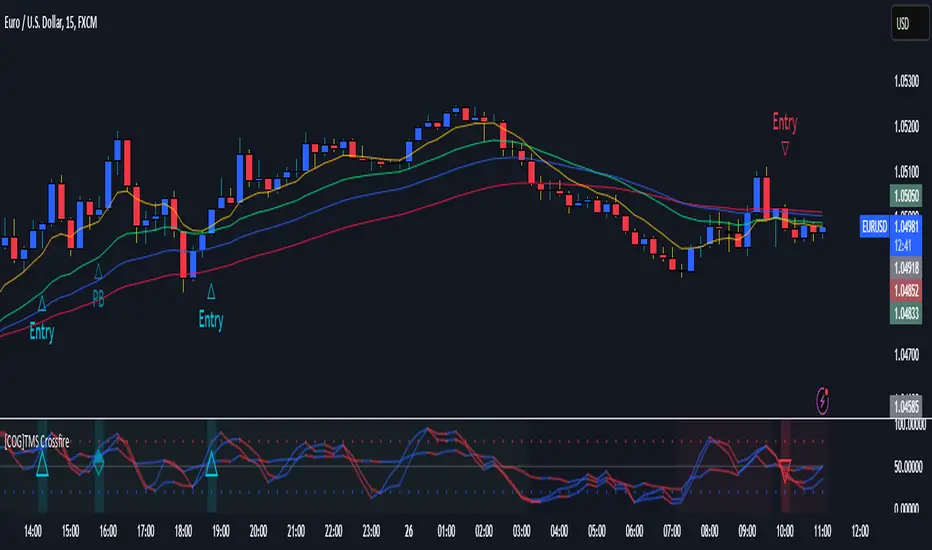
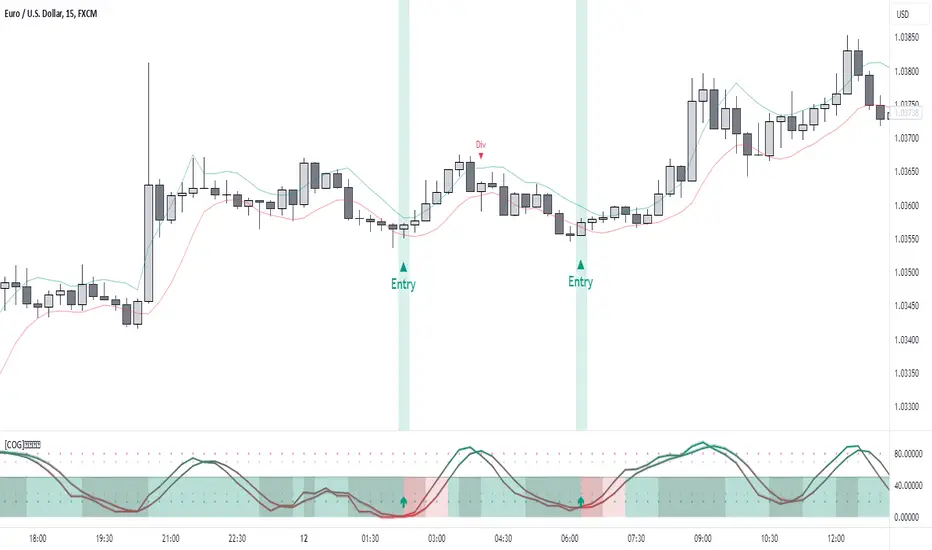
[COG]TMS Crossfire 🔍 TMS Crossfire: Guide to Parameters 📊 Core Parameters 🔸 Stochastic Settings (K, D, Period) - **What it does**: These control how the first stochastic oscillator works. Think of it as measuring momentum speed. - **K**: Determines how smooth the main stochastic line is. Lower values (1-3) react quickly, higher values (3-9) are smoother. - **D**: Controls the smoothness of the signal line. Usually kept equal to or slightly higher than K. - **Period**: How many candles are used to calculate the stochastic. Standard is 14 days, lower for faster signals. - **For beginners**: Start with the defaults (K:3, D:3, Period:14) until you understand how they work. 🔸 Second Stochastic (K2, D2, Period2) - **What it does**: Creates a second, independent stochastic for stronger confirmation. - **How to use**: Can be set identical to the first one, or with slightly different values for dual confirmation. - **For beginners**: Start with the same values as the first stochastic, then experiment. 🔸 RSI Length - **What it does**: Controls the period for the RSI calculation, which measures buying/selling pressure. - **Lower values** (7-9): More sensitive, good for short-term trading - **Higher values** (14-21): More stable, better for swing trading - **For beginners**: The default of 11 is a good balance between speed and reliability. 🔸 Cross Level - **What it does**: The centerline where crosses generate signals (default is 50). - **Traditional levels**: Stochastics typically use 20/80, but 50 works well for this combined indicator. - **For beginners**: Keep at 50 to focus on trend following strategies. 🔸 Source - **What it does**: Determines which price data is used for calculations. - **Common options**: - Close: Most common and reliable - Open: Less common - High/Low: Used for specialized indicators - **For beginners**: Stick with "close" as it's most commonly used and reliable. 🎨 Visual Theme Settings 🔸 Bullish/Bearish Main - **What it does**: Sets the overall color scheme for bullish (up) and bearish (down) movements. - **For beginners**: Green for bullish and red for bearish is intuitive, but choose any colors that are easy for you to distinguish. 🔸 Bullish/Bearish Entry - **What it does**: Colors for the entry signals shown directly on the chart. - **For beginners**: Use bright, attention-grabbing colors that stand out from your chart background. 🌈 Line Colors 🔸 K1, K2, RSI (Bullish/Bearish) - **What it does**: Controls the colors of each indicator line based on market direction. - **For beginners**: Use different colors for each line so you can quickly identify which line is which. ⏱️ HTF (Higher Timeframe) Settings 🔸 HTF Timeframe - **What it does**: Sets which higher timeframe to use for filtering (e.g., 240 = 4 hour chart). - **How to choose**: Should be at least 4x your current chart timeframe (e.g., if trading on 15min, use 60min or higher). - **For beginners**: Start with a timeframe 4x higher than your trading chart. 🔸 Use HTF Filter - **What it does**: Toggles whether the higher timeframe filter is applied or not. - **For beginners**: Keep enabled to reduce false signals, especially when learning. 🔸 HTF Confirmation Bars - **What it does**: How many bars must confirm a trend change on higher timeframe. - **Higher values**: More reliable but slower to react - **Lower values**: Faster signals but more false positives - **For beginners**: Start with 2-3 bars for a good balance. 📈 EMA Settings 🔸 Use EMA Filter - **What it does**: Toggles price filtering with an Exponential Moving Average. - **For beginners**: Keep enabled for better trend confirmation. 🔸 EMA Period - **What it does**: Length of the EMA for filtering (shorter = faster reactions). - **Common values**: - 5-13: Short-term trends - 21-50: Medium-term trends - 100-200: Long-term trends - **For beginners**: 5-10 is good for short-term trading, 21 for swing trading. 🔸 EMA Offset - **What it does**: Shifts the EMA forward or backward on the chart. - **For beginners**: Start with 0 and adjust only if needed for visual clarity. 🔸 Show EMA on Chart - **What it does**: Toggles whether the EMA appears on your main price chart. - **For beginners**: Keep enabled to see how price relates to the EMA. 🔸 EMA Color, Style, Width, Transparency - **What it does**: Customizes how the EMA line looks on your chart. - **For beginners**: Choose settings that make the EMA visible but not distracting. 🌊 Trend Filter Settings 🔸 Use EMA Trend Filter - **What it does**: Enables a multi-EMA system that defines the overall market trend. - **For beginners**: Keep enabled for stronger trend confirmation. 🔸 Show Trend EMAs - **What it does**: Toggles visibility of the trend EMAs on your chart. - **For beginners**: Enable to see how price moves relative to multiple EMAs. 🔸 EMA Line Thickness - **What it does**: Controls how the thickness of EMA lines is determined. - **Options**: - Uniform: All EMAs have the same thickness - Variable: Each EMA has its own custom thickness - Hierarchical: Automatically sized based on period (longer periods = thicker) - **For beginners**: "Hierarchical" is most intuitive as longer-term EMAs appear more dominant. 🔸 EMA Line Style - **What it does**: Sets the line style (solid, dotted, dashed) for all EMAs. - **For beginners**: "Solid" is usually clearest unless you have many lines overlapping. 🎭 Trend Filter Colors/Width 🔸 EMA Colors (8, 21, 34, 55) - **What it does**: Sets the color for each individual trend EMA. - **For beginners**: Use a logical progression (e.g., shorter EMAs brighter, longer EMAs darker). 🔸 EMA Width Settings - **What it does**: Controls the thickness of each EMA line. - **For beginners**: Thicker lines for longer EMAs make them easier to distinguish. 🔔 How These Parameters Work Together The power of this indicator comes from how these components interact: 1. **Base Oscillator**: The stochastic and RSI components create the main oscillator 2. **HTF Filter**: The higher timeframe filter prevents trading against larger trends 3. **EMA Filter**: The EMA filter confirms signals with price action 4. **Trend System**: The multi-EMA system identifies the overall market environment Think of it as multiple layers of confirmation, each adding more reliability to your trading signals. 💡 Tips for Beginners 1. **Start with defaults**: Use the default settings first and understand what each element does 2. **One change at a time**: When customizing, change only one parameter at a time 3. **Keep notes**: Write down how each change affects your results 4. **Backtest thoroughly**: Test any changes on historical data before trading real money 5. **Less is more**: Sometimes simpler settings work better than complicated ones Remember, no indicator is perfect - always combine this with proper risk management and other forms of analysis!Chỉ báo Pine Script®của CognitiveAlpha22381
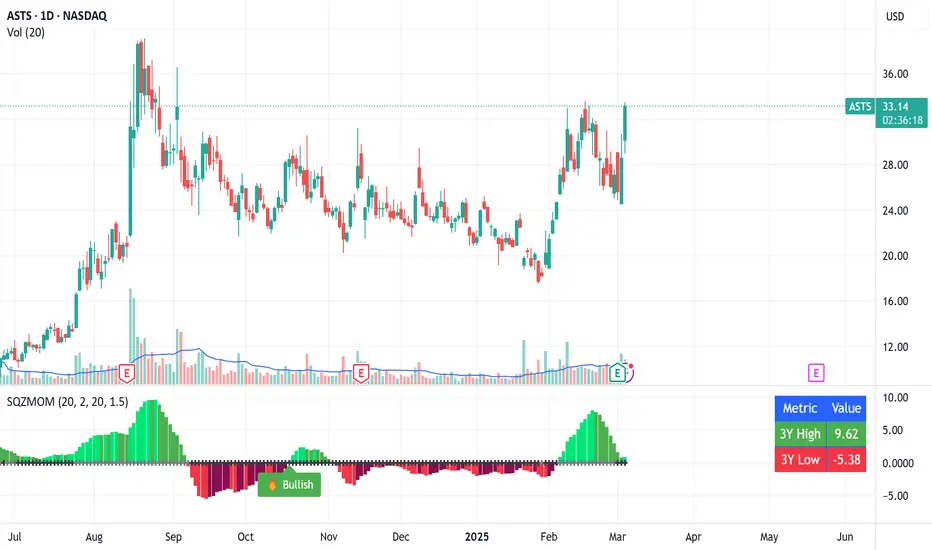
Squeeze Momentum Indicator with Entry Tactics### **Squeeze Momentum Indicator with Stacked EMAs** #### **Description:** This indicator is an enhanced version of the **Squeeze Momentum Indicator** (originally by John Carter and later modified by LazyBear). It identifies **periods of consolidation (squeeze)** and signals potential **explosive price moves** when momentum shifts. The added **stacked EMA concept** further refines entry signals by confirming trend strength. This is also an update to version 6 of PineScript #### **How to Use:** The indicator provides **three different entry tactics**, allowing traders to choose signals based on their strategy: 1. **Inside Day Pattern** – Detects inside candles, which indicate potential breakouts when volatility contracts. 2. **Consecutive Black Crosses (Squeeze Signal)** – A certain number of black crosses (low volatility periods) suggests a strong move is coming. 3. **Stacked EMA Concept** – When the **8 EMA > 21 EMA > 34 EMA**, combined with a momentum shift from negative to positive, it signals a **high-probability bullish entry**. #### **Visual Cues:** - **Histogram Bars**: Show momentum (green for increasing bullish, red for increasing bearish). - **Black & Gray Dots**: Represent different squeeze states (low volatility vs. breakout conditions). - **🔥 Bullish Label**: Appears when the stacked EMAs align and momentum shifts from negative to positive. #### **Best Practices:** - Look for **momentum shifts during a squeeze** for high-probability trades. - Use **stacked EMAs as trend confirmation** before entering. - Combine with **price action and volume analysis** for additional confluence. This indicator helps traders **anticipate major price moves** rather than react, making it a powerful tool for trend-following and breakout strategies. 🚀Chỉ báo Pine Script®của tashfeen3Cập nhật 62
[COG]StochRSI Zenith📊 StochRSI Zenith This indicator combines the traditional Stochastic RSI with enhanced visualization features and multi-timeframe analysis capabilities. It's designed to provide traders with a comprehensive view of market conditions through various technical components. 🔑 Key Features: • Advanced StochRSI Implementation - Customizable RSI and Stochastic calculation periods - Multiple moving average type options (SMA, EMA, SMMA, LWMA) - Adjustable signal line parameters • Visual Enhancement System - Dynamic wave effect visualization - Energy field display for momentum visualization - Customizable color schemes for bullish and bearish signals - Adaptive transparency settings • Multi-Timeframe Analysis - Higher timeframe confirmation - Synchronized market structure analysis - Cross-timeframe signal validation • Divergence Detection - Automated bullish and bearish divergence identification - Customizable lookback period - Clear visual signals for confirmed divergences • Signal Generation Framework - Price action confirmation - SMA-based trend filtering - Multiple confirmation levels for reduced noise - Clear entry signals with customizable display options 📈 Technical Components: 1. Core Oscillator - Base calculation: 13-period RSI (adjustable) - Stochastic calculation: 8-period (adjustable) - Signal lines: 5,3 smoothing (adjustable) 2. Visual Systems - Wave effect with three layers of visualization - Energy field display with dynamic intensity - Reference bands at 20/30/50/70/80 levels 3. Confirmation Mechanisms - SMA trend filter - Higher timeframe alignment - Price action validation - Divergence confirmation ⚙️ Customization Options: • Visual Parameters - Wave effect intensity and speed - Energy field sensitivity - Color schemes for bullish/bearish signals - Signal display preferences • Technical Parameters - All core calculation periods - Moving average types - Divergence detection settings - Signal confirmation criteria • Display Settings - Chart and indicator signal placement - SMA line visualization - Background highlighting options - Label positioning and size 🔍 Technical Implementation: The indicator combines several advanced techniques to generate signals. Here are key components with code examples: 1. Core StochRSI Calculation: // Base RSI calculation rsi = ta.rsi(close, rsi_length) // StochRSI transformation stochRSI = ((ta.highest(rsi, stoch_length) - ta.lowest(rsi, stoch_length)) != 0) ? (100 * (rsi - ta.lowest(rsi, stoch_length))) / (ta.highest(rsi, stoch_length) - ta.lowest(rsi, stoch_length)) : 0 2. Signal Generation System: // Core signal conditions crossover_buy = crossOver(sk, sd, cross_threshold) valid_buy_zone = sk < 30 and sd < 30 price_within_sma_bands = close <= sma_high and close >= sma_low // Enhanced signal generation if crossover_buy and valid_buy_zone and price_within_sma_bands and htf_allows_long if is_bullish_candle long_signal := true else awaiting_bull_confirmation := true 3. Multi-Timeframe Analysis: = request.security(syminfo.tickerid, mtf_period, ) The HTF filter looks at a higher timeframe (default: 4H) to confirm the trend It only allows: Long trades when the higher timeframe is bullish Short trades when the higher timeframe is bearish 📈 Trading Application Guide: 1. Signal Identification • Oversold Opportunities (< 30 level) - Look for bullish crosses of K-line above D-line - Confirm with higher timeframe alignment - Wait for price action confirmation (bullish candle) • Overbought Conditions (> 70 level) - Watch for bearish crosses of K-line below D-line - Verify higher timeframe condition - Confirm with bearish price action 2. Divergence Trading • Bullish Divergence - Price makes lower lows while indicator makes higher lows - Most effective when occurring in oversold territory - Use with support levels for entry timing • Bearish Divergence - Price makes higher highs while indicator shows lower highs - Most reliable in overbought conditions - Combine with resistance levels 3. Wave Effect Analysis • Strong Waves - Multiple wave lines moving in same direction indicate momentum - Wider wave spread suggests increased volatility - Use for trend strength confirmation • Energy Field - Higher intensity in trading zones suggests stronger moves - Use for momentum confirmation - Watch for energy field convergence with price action The energy field is like a heat map that shows momentum strength It gets stronger (more visible) when: Price is in oversold (<30) or overbought (>70) zones The indicator lines are moving apart quickly A strong signal is forming Think of it as a "strength meter" - the more visible the energy field, the stronger the potential move 4. Risk Management Integration • Entry Confirmation - Wait for all signal components to align - Use higher timeframe for trend direction - Confirm with price action and SMA positions • Stop Loss Placement - Consider placing stops beyond recent swing points - Use ATR for dynamic stop calculation - Account for market volatility 5. Position Management • Partial Profit Taking - Consider scaling out at overbought/oversold levels - Use wave effect intensity for exit timing - Monitor energy field for momentum shifts • Trade Duration - Short-term: Use primary signals in trading zones - Swing trades: Focus on divergence signals - Position trades: Utilize higher timeframe signals ⚠️ Important Usage Notes: • Avoid: - Trading against strong trends - Relying solely on single signals - Ignoring higher timeframe context - Over-leveraging based on signals Remember: This tool is designed to assist in analysis but should never be used as the sole decision-maker for trades. Always maintain proper risk management and combine with other forms of analysis. Chỉ báo Pine Script®của CognitiveAlphaCập nhật 55 1 K
2022 Model ICT Entry Strategy [TradingFinder] One Setup For Life🔵 Introduction The ICT 2022 model, introduced by Michael Huddleston, is an advanced trading strategy rooted in liquidity and price imbalance, where time and price serve as the core elements. This ICT 2022 trading strategy is an algorithmic approach designed to analyze liquidity and imbalances in the market. It incorporates concepts such as Fair Value Gap (FVG), Liquidity Sweep, and Market Structure Shift (MSS) to help traders identify liquidity movements and structural changes in the market, enabling them to determine optimal entry and exit points for their trades. This Full ICT Day Trading Model empowers traders to pinpoint the Previous Day High/Low as well as the highs and lows of critical sessions like the London and New York sessions. These levels act as Liquidity Zones, which are frequently swept prior to a market structure shift (MSS) or a retracement to areas such as Optimal Trade Entry (OTE). Bullish : Bearish : 🔵 How to Use The ICT 2022 model is a sophisticated trading strategy that focuses on identifying key liquidity levels and price movements. It operates based on two main principles. In the first phase, the price approaches liquidity zones and sweeps critical levels such as the previous day’s high or low and key session levels. This movement is known as a Liquidity Sweep. In the second phase, following the sweep, the price retraces to areas like the FVG (Fair Value Gap), creating ideal entry points for trades. Below is a detailed explanation of how to apply this strategy in bullish and bearish setups. 🟣 Bullish ICT 2022 Model Setup To use the ICT 2022 model in a bullish setup, start by identifying the Previous Day High/Low or key session levels, such as those of the London or New York sessions. In a bullish setup, the price usually moves downward first, sweeping the Liquidity Low. This move, known as a Liquidity Sweep, reflects the collection of buy orders by major market participants. After the liquidity sweep, the price should shift market structure and start moving upward; this shift, referred to as Market Structure Shift (MSS), signals the beginning of an upward trend. Following MSS, areas like FVG, located within the Discount Zone, are identified. At this stage, the trader waits for the price to retrace to these zones. Once the price returns, a long trade is executed. Finally, the stop-loss should be set below the liquidity low to manage risk, while the take-profit target is usually placed above the previous day’s high or other identified liquidity levels. This structure enables traders to take advantage of the upward price movement after the liquidity sweep. 🟣 Bearish ICT 2022 Model Setup To identify a bearish setup in the ICT 2022 model, begin by marking the Previous Day High/Low or key session levels, such as the London or New York sessions. In this scenario, the price typically moves upward first, sweeping the Liquidity High. This move, known as a Liquidity Sweep, signifies the collection of sell orders by key market players. After the liquidity sweep, the price should shift market structure downward. This movement, called the Market Structure Shift (MSS), indicates the start of a downtrend. Following MSS, areas such as FVG, found within the Premium Zone, are identified. At this stage, the trader waits for the price to retrace to these areas. Once the price revisits these zones, a short trade is executed. In this setup, the stop-loss should be placed above the liquidity high to control risk, while the take-profit target is typically set below the previous day’s low or another defined liquidity level. This approach allows traders to capitalize on the downward price movement following the liquidity sweep. 🔵 Settings Swing period : You can set the swing detection period. Max Swing Back Method : It is in two modes "All" and "Custom". If it is in "All" mode, it will check all swings, and if it is in "Custom" mode, it will check the swings to the extent you determine. Max Swing Back : You can set the number of swings that will go back for checking. FVG Length : Default is 120 Bar. MSS Length : Default is 80 Bar. FVG Filter : This refines the number of identified FVG areas based on a specified algorithm to focus on higher quality signals and reduce noise. Types of FVG filters : Very Aggressive Filter: Adds a condition where, for an upward FVG, the last candle's highest price must exceed the middle candle's highest price, and for a downward FVG, the last candle's lowest price must be lower than the middle candle's lowest price. This minimally filters out FVGs. Aggressive Filter: Builds on the Very Aggressive mode by ensuring the middle candle is not too small, filtering out more FVGs. Defensive Filter: Adds criteria regarding the size and structure of the middle candle, requiring it to have a substantial body and specific polarity conditions, filtering out a significant number of FVGs. Very Defensive Filter: Further refines filtering by ensuring the first and third candles are not small-bodied doji candles, retaining only the highest quality signals. 🔵 Conclusion The ICT 2022 model is a comprehensive and advanced trading strategy designed around key concepts such as liquidity, price imbalance, and market structure shifts (MSS). By focusing on the sweep of critical levels such as the previous day’s high/low and important trading sessions like London and New York, this strategy enables traders to predict market movements with greater precision. The use of tools like FVG in this model helps traders fine-tune their entry and exit points and take advantage of bullish and bearish trends after liquidity sweeps. Moreover, combining this strategy with precise timing during key trading sessions allows traders to minimize risk and maximize returns. In conclusion, the ICT 2022 model emphasizes the importance of time and liquidity, making it a powerful tool for both professional and novice traders. By applying the principles of this model, you can make more informed trading decisions and seize opportunities in financial markets more effectively. Chỉ báo Pine Script®của TFlabCập nhật 1616 3.3 K