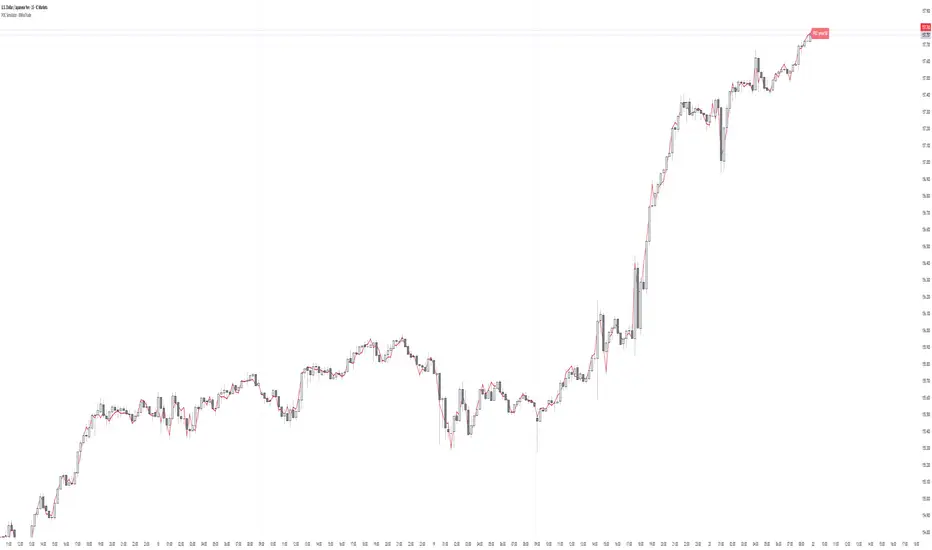
Mizan v7.8-S: Pure PSI ObserverDescription:
1. General Overview The Mizan v7.8-S is a specialized high-precision market observer designed to quantify the "Ontological Stability" of financial assets. Unlike traditional indicators that rely solely on price action, this tool projects market data onto a proprietary "PSI Scale" to measure the potential energy and structural integrity of a trend. It operates on the "Pure Justice" (Mizan) theoretical framework, distinguishing between constructive stability and chaotic degradation.
2. Key Features
Proprietary PSI Scoring: A unique algorithm that converts market momentum into a standardized stability score (0 - 310,000 Scale).
Stability Protocol Visualization: Automatically colors the trend line to indicate the current state of the asset (Green for Stable/Constructive, Red for Unstable/Chaotic).
Cyclic Time Markers: Includes deterministic time-cycle markers ("Pulse" and "Reset" points) to identify theoretical inflection points in the market rhythm.
Axiom Floor & Peak: Visual references for the theoretical limits of the analyzed asset.
3. How to Use
Trend Analysis: Observe the color of the PSI line. A transition from Red to Green indicates that the asset has crossed the critical threshold and entered a stable trend structure.
Cycle Timing: Use the geometric markers (Diamonds and Circles) to anticipate potential shifts in market rhythm or exhaustion points based on the Mizan temporal constants.
Risk Assessment: The distance of the PSI score from the "Axiom Peak" or "Axiom Floor" provides a perspective on the asset's current potential relative to its theoretical limits.
4. Invite-Only Access This script is a closed-source implementation of a proprietary algorithmic kernel ("Mizan Universal Kernel"). It contains protected logic and experimental constants derived from private research.
Access: Access to this indicator is restricted. To request access or learn more about the methodology, please contact me via private message on TradingView.
Note: This tool is intended for advanced cycle analysis and experimental observation.
M-oscillator

QuantSignals: Integrated Geometric Momentum QualityIntegrated Geometric Momentum Quality is a momentum-quality oscillator designed to complement traditional momentum indicators, not replace them.
While most momentum tools focus on how much price has moved, IGMQ focuses on how efficiently price has moved. It evaluates whether momentum is supported by smooth, directional structure or distorted by noise and volatility.
IGMQ is path-aware rather than purely price-based.
It penalizes volatility that does not contribute to sustained progress, making it especially useful as a momentum filter in systematic or discretionary trading workflows.
IGMQ analyzes price behavior over a rolling window to determine:
Directional strength
Path efficiency
Structural consistency
The output is a normalized momentum quality score that increases when price movement is clean and persistent, and decreases when momentum becomes choppy or unstable.
How to Use It
This indicator works best as a confirmation and filtering tool, alongside indicators such as:
RSI
MACD
Rate of Change
Breakout or trend-following systems
Common applications:
Confirm whether momentum signals are supported by quality structure
Filter out trades during noisy or low-efficiency regimes
Rank symbols by momentum quality
Detect early degradation in trending conditions
Interpreting the Oscillator
Positive values → Upward momentum with structural quality
Negative values → Downward momentum with structural quality
Larger magnitude → Cleaner, more reliable momentum
Values near zero → Low-quality or indecisive movement
This helps distinguish between strong momentum and usable momentum.

Delta Divergence Alarm - XWiseTradeDetect hidden buying/selling pressure with real-time delta divergence alerts.
This indicator aggregates lower timeframe volume to calculate delta and triggers alerts when:
• Price makes a lower low/higher high but delta shows opposite pressure (hidden divergence)
Features:
• Supports ultra-low timeframes (1s, 15s, 1-15min)
• Visual labels on divergence candles
• Built-in alerts
• Debug mode for data issues
Perfect for spotting absorption, exhaustion, and potential reversals.

ALIEN WARP CORE [ULTIMATE] ALIEN WARP CORE is a multi-engine oscillator designed for chart analysis and visual clarity.
It lets you switch between several popular momentum engines and provides consistent visuals, optional filters, and clear signal markers.
What it includes
Multiple engines (selectable): Laguerre RSI, Connors RSI, Stochastic RSI, MFI, TDI, Standard RSI, and MACD (MT5-style).
Two-line systems: Signal line support in Stoch RSI / TDI / Standard RSI / MACD modes.
Trinity Color Logic: A dynamic gradient that helps visualize momentum bias (sell → neutral → buy).
Optional visual layers: “Nebula mist” bands and background warp color for easier reading.
Signals & markers: Buy/Sell labels, divergence markers, and midline retest markers (optional).
Filters (optional)
This script can apply extra confirmation filters:
EMA 200 trend filter
Momentum EMA filter (EMA 10 vs EMA 12)
ADX strength filter
RSI “safety” filter (blocks buys in extreme overbought, blocks sells in extreme oversold)
You can also enable Specific Signals for Standard RSI and MACD crossovers.
If Bypass Global Filters is enabled, those crossover signals can work independently from EMA/ADX filters.
How to use
Choose your preferred Engine in the settings.
Adjust lengths and visuals (line width, solid/gradient, mist opacity).
Enable filters if you want fewer signals and more confirmation.
Use divergence and retest markers as context, not as standalone trade triggers.
Important notes
This indicator is for educational and informational purposes only and does not provide financial advice.
Signals are not guaranteed and may repaint visually around pivot-based divergence detection.
Always backtest and combine with your own risk management.

Trend Speed & ALMA vs VWAP Oscillator# Trend Speed ALMA VWAP Oscillator (TSAV Osc)
## Overview
The **Trend Speed ALMA VWAP Oscillator** is a MACD-style oscillator that combines three powerful concepts: the Trend Speed Analyzer's dynamic EMA, ALMA (Arnaud Legoux Moving Average) bands, and Volume Weighted Average Price (VWAP). It measures trend strength and momentum relative to VWAP, providing clear visual signals for trend direction and potential reversals.
## Key Features
- **MACD-Style Display**: Familiar oscillator layout with lines, signal lines, and histogram
- **Multiple VWAP Types**: Session, Rolling (1-24 hours), and Weekly anchored VWAP
- **Dynamic Trend Analysis**: Adaptive EMA with acceleration factor from Trend Speed Analyzer
- **ALMA Band Integration**: Fast and slow ALMA for crossover signals
- **Chart Overlay**: Optional plots of Dynamic Trend, VWAP, and ALMA bands on price chart
- **VWAP Standard Deviation Bands**: +/- 1, 2, 3 standard deviation bands
## Indicator Components
### Oscillator Pane
| Component | Description |
|-----------|-------------|
| **Trend vs VWAP Line** | Distance between Dynamic Trend EMA and VWAP (blue) |
| **Trend Signal Line** | EMA of Trend vs VWAP for crossover signals (cyan) |
| **ALMA vs VWAP Line** | Distance between fast ALMA and VWAP (orange) |
| **ALMA Signal Line** | EMA of ALMA vs VWAP (yellow) |
| **Histogram** | Configurable: Trend Strength, Trend vs VWAP, or ALMA vs VWAP |
| **Zero Line** | White reference line at zero (VWAP level) |
### Chart Overlay (Optional)
| Component | Description |
|-----------|-------------|
| **Dynamic Trend** | Dotted line colored by histogram gradient |
| **VWAP** | Thick solid line, green above/red below trend |
| **VWAP Bands** | Standard deviation bands (+/- 1, 2, 3 std) |
| **ALMA Bands** | Fast and slow ALMA with optional fill |
### Signal Markers
| Signal | Shape | Meaning |
|--------|-------|---------|
| **Triangle Up** (green) | Bottom | Trend vs VWAP crossed above signal line |
| **Triangle Down** (red) | Top | Trend vs VWAP crossed below signal line |
| **X Cross** (green) | Zero line | Dynamic Trend crossed above VWAP |
| **X Cross** (red) | Zero line | Dynamic Trend crossed below VWAP |
| **Circle** (green) | Oscillator | ALMA bullish cross (configurable source) |
| **Circle** (red) | Oscillator | ALMA bearish cross (configurable source) |
| **Background Highlight** | Full bar | Ideal entry condition met |
## VWAP Types
### Session VWAP
Resets at a configurable anchor time (default 9:30 AM EST). Best for intraday trading with regular market hours.
### Rolling VWAP
Uses a moving window of 1, 2, 3, 4, 8, 12, or 24 hours. Best for continuous markets or when you want a shorter-term volume-weighted reference.
### Weekly VWAP
Resets at the start of each trading week using `timeframe.change("W")`. Works across all market types:
- **Stocks**: Resets Monday morning
- **Futures**: Resets at futures week open
- **Crypto**: Resets at calendar week start
## Settings Guide
### VWAP Settings
- **VWAP Type**: Session, Rolling, or Weekly
- **Anchor Time**: Reset time for Session VWAP (EST timezone)
- **Rolling Period**: Window size for Rolling VWAP
- **VWAP Source**: Price source for VWAP calculation (default: hlc3)
### Trend Speed Settings
- **Maximum Length**: Upper limit for dynamic moving average (default: 50)
- **Accelerator Multiplier**: Responsiveness to price changes (default: 5.0)
- **Speed Smoothing**: Hull MA period for speed smoothing (default: 5)
### ALMA Settings
- **ALMA 1 (Fast)**: Length, Offset, Sigma for fast ALMA
- **ALMA 2 (Slow)**: Length, Offset, Sigma for slow ALMA
### MACD Settings
- **Signal Line Length**: EMA period for signal lines (default: 9)
### Display Settings
- **Histogram Source**: Choose what the histogram displays
- **ALMA Cross Source**: "ALMA Bands" (ALMA1 vs ALMA2) or "Oscillator Signal" (vs signal line)
- **Show/Hide**: Toggle individual components
### Chart Overlay
- **Show Dynamic Trend**: Dotted trend line on chart
- **Show VWAP**: Thick VWAP line on chart
- **Show VWAP Std Dev Bands**: +/- 1, 2, 3 standard deviation bands
- **Show ALMA Bands**: ALMA1 and ALMA2 on chart
- **Show ALMA Fill**: Fill between ALMA bands
## Trading Guidelines
### Bullish Signals
1. Trend vs VWAP line crosses above signal line (triangle up)
2. Dynamic Trend crosses above zero/VWAP (green X)
3. ALMA bullish cross (green circle)
4. **Ideal Long**: All three align with positive histogram
### Bearish Signals
1. Trend vs VWAP line crosses below signal line (triangle down)
2. Dynamic Trend crosses below zero/VWAP (red X)
3. ALMA bearish cross (red circle)
4. **Ideal Short**: All three align with negative histogram
### Reading the Histogram
- **Bright Green**: Strong bullish momentum (trend accelerating up)
- **Light Green**: Weak bullish momentum (trend slowing)
- **Light Red**: Weak bearish momentum (trend slowing)
- **Bright Red**: Strong bearish momentum (trend accelerating down)
### VWAP as Support/Resistance
- Price above VWAP with positive oscillator = bullish bias
- Price below VWAP with negative oscillator = bearish bias
- Oscillator crossing zero = potential trend change at VWAP
## Installation
1. Copy the source code from `trend-speed-alma-vwap-oscillator.pine`
2. Open TradingView's Pine Editor
3. Paste the code and click "Add to Chart"
4. Configure settings based on your trading style
## Files Included
- `trend-speed-alma-vwap-oscillator.pine` - Main indicator implementation
- `README.md` - This documentation file
## Based On
- **Trend Speed Analyzer** by Zeiierman - Dynamic EMA and speed calculations
- **ALMA** (Arnaud Legoux Moving Average) - Built-in TradingView function
- **VWAP** - Volume Weighted Average Price with custom anchoring
## Disclaimer
Trading involves substantial risk of loss and is not suitable for all investors. Past performance is not indicative of future results. This indicator is for educational purposes only and should not be considered as investment advice.

VCTOS - Volatility & Candle Transition OscillatorShort Description (one-line summary)
Displays candle and volatility-based trend transitions using EMA relationships and adaptive dynamic thresholds.
Full Description
Overview
This VCTOS (Volatility & Candle Transition Oscillator System) indicator visualizes market structure, volatility, and transition phases using a custom oscillator-based candle model.
Its purpose is to provide contextual insight into pressure, strength, and loss of momentum, not to predict future price movement and not to provide trading signals.
________________________________________
What Makes This Script Distinct
The indicator is designed to make relative market strength observable:
• Taller candles reflect higher volatility
• Shorter candles reflect reduced activity
• Candles extending far beyond the threshold suggest stronger conditions
• Compression toward the threshold suggests weakening pressure
While the base calculations use EMA-derived components, the indicator’s distinguishing feature is its adaptive advanced threshold logic, which frames volatility in a consistent and measurable way across different conditions.
________________________________________
How to Read It
One way to interpret the oscillator candles is by comparing them against price to observe divergence, compression, and loss of momentum.
To support this, candles are labeled with incrementing numbers.
These numbers do not represent signals, probabilities, or trade instructions. They simply indicate how long a sequence has been developing.
The label colors reflect transition phases:
• Blue – early phase
• Orange – transition building
• Green – late phase
A green label indicates that a sequence has matured, not that a transition will occur. Interpreting whether this information is meaningful depends on broader market context.
________________________________________
Oscillator Candle Representation
Price action is transformed into candles plotted around a zero line in oscillator form.
Each candle reflects relative movement and is color-coded based on its current state:
• Green – upward pressure
• Orange – range or transitional behavior
• Red – downward pressure
Because absolute market tops and bottoms cannot be known in advance, the oscillator format focuses on relative extremes and structural behavior, rather than fixed price levels.
________________________________________
Dynamic Candle Threshold Line
A dotted Candle Threshold Line is plotted above and below the oscillator candles.
This line is not a simple average. It dynamically adapts using the most relevant extreme values observed over time, allowing it to adjust automatically to changing volatility conditions.
The threshold line serves as a reference zone where market conditions may become stretched. It is a dynamic indication only and should not be interpreted as a reversal level or predictive boundary.
________________________________________
Volatility Line
The indicator includes a Volatility Line representing directional pressure:
• Above zero – downward pressure
• Below zero – upward pressure
Short colored threshold lines appear on the indicator right areas where pressure threshold was in the past. These segments are contextual references, not triggers.
The slope and magnitude of the volatility line are emphasized, as they reflect increasing or decreasing pressure rather than binary conditions.
________________________________________
Timeframes and Assets
The indicator is designed to work on any asset and any timeframe.
The active timeframe is displayed in the top-right corner of the chart.
Using multiple timeframes can help place short-term structure within broader market context.
________________________________________
Usage Notes
• This indicator does not generate trade entries, exit signals, or financial recommendations.
• This indicator does not predict future price movement
• Colored candles and labels highlight contextual phases within market behavior and should not be interpreted as buy or sell signals.
• Zero-line interactions in the volatility line visually mark potential phase transitions, not confirmed trend changes.
• All visuals are intended for analytical and educational purposes only.
• Users are encouraged to integrate this indicator within their own analytical or confirmation framework.
• Numerical labels are iterative and do not carry standalone predictive meaning.
• The distance between the oscillator candles, the candle threshold line, and the volatility threshold levels can help visualize relative market strength and pressure, but should not be interpreted as a forecast or signal.
The indicator is intended as a market-structure and volatility visualization tool, not as a standalone decision system.
________________________________________
Access
This is an invite-only script.
Access is restricted to users who have been granted permission by the author.
To request access, contact me through vtostrading@gmail.com
Approved users will find the indicator under Invite-only scripts in the TradingView Indicators panel.
________________________________________
Disclaimer
VCTOS is provided strictly for informational and educational purposes.
It does not constitute financial advice, investment guidance, or performance assurance.
All users should conduct independent analysis and manage their own risk responsibly.

The Beast (Adaptive Companion)⚡Quick Start
Shows momentum behind every signal
Histogram view (clearer than lines)
Highlights re-entry preparation
Plots entries and re-entries in the panel
Designed to be used together with "The Beast (Main) indicator.
📊 Overview
This oscillator is a visual companion to the main indicator.
It explains why signals occur, not just when.
It uses the same Z-Score logic and thresholds, giving you a clear view of momentum, pullbacks, and continuation setups.
📈 What You See
Z-Score Histogram
Green → strong bullish momentum
Red → strong bearish momentum
Neutral → low or mixed momentum
Threshold Levels
Zero line
Positive and negative thresholds
These match the exact rules used for entries.
Re-Entry Arming (Background Highlight)
The background subtly highlights when:
A bullish re-entry is being prepared
A bearish re-entry is being prepared
This helps you anticipate continuation trades, not chase them.
Signal Markers (In the Panel)
The oscillator displays:
▲ BUY entries
▼ SELL entries
✕ Re-entries
This keeps the price chart clean while preserving full context.
🔗 How Both Indicators Work Together
Main Indicator → What to do (entries on price)
Oscillator Companion → Why it happens (momentum + structure)
When both use the same input values, they stay perfectly aligned and create a clear, intuitive workflow.
✅ Final Notes
Non-repainting
Rule-based
Designed for clarity, not signal spam
Best used with proper risk management

TrendX Amila Bro SignalsTrendX Amila Bro is a trend-following TradingView indicator designed to identify high-probability BUY and SELL signals by combining EMA crossovers, RSI strength, Fibonacci retracement zones, and optional RSI divergence confirmation.
The indicator is built to work on any market (Forex, Gold, Crypto, Indices, Stocks) and any timeframe, with best performance during trending market conditions.
🔹 Core Features
Fast & Slow EMA crossover to detect trend direction
RSI strength filter to avoid weak or low-momentum signals
Optional Fibonacci 50% & 61.8% zone filter for pullback entries
Optional RSI divergence filter for stronger confirmations
Clear BUY / SELL arrows directly on the price chart
Customizable inputs for full control
🔸 Signal Types
BUY / SELL
Basic EMA + RSI signals (always visible)
BUY+ / SELL+
Strong signals when EMA + RSI + Fibonacci + Divergence all agree
⚙️ Settings Guide
Fast EMA / Slow EMA – Adjust trend sensitivity
RSI Levels – Control momentum strength for entries
Use Fibonacci Filter – Enable for pullback-based entries
Use RSI Divergence Filter – Enable for extra confirmation
Fib Zone Distance % – Defines tolerance around Fib levels
💡 Tip: Turn Fib & Divergence filters OFF for more signals,
turn them ON for higher-quality setups.
📈 Best Use
Trending markets
Pullback entries in trend direction
Confluence with support/resistance or price action
⚠️ Disclaimer
This indicator is for educational purposes only and does not guarantee profits. Always use proper risk management and confirm signals with your own analysis.

Swing Master by Pooja📘 Swing Master by Pooja
Invite-Only | Rule-Based Swing & Trend Structure Indicator
🔍 What this indicator is
Swing Master by Pooja is a rule-based technical analysis indicator designed to help traders identify high-quality swing opportunities within an established trend structure.
This script is not a trading strategy.
It does not execute trades and does not provide fixed targets or stop-loss levels.
Instead, it functions as a decision-support tool.
Visual signals appear only on confirmed candles, and only when trend structure, momentum, and market participation align together.
The core objective of this indicator is filtering low-quality market conditions and avoiding random entries, not generating frequent signals.
🎯 Intended Trading Use
This indicator is intended for traders who:
Trade trend-based swings and pullbacks
Prefer structure-aligned entries instead of chasing price
Want multi-factor confirmation before acting
Apply their own execution and risk-management rules
Applicable on:
Indices
Stocks
Futures
Intraday & higher-timeframe swing charts
🧠 Why this is NOT a simple indicator mashup
Although Swing Master uses EMA, RSI, Volume, and multi-timeframe context, each component serves a distinct and non-overlapping role.
No indicator is used to confirm itself, and no single condition can trigger a signal independently.
Signals are generated only when all required structural and momentum conditions align together on a confirmed bar, reducing noise and hindsight bias.
🔹 EMA Structure (50 / 100 / 200)
Defines trend hierarchy and market structure
Strictly filters trades in the dominant trend direction
Identifies pullback zones, not breakout points
EMA stacking is used to determine structural bias, not direct entries.
🔹 Pullback-Tolerance Logic (Key Original Component)
Instead of requiring exact EMA touches, the script applies a tolerance-based pullback zone around EMAs.
This allows:
More realistic swing entries
Fewer missed opportunities
Reduced noise compared to rigid EMA rules
This pullback-zone evaluation is custom-designed and central to the indicator’s behavior.
🔹 RSI Momentum Filter
Ensures pullbacks occur with momentum acceptance
Filters entries during weak or exhausted moves
Helps avoid counter-trend traps
RSI is used strictly as a momentum-quality filter, not as a standalone signal.
🔹 Volume Participation Filter
Confirms that price movement has market participation
Filters signals during low-interest or weak-volume phases
Helps avoid false continuation attempts
🚦 Signal Types Explained (Rule-Specific & Non-Repeating)
Each visual signal represents a distinct market condition, not repeated logic.
▸ sb — Swing Buy
Trend-aligned pullback near EMA structure
RSI confirms momentum
Volume confirms participation
▸ FS — Future Sell
Mirror logic of Swing Buy
Appears only in established downtrends
▸ SB / SS — Strong Buy / Strong Sell Zones
Price acceptance above or below all EMAs
Indicates strong directional control
Plotted only on the first bar of zone entry (no repetition)
▸ GB / GS — Golden Buy / Golden Sell
EMA 100 / EMA 200 crossover
Represents a structural trend transition
Appears only on confirmed crossovers
Each signal type follows its own independent rule-set.
📊 Multi-Timeframe Dashboard (Context Only)
The optional dashboard provides:
Trend state across higher timeframes
Top-down market context for directional bias
The dashboard is informational only and does not generate signals.
🔔 Alerts
Alert conditions are available for all signal types.
Alerts trigger only on confirmed candles and are intended to support manual analysis, not automated trading.
🔐 Why Invite-Only & Closed-Source
Swing Master incorporates:
Stateful signal control
Multi-condition validation
Non-repeating signal logic
Custom pullback-zone evaluation
The source code is protected to preserve the internal interaction, sequencing, and state management logic, not to conceal commonly known indicators.
⚠ Disclaimer
This indicator is provided for educational and analytical purposes only.
It does not constitute financial advice and does not guarantee results.
All trading decisions, execution, and risk management remain entirely the user’s responsibility.

RSS3 - Reversal Score System v3 [Rulph]RSS3 - Reversal Score System v3
RSS3 is a quantitative reversal detection system that combines volatility pressure analysis with directional momentum exhaustion to produce a unified reversal strength score from -1 (extreme bullish) to +1 (extreme bearish).
Unlike traditional single-indicator divergence systems (RSI, MACD), RSS3 cross-validates signals between two independent analytical engines (VPI and TDFI) and applies multi-timeframe contextual filtering to reduce false signals.
RSS3 is not a visual overlay of separate indicators. It implements a unified calculation pipeline where VPI and TDFI components feed into a single normalized Score through weighted aggregation. The divergence bonus system creates feedback loops where price-indicator relationships dynamically adjust the final Score, producing signals that cannot be replicated by simply viewing RSI, Bollinger Bands, and moving averages side-by-side.
━━━━━━━━━━━━━━━━━━━━━━━━━━━━━━━━━━
WHY COMBINE VOLATILITY + TREND FORCE?
━━━━━━━━━━━━━━━━━━━━━━━━━━━━━━━━━━
Most reversal systems rely on a single dimension:
• RSI divergence tracks momentum exhaustion
• Bollinger extremes track volatility expansion
• MACD divergence tracks trend deceleration
RSS3 recognizes that major reversals typically require both :
1. Volatility pressure buildup (market stretched beyond normal range)
2. Directional force exhaustion (trend losing momentum despite stretched price)
When VPI (volatility) and TDFI (trend force) diverge simultaneously from price, it signals a high-probability reversal zone. When only one diverges, the signal is weighted accordingly.
This dual-validation approach filters out:
• Momentum exhaustion in low-volatility consolidations (no VPI confirmation)
• Volatility spikes within strong trends (no TDFI exhaustion)
━━━━━━━━━━━━━━━━━━━━━━━━━━━━━━━━━━
COMPONENT 1: VOLATILITY PRESSURE INDEX (VPI)
━━━━━━━━━━━━━━━━━━━━━━━━━━━━━━━━━━
VPI quantifies how far the market has deviated from its equilibrium state using four factors:
1. RSI deviation from 50
Measures directional bias accumulation. When RSI stays at 70+ or 30- for extended periods, it signals persistent one-sided pressure.
2. Annualized volatility (VIX-style)
Calculates rolling standard deviation of returns scaled to annual terms. Rising volatility indicates increasing uncertainty and potential for mean reversion.
3. Normalized candle range
Compares current bar's range to recent average range. Expanding ranges signal climactic moves.
4. Bollinger Band position
Measures price distance from statistical mean (middle band). Touches or penetrations of outer bands indicate statistical overextension.
How they combine:
Each component is normalized to 0-1 scale, then weighted based on current market regime (trending vs ranging). The weighted average produces VPI reading where:
• VPI > 0.5 = overbought pressure zone
• VPI < -0.5 = oversold pressure zone
━━━━━━━━━━━━━━━━━━━━━━━━━━━━━━━━━━
COMPONENT 2: TREND DIRECTION FORCE INDEX (TDFI)
━━━━━━━━━━━━━━━━━━━━━━━━━━━━━━━━━━
TDFI measures the strength and sustainability of directional movement using moving average dynamics:
1. MA spread (fast MMA vs slow SMMA)
When fast MA pulls far from slow MA, it indicates strong directional momentum. When the spread contracts, momentum is fading.
2. Average impulse between MAs
Calculates the velocity of the spread change. Rapid expansion = acceleration phase; slowing expansion or contraction = deceleration/exhaustion.
3. Normalized trend strength
The spread and impulse are normalized relative to recent volatility to make TDFI comparable across different instruments and market conditions.
Output:
• TDFI > 0.7 = unsustainably strong bullish momentum
• TDFI < -0.7 = unsustainably strong bearish momentum
• TDFI near 0 = directionless or balanced market
━━━━━━━━━━━━━━━━━━━━━━━━━━━━━━━━━━
SCORE CALCULATION & DIVERGENCE INTEGRATION
━━━━━━━━━━━━━━━━━━━━━━━━━━━━━━━━━━
Base Score:
Score = (VPI_weight × VPI) + (TDFI_weight × TDFI)
This creates a continuous measure where:
• Score > +0.5 = bearish reversal zone (high VPI + weak bullish TDFI)
• Score < -0.5 = bullish reversal zone (low VPI + weak bearish TDFI)
Divergence Bonus System:
When classic divergences are detected (price makes new high/low but VPI or TDFI doesn't), a bonus/penalty is applied to Score:
• Decay mechanism: Divergence influence fades linearly over 15 bars (default). Fresh divergences have maximum impact; older ones gradually lose weight.
• Amplitude weighting: Larger divergences (bigger spread between price and indicator pivots) receive stronger bonuses.
• Dual-source amplification: When VPI and TDFI diverge on the same pivot (double divergence), their bonuses stack, creating extreme Score readings near ±1.0.
This means:
• Score = 0.9 with v3t2 label = third VPI + second TDFI bearish divergence, very high confidence
• Score = -0.85 with v1 label = first VPI bullish divergence, strong but early signal
━━━━━━━━━━━━━━━━━━━━━━━━━━━━━━━━━━
CALCULATION MECHANICS (DETAILED)
━━━━━━━━━━━━━━━━━━━━━━━━━━━━━━━━━━
VPI Component Weighting:
Weights are dynamically adjusted based on market regime detected by TDFI:
• Trending regime (|TDFI| > 0.5): RSI deviation 40%, BB position 30%, volatility 15%, range 15%
• Ranging regime (|TDFI| < 0.3): Volatility 35%, range 35%, RSI deviation 15%, BB position 15%
• Transition zones: linear interpolation between the two weight sets
Normalization Approach:
Each VPI/TDFI component is rescaled using rolling percentile rank over 100-bar window:
• Value at 100th percentile (highest) → 1.0
• Value at 0th percentile (lowest) → 0.0
• Current value → percentile position between 0-1
This makes the indicator adaptive to changing volatility and comparable across instruments.
Divergence Amplitude Measurement:
When a divergence is detected, its strength is quantified as:
Amplitude = (price_pivot_delta / ATR) × (indicator_pivot_delta / indicator_stddev)
Where:
• price_pivot_delta = distance between current and previous pivot
• indicator_pivot_delta = distance between indicator values at those pivots
• ATR and stddev provide normalization
Larger amplitude → larger bonus/penalty to Score (up to ±0.3 maximum).
Decay Function:
Divergence bonus decays linearly: Bonus(t) = Initial_Bonus × (1 - t/15), where t is bars since divergence. After 15 bars, bonus reaches zero. This ensures recent divergences dominate the Score.
Why This Design:
This architecture creates a system where:
• Components adapt to market regime automatically
• Signals are normalized across timeframes and instruments
• Multiple divergences create amplification (bonuses stack)
• Stale signals fade out naturally
This is fundamentally different from displaying RSI + Bollinger + MA separately, as the unified Score cannot be replicated by visual inspection alone.
━━━━━━━━━━━━━━━━━━━━━━━━━━━━━━━━━━
SEQUENTIAL DIVERGENCE LABELS (v/t SYSTEM)
━━━━━━━━━━━━━━━━━━━━━━━━━━━━━━━━━━
Each divergence is tracked separately for VPI and TDFI:
v-series: VPI divergences (v1, v2, v3...)
t-series: TDFI divergences (t1, t2, t3...)
The counter increments each time a new divergence appears in the same direction (e.g., consecutive bearish divergences). When direction flips (bearish → bullish), counters reset to 1.
Why this matters:
• v1 or t1 = early warning, potentially premature
• v3 or v4 = late-stage exhaustion, higher probability of reversal
• v2t3 = double divergence with second VPI + third TDFI = strong confluence
Traders can filter signals by label:
• Aggressive: trade v1/t1
• Conservative: wait for v2+/t2+ or double divergences
━━━━━━━━━━━━━━━━━━━━━━━━━━━━━━━━━━
MULTI-TIMEFRAME FILTER
━━━━━━━━━━━━━━━━━━━━━━━━━━━━━━━━━━
The MTF filter analyzes a higher timeframe to determine if the current market structure supports the divergence signal.
Modes:
• Off: All divergences shown
• Reduce: Counter-trend divergences have their bonus reduced by 70% (visual indication: dimmed/gray markers)
• Block: Counter-trend divergences completely hidden
Logic:
If 1H shows bearish divergence but 4H is in strong uptrend (Score < -0.3), the 1H signal is likely premature. MTF filter prevents entering shorts against higher timeframe momentum.
This protects against:
• Catching falling knives in strong downtrends
• Shorting pullbacks in strong uptrends
• Low-probability mean-reversion attempts
━━━━━━━━━━━━━━━━━━━━━━━━━━━━━━━━━━
HOW TO USE RSS3
━━━━━━━━━━━━━━━━━━━━━━━━━━━━━━━━━━
Entry Setup:
1. Wait for divergence marker (green = bullish, red = bearish)
2. Check Score magnitude:
• |Score| > 0.5 = higher confidence
• |Score| > 0.8 = extreme zone
3. Check v/t label:
• v1/t1 = early (more risk, more reward potential)
• v2+/t2+ or double = late but more reliable
4. Optional: wait +2 bars for pivot confirmation
Exit Options:
• Conservative: opposite divergence appears
• Aggressive: Score crosses through 0 or opposite ±0.5 threshold
• Always use volatility-based stop (2-3× ATR)
Timeframe Recommendations:
• 5-15m: intraday (use MTF 1H-4H)
• 1-4H: swing trading (use MTF Daily-Weekly)
• Daily: position trading (use MTF Weekly-Monthly)
Complementary Tools:
RSS3 is a reversal timing engine, not a complete strategy. Combine with:
• Support/resistance for target zones
• Volume analysis for confirmation
• Trend filters for directional bias
━━━━━━━━━━━━━━━━━━━━━━━━━━━━━━━━━━
WHAT MAKES RSS3 ORIGINAL
━━━━━━━━━━━━━━━━━━━━━━━━━━━━━━━━━━
vs Traditional RSI Divergence:
• RSI divergence = binary yes/no
• RSS3 = quantified strength score with dual-source validation
vs MACD Divergence:
• MACD = single dimension (momentum)
• RSS3 = volatility pressure + trend force + MTF context
vs Bollinger + RSI mashup:
• Standard mashup = two separate signals
• RSS3 = unified scoring system where components interact through weighted bonuses
Unique features:
• Decay-weighted divergence bonuses (recent divergences matter more)
• Amplitude-sensitive scoring (stronger divergences = higher score impact)
• Sequential tracking (v/t labels show signal maturity)
• MTF-aware filtering (context-dependent signal validation)
• Closed-loop system (divergences → Score → priority weighting → signal)
━━━━━━━━━━━━━━━━━━━━━━━━━━━━━━━━━━
EXAMPLE INTERPRETATION
━━━━━━━━━━━━━━━━━━━━━━━━━━━━━━━━━━
Scenario: BTC 2H chart shows:
• Red triangle appears above price
• Label: v1 + t2
• Recent Score Value: 1
What this means:
• Second consecutive TDFI bearish divergence detected (t2)
• First VPI bearish divergence on same pivot (v1)
• Double divergence stacking → Score near maximum
• Market is in extreme overbought/overextended zone
• High probability of short-term reversal
Trading decision:
• Aggressive trader: short immediately with tight stop
• Conservative trader: wait for Score to drop below 0.5 or opposite divergence for exit
━━━━━━━━━━━━━━━━━━━━━━━━━━━━━━━━━━
CHART LEGEND
━━━━━━━━━━━━━━━━━━━━━━━━━━━━━━━━━━
The published chart shows:
• Green triangles below price = bullish divergences (v/t labels indicate sequence)
• Red triangles above price = bearish divergences
• Score line in lower panel = reversal strength from -1 to +1
• Colored clouds = pressure accumulation zones (optional display)
• Text annotations = example entry/exit points for educational purposes
━━━━━━━━━━━━━━━━━━━━━━━━━━━━━━━━━━
Disclaimer: All trading involves risk. This indicator does not guarantee profits. Always backtest and apply proper risk management.

Delta Aggregator - XWiseTradeReal-time delta and buy/sell volume label for the current candle.
Aggregates lower timeframe volume to show aggressive buying/selling activity directly on the chart via a clean label:
• Delta (Buy - Sell)
• Percentage
• Buy / Sell / Total volume
Features:
• Supports 1s to 15min lower timeframes
• Customizable label position
• No chart clutter — label only
Perfect for order flow traders who want key numbers at a glance.
More premium indicators and strategies coming soon at:
xwisetrade.com
Be Wise. Trade X.

POC Simulator - XWiseTradeReal-time Point of Control (POC) for the current candle using lower timeframe volume data.
This indicator calculates the price level with the highest traded volume within the current bar (based on 1s to 15min data) — a dynamic approximation of the developing POC.
Features:
• Selectable lower timeframe source (1s, 15s, 1, 3, 5, 15min)
• Clean POC line + price label
• Lightweight and responsive
Perfect for intraday traders identifying developing value areas and potential support/resistance.
More premium indicators and strategies coming soon at:
xwisetrade.com
Be Wise. Trade X.
Estimated Volume - XWiseTradeReal-time projected volume for current and higher timeframes.
This indicator estimates the final volume of the current candle (and 3 selectable HTFs) based on elapsed time—perfect for spotting unusual activity early.
Features:
• Live estimated volume for current TF + 3 higher TFs
• Customizable table position
• Volume surge alert (when estimated volume exceeds previous candle by X%)
• Lightweight and accurate
Ideal for volume profile traders, breakout hunters, and anyone watching institutional activity.
More premium indicators and strategies coming soon at:
xwisetrade.com
Be Wise. Trade X.

WT + MACD Multi-Timeframe VisualWT + MACD Multi-Timeframe Visual is a technical analysis indicator that combines WaveTrend and MACD in a separate panel.
The script allows users to:
Visualize WaveTrend (WT1 and WT2).
Display the MACD using a selectable timeframe, independent from the chart timeframe.
Draw vertical lines when MACD crossovers are detected across multiple timeframes.
Important notes:
This indicator is a visual and educational tool and does not constitute financial advice.
The script uses multi-timeframe data through request.security().
Signals from higher timeframes may adjust while the higher timeframe candle is still forming.
lookahead_off is used to prevent the use of future data.
Users are encouraged to validate any analysis with proper market context and risk management.

AI Market Weather Forecast ProAI Market Weather Forecast Pro - Advanced Trading Indicator
Overview
AI Market Weather Forecast Pro is an innovative multi-timeframe trading system that uses global meteorological metaphors to visualize market conditions. By analyzing dimensional latitude regions, it transforms complex market data into intuitive global weather forecasts and temperature readings, helping traders quickly assess market sentiment and trend strength.
Core Features
🌍 Global Weather System
- Temperature Scale: -51°C to +51°C market temperature readings
- Weather Classifications: 9 distinct weather conditions from Freezing Cold to Scorching Heat
- Multi-Latitude Analysis: 5 climate zones representing different regional AI parameters
- Dynamic Temperature Engine: AI-powered algorithm calculates market "temperature" in real-time
- Trend Direction Indicator: Clear bullish/bearish/neutral classification
🌡️ Temperature-Based Signals
Hot Weather (Bullish Conditions):
- 🌡️ Scorching (35°C+): Strong Bull - Extreme bullish conditions
- ☀️ Hot (25°C-35°C): Bullish - Strong upward momentum
- 🌤️ Sunny (15°C-25°C): Mild Bull - Moderate bullish trend
- ⛅ Partly Cloudy (5°C-15°C): Weak Bull - Light bullish bias
Neutral Weather:
- ☁️ Overcast (-5°C to 5°C): Neutral - Consolidation/ranging market
Cold Weather (Bearish Conditions):
- 🌧️ Light Rain (-15°C to -5°C): Weak Bear - Light bearish bias
- 🌨️ Sleet (-25°C to -15°C): Mild Bear - Moderate bearish trend
- ❄️ Blizzard (-35°C to -25°C): Bearish - Strong downward momentum
- 🧊 Freezing Cold (-35°C-): Strong Bear - Extreme bearish conditions
📊 Five Latitude Climate Zones
Detects market conditions across 5 distinct "latitude zones", each representing progressively longer timeframes:
Each zone displays real-time weather status: ☀️ Clear (bullish), ❄️ Snow (bearish), or ☁️ Cloudy (neutral)
🎨 Advanced Visualization
Color-Coded Background:
- Orange/Yellow spectrum for bullish temperatures
- Gray for neutral conditions
- Blue spectrum for bearish temperatures
- Intensity increases with temperature extremes
Smart Weather Labels:
- Emoji-based weather icons for instant recognition
- Temperature readings in degrees
- Auto-positioned to avoid chart clutter
- Updates dynamically with trend changes
Comprehensive Weather Panel:
- Current weather condition
- Market temperature (°C)
- Trend direction classification
- Real-time status of all 5 latitude zones
- Current price and percentage change
Configuration Options
Display Settings
- Panel Position: 9 position options (corners, edges, center)
- Show Weather Panel: Toggle weather information panel on/off
- Show Background Color: Toggle background coloring on/off
- Show Weather Labels: Toggle weather labels on/off
- Background Display Days: Control how many days of coloring to display (1-30 days)
Alert System
Pre-configured alerts include:
- Weather Warming: Alert when temperature rises above 15°C
- Weather Cooling: Alert when temperature falls below -15°C
- Strong Trend Change: Alert when trend shifts to "Strong Bull" or "Strong Bear"
Information Panel Metrics
Real-time display includes:
- Current Weather: Visual weather condition with emoji
- Market Temperature: Numerical temperature reading (°C)
- Trend Direction: Clear classification (Strong Bull/Bullish/Mild Bull/Weak Bull/Neutral/Weak Bear/Mild Bear/Bearish/Strong Bear)
- Latitude Status: Weather conditions across all 5 climate zones
- Price & Change: Current price and percentage change
How to Interpret
Temperature Readings
- Above +25°C: Strong bullish conditions, consider long positions
- +15°C to +25°C*: Moderate bullish, good for trend following
- +5°C to +15°C: Mild bullish, cautious long bias
- -5°C to +5°C*: Neutral range, wait for clarity or range trade
- -15°C to -5°C: Mild bearish, cautious short bias
- -25°C to -15°C: Moderate bearish, good for short positions
- Below -25°C: Strong bearish conditions, consider short positions
Best Practices
1. Temperature Extremes: Focus on temperatures above +25°C or below -25°C for clear signals
2. Temperature Trend: Watch for rising/falling temperature trends, not just absolute values
3. Combine with Barometer*: Use alongside AI Market Barometer Pro for comprehensive analysis
4. Background Color: Quick visual assessment of overall market climate
Recommended Timeframes
- Scalping: 1-minute charts
- *Day Trading: 5-minute, 15-minute charts
Technical Requirements
- TradingView Pro, Pro+, or Premium account (required for multi-timeframe functionality)
- Compatible with all markets: Forex, Crypto, Stocks, Indices, Commodities
- Works on all timeframes from 1-minute to Monthly
Disclaimer
This indicator is a tool to assist with trading decisions. Past performance does not guarantee future results. Trading involves substantial risk of loss. Always use proper risk management and never risk more than you can afford to lose. The AI algorithms and temperature calculations are based on historical price patterns and technical analysis, not predictive guarantees.
What Makes This Different?
Unlike traditional indicators, AI Market Weather Forecast Pro:
- ✅ Uses intuitive meteorological metaphors for instant comprehension
- ✅ Analyzes multiple timeframe combinations simultaneously
- ✅ Calculates dynamic market "temperature" readings
- ✅ Provides 5-zone latitude system for confirmation
- ✅ Offers clear visual weather classifications
- ✅ Features unique temperature-based trend strength measurement
- ✅ Complements AI Market Barometer Pro for complete market analysis
Transform complex multi-timeframe analysis into simple weather forecasts. Know the market climate before you trade.
Perfect Companion to AI Market Barometer Pro
When used together with AI Market Barometer Pro:
- Barometer provides directional signals with AI confidence scores
- Weather provides overall market climate and temperature readings
- Combined gives you both precise entry signals AND broader market context
- Result: More informed trading decisions with better timing
© 2024 AI Market Weather Forecast Pro. All rights reserved. Proprietary algorithms and methodologies protected.

Market Exhaustion [WavesUnchained]Market Exhaustion
Multi-oscillator exhaustion detector combining MFI + optional CCI, HTF bias, StochRSI timing, and a divergence engine with an Exhaustion Score (0-100).
CORE CONCEPT
- Detects exhaustion via regular divergences anchored on price pivots
- Scores each divergence (0-100) using 5 components
- Line width = quality, color = direction (never thicker than main line)
OSCILLATOR MODES
- MFI : Engine uses MFI only
- CCI : Engine uses CCI mapped to 0-100
- MFI+CCI : Both plotted, engine source selectable (MFI or CCI)
EXHAUSTION SCORE (0-100)
1. Sequence (Div 1/2/3...) - repeated attempts increase score
2. Fatigue - no new oscillator extreme over lookback
3. Formation Time - bars between pivots
4. Reaction - post-divergence bounce/drop vs ATR
5. Impulse - MFI/CCI delta + swing size
DIVERGENCE ENGINE
- Price-pivot anchored (LL/HH) with osc confirmation (HL/LH)
- OS/OB gating with dynamic zones + fallback to 20/80
- Tolerant direction checks (price + osc eps)
- Auto cleanup (max objects)
HTF CONTEXT
- Auto-HTF MFI bias label
- Optional HTF filter for signals
- Bias bonus (optional) for Exhaustion Score
SIGNALS & TIMING
- StochRSI timing + MFI zone confirmation
- Context + timing signals (L/S markers)
- Zone confirm bars
VISUALIZATION
- Color-coded MFI line (OB/OS/neutral)
- Optional CCI (mapped 0-100) line
- Divergence line width = quality, endpoint markers
- Optional mid-label with score
- Dynamic zones + optional fill
BEST USE CASES
- Reversal scouting at extremes
- Filtering weak swings
- 15M-4H swing exhaustion reads
- HTF bias + divergence confluence
Version: 1.0.0
Author: WavesUnchained
Pine Script: v6

Market Pressure Delta ProMarket Pressure Delta Pro is an analytical indicator designed to quantify the hidden "Determination" behind every price move. While traditional indicators focus on where the price is, this engine focuses on the conviction behind the move. It operates on the theory of Institutional Exhaustion. It observes the balance of power during the formation of a trend to determine if a move is backed by genuine intent or if it is merely a low-conviction spike.

RSI(Crypto Market)Indicators applicable to multiple
This is a multi-period RSI indicator combined with a histogram, providing a visually intuitive presentation.

ARDO (v2.4.7) Moving Averages v1.1ARDO Moving Averages v1.1 (Overlay)
Companion overlay that recreates ARDO driver states (Spreads A/B, LinReg state + slope/gradient, tiers/MK tiers, gate pass/block) and maps those states onto up to 5 moving average overlays + one optional MA-to-MA fill.
ARDO v2.4.6 (original indicator)
What this overlay does
Computes ARDO “driver states” internally (no external source required): Spread A, Spread B, LinReg (4-state), LinReg slope/accel → gradient opacity, quartile/tier regimes, MK tiers, and Gate pass/block.
Paints MA overlays using selectable “Color Modes” (Spread A, Spread B, ARDO LinReg, MK Tier, Quartile Background, Gate Pass, Bull/Bear A vs B, or Fixed).
Optional Fill between two overlay MAs using a selected color mode (intended for regime/bull-bear shading between MA lines).
Core concepts (quick read)
Baseline / MA A / MA B define Spread A and Spread B (% distance vs baseline).
LinReg is a regression of a selected source (Spread A, Spread B, or Spread(A+B)).
LinReg State (4 colors) is derived from slope sign and acceleration (trend speeding up vs slowing down): Green / Orange / Red / Gray.
Gradient Opacity scales line opacity based on slope magnitude (strong vs weak).
Tier / Quartile maps current regime into bins (Q0–H4) using rolling percentiles (or manual thresholds).
MK Tier is an alternate tier engine (Standard / Asymmetric / Mirror BG).
Gate is a boolean pass/block that can combine spread and trend requirements (optional).
How to set it up (recommended workflow)
Pick ARDO Core MAs (Baseline, MA A, MA B) and your main LinReg Source.
Tune LinReg Length + Gradient Scale to match your timeframe (shorter = faster flips, longer = smoother).
Decide Tier mode (Standard vs Asymmetric) and whether tiers use All Bars or Pivots Only .
Set up Gate (or leave off): use it as a “permission layer” for entries.
Configure your overlay MAs (1–5) and assign each a Color Mode aligned to its job:
MA1 = fast impulse (often Spread A)
MA2 = trend state (often ARDO LinReg)
MA3 = slower confirmation (often Spread B)
MA4 = gate/permission readout (Gate Pass)
MA5 = regime (MK Tier)
Enable Fill only if you want regime shading between two MAs (keep it simple: one fill only).
Inputs explained (by group)
1) Sources & Moving Averages (ARDO Core)
Price Source : price used for MA calculations (default close).
Baseline MA Type/Length : reference MA for spreads.
MA A Type/Length : “A” spread driver (usually faster).
MA B Type/Length : “B” spread driver (often slower fast MA).
EMA Fast / EMA Slow : used only if the EMA gate toggle is enabled.
2) Linear Regression & Gradient
LinReg Length : lookback used by regression.
LinReg Source : Spread A, Spread B, or Spread(A+B).
Slope Lookback : bars used to compute slope as (linreg - linreg ) / n.
Adaptive Opacity Scale : derives slope “cap” from a rolling percentile (reduces volatility-regime distortion).
Fixed Scale Cap : used if adaptive scaling is off.
Min/Max Opacity : clamps gradient range.
3) Tiers & Population
Tier Mode : Standard vs Asymmetric (changes percentile boundary logic).
Tier Population : All Bars vs Pivots Only.
Manual Thresholds : if enabled, uses user cutoffs instead of computed percentiles.
Auto-Percentile Window : rolling window size for percentiles.
4) Region Rendering (BG / regime palette)
BG colors for Q0/Q1/Q2/Q3/Q4/H4 : the palette used for “Quartile Background” color mode and MK “Mirror BG”.
Pivot Sensitivity : relevant only for Pivots Only population.
5) Gate (Pass/Block)
Gate: SpreadA > LinReg (toggle)
Gate: EMA Fast > EMA Slow (toggle)
Min Spread A (%)
Min |LinReg Slope|
Gate PASS/BLOCK colors : also used by Gate Pass color mode.
6) Overlay Moving Averages (MA1–MA5)
MA Len / Type : SMA, EMA, WMA, Wilder, Triangular, HMA, Adaptive.
Color Mode :
Fixed
ARDO Spread A
ARDO Spread B
ARDO LinReg (4-state + gradient opacity)
MK Tier
Quartile Background (Q0–H4 palette)
Gate Pass
Bull/Bear (A vs B)
Base Color : used for Fixed (and as fallback).
Line Width
Style (if present): line / stepline / markers depending on the MA slot.
Bull/Bear (A vs B) definition
Bull when MA A > MA B
Bear when MA A < MA B
Alerts (built-in alertconditions in v1.1)
Spread A State
State changed (any change)
Turned Green / Orange / Red / Gray
LinReg State
State changed (any change)
Turned Green / Orange / Red / Gray
LinReg Gradient
Gradient High (slope strength high)
Gradient Low (slope strength low)
Gate
Gate Pass ON
Gate Pass OFF
Bull/Bear Flip
Bullish flip (A crosses above B)
Bearish flip (A crosses below B)
Tier / Quartile
Entered Q0
Entered Q1
Entered H3
Entered H4
Simple Alignment
LinReg Green AND SpreadA Green (basic “momentum aligned” condition)
How to use Gate (and how to loosen/tighten it)
Use Gate as a filter , not as the entire strategy: it’s best as “permission to trade” plus your own trigger.
If Gate is too strict :
Disable EMA Fast > EMA Slow gate (trend filter) OR disable SpreadA > LinReg gate (structure filter).
Lower Min Spread A threshold.
Lower Min |LinReg Slope| threshold.
Increase LinReg Length slightly to reduce noisy flips (sometimes helps pass stability).
If Gate is too loose :
Enable both gate components (SpreadA>LinReg AND EMA Fast>Slow).
Raise Min Spread A and/or Min |LinReg Slope|.
Shorten LinReg Length to react faster (but can increase chop).
Practical “read” using the default overlay roles
MA1 (fast, Spread A mode) : impulse / early acceleration cues.
MA2 (trend, LinReg mode) : regime + momentum state; opacity tells you strength.
MA3 (confirmation, Spread B) : slower confirmation; helps avoid “one-candle impulse traps”.
MA4 (Gate Pass) : permission layer; reduces counter-trend entries.
MA5 (MK Tier) : regime band; helps distinguish “deep OS/OB context” vs mid-zone noise.
Notes
This is an overlay; it’s designed to complement the original ARDO oscillator pane.

Fractal Reversal Stage 2Fractal Reversal Stage - is a high-precision trend-following and reversal indicator designed to capture market exhaustion points with mathematical accuracy. It utilizes a multi-timeframe analysis approach, combining momentum filtering with price action confirmation.
The indicator is built on a Non-Repainting Algorithm. Once a candle closes and a signal (BUY/SELL) is printed, it is fixed and will not disappear or shift. This makes it a reliable tool for both manual trading and alert-based strategies. The system includes a built-in state machine to manage trades, trailing trend lines, and a re-entry (averaging) system to optimize positions during deep pullbacks.
Main Features
Anti-Repaint Shield: Signals are confirmed only after the candle closes.
MTF Momentum Filter: Uses a higher timeframe RSI to filter out market noise.
State Machine Logic: Automatically tracks your trade from entry to exit.
Dynamic Re-entry: Provides signals to add to a position during extreme volatility.
Manual: Arguments & Settings
1. Timeframes / Таймфреймы
Working TF (Candles): The timeframe where you look for entry patterns and where the trend line is drawn.
RSI Filter TF: The timeframe for the momentum filter. Usually set higher than the Working TF to identify the global trend.
2. RSI Settings / Настройки RSI
RSI Length: The period for RSI calculation. Lower values are more sensitive; higher values are smoother.
Auto-Adjust Levels: When enabled, the script automatically tightens or loosens entry levels based on the RSI period.
Manual OB/OS Levels: Manually set the "Pale Zone" levels where the indicator starts looking for a trade.
3. Logic & Filters / Логика
Re-entry Dist (ATR Mult): Controls how far the price must move against you before an "Add" (▲/▼) signal appears. Uses ATR for volatility adjustment.
ATR Period: The lookback period for volatility calculation.
Min. Body %: A filter for candle strength. It requires the candle body to be a certain percentage of the total candle range to validate a signal.
4. Visuals / Визуал
Trend Line Width: Adjusts the thickness of the tracking line.
Colors: Customizable colors for exit dots and overbought/oversold background zones.
BUY/SELL Labels: Primary entry signals confirmed at the close of the candle.
Chevrons (▲/▼): Averaging points (Re-entry). These appear when the price moves against the initial trade into extreme zones, signaling an opportunity to optimize the position.
Black Dots: Trade Closure. These dots at the end of the trend lines mark the final exit point where the position should be fully closed.
Trend Lines: Visual tracking of the current active trade.
💡 Recommended Settings for Ethereum (ETH/USDT)
This specific configuration is optimized for the cyclical nature of Ethereum, aiming for "peak-to-peak" trade management:
Working TF: 15 min
RSI Filter TF: 2 hours
RSI Length: 10
Re-entry Dist: 1.5
ATR Period: 14
Min. Body %: 0.6
Note: Markets are diverse. You MUST adjust these settings for each specific coin or asset to account for different volatility and liquidity levels.
For questions regarding setup or optimization, please send a private message.
//______________________________________________________________________________//
Fractal Reversal Stage — это высокоточный трендовый и разворотный индикатор, разработанный для фиксации точек истощения рынка с математической точностью. Он использует мультифрактальный анализ, сочетая импульсную фильтрацию с подтверждением ценового действия.
Алгоритм индикатора не перерисовывает график. Как только свеча закрывается и появляется сигнал (BUY/SELL), он фиксируется и больше не исчезает. Это делает его надежным инструментом как для ручной торговли, так и для стратегий на основе алертов. Система включает в себя встроенную логику управления состоянием сделки, линии сопровождения тренда и систему усреднения (Re-entry).
Основные характеристики
Защита от перерисовки: Сигналы подтверждаются только после закрытия свечи.
MTF Фильтр: Использование старшего таймфрейма RSI для фильтрации рыночного шума.
Логика состояний: Автоматическое ведение сделки от входа до выхода.
Динамическое усреднение: Сигналы для добора позиции при экстремальной волатильности.
Мануал: Аргументы и Настройки
1. Timeframes / Таймфреймы
Working TF (Candles): Рабочий таймфрейм свечей, на котором ищутся паттерны и строится линия тренда.
RSI Filter TF: Таймфрейм для RSI фильтра. Обычно ставится выше рабочего для определения глобального тренда.
2. RSI Settings / Настройки RSI
RSI Length: Период расчета RSI. Меньшие значения более чувствительны, большие — более плавные.
Auto-Adjust Levels: При включении скрипт сам корректирует уровни входа в зависимости от периода RSI.
Manual OB/OS Levels: Ручная настройка уровней «бледной зоны», где начинается поиск сделки.
3. Logic & Filters / Логика
Re-entry Dist (ATR Mult): Определяет, как далеко цена должна уйти против вас, чтобы появился сигнал «Add» (▲/▼). Использует ATR для подстройки под волатильность.
ATR Period: Период усреднения волатильности.
Min. Body %: Фильтр силы свечи. Требует, чтобы тело свечи составляло определенный % от всего диапазона свечи.
4. Visuals / Визуал
Метки BUY/SELL: Основные сигналы на вход, подтвержденные закрытием свечи.
Шевроны (▲/▼): Точки для усреднения (Re-entry). Появляются, когда цена идет против сделки в экстремальные зоны, давая сигнал на добор позиции.
Чёрные точки: Закрытие сделки. Эти точки на концах линий тренда обозначают место выхода, где позиция должна быть полностью закрыта.
Линии тренда: Визуальное сопровождение активной сделки.
💡 Пример настройки для Ethereum (ETH/USDT)
Данная конфигурация оптимизирована для цикличного движения Эфира и нацелена на максимально точный выход на пиках:
Рабочий ТФ: 15 мин
ТФ Фильтра RSI: 2 часа
Период RSI: 10
Dist. Re-entry: 1.5
ATR Period: 14
Мин. тело свечи: 0.6
Важно: Рынки различаются. Вы ДОЛЖНЫ подбирать индивидуальные настройки для каждой монеты или актива, учитывая их волатильность и ликвидность.
По вопросам настройки и оптимизации пишите в личные сообщения.

GTA MARKET SENTIMENT [Pro]Advanced Market Sentiment, Trend & Reversal Analysis Tool
The GTA Market Sentiment Indicator is a powerful analytical tool designed to visualize market sentiment, identify trend direction, detect divergence, and highlight potential market reversals with improved clarity and reduced noise.
This indicator leverages multi-timeframe analysis to provide a deeper market perspective, helping traders make more informed and confident trading decisions.
🔍 Key Features
Market Sentiment Visualization
Clearly represents bullish and bearish sentiment, allowing traders to understand overall market strength and weakness at a glance.
Multi-Timeframe Analysis (MTF)
Uses a Time Frame Multiplier to analyze higher-timeframe data on the current chart, improving signal reliability without switching timeframes.
Noise Reduction Mechanism
Filters lower-timeframe market noise, resulting in smoother, more stable signals and fewer false entries.
Trend Detection
Identifies strong bullish and bearish trends, enabling traders to align their trades with the dominant market direction.
Divergence Detection
Helps spot regular and hidden divergences between price action and market sentiment — often an early sign of trend continuation or reversal.
Reversal Finder
Detects sentiment shifts and momentum weakness that may indicate potential trend reversals before they fully develop.
⚙️ Customizable Inputs
Time Frame Multiplier – Adjust according to your trading style
Lower values for scalping
Medium values for intraday trading
Higher values for swing or positional trading
Additional smoothing and sensitivity settings allow fine-tuning based on market conditions.
📈 Suitable For
All timeframes
Ideal for scalpers, day traders, and swing traders seeking higher-quality signals with reduced market noise.
⚠️ Disclaimer
This indicator is intended for educational and analytical purposes only. It should not be considered financial advice. Always use proper risk management and combine it with price action or other confirmation tools before executing trades.

Investment Analysis Bar v2What It Does
A comprehensive analysis bar combining fundamental metrics with technical signals, designed for long-term investors who prioritize quality over momentum.
Core Philosophy: Quality companies trading below their 200 EMA in accumulation zones = opportunities, not warnings.
Tier 1 Bar Metrics
Margins: GM, OM, NIM, FCF Margin
Returns: ROCE, ROE
Growth: Revenue YoY, EPS YoY
Valuation: PE TTM, Forward PE, PEG
Zone: Accumulate / Hold / Trim / Exit
Signal: PRIME / BUY / TRIM / SELL / NEUTRAL
Performance: 1W to 1Y returns
Two Strategy Modes
Value Accumulator (Default) - For long-term position building. Treats below-200-EMA as an opportunity when fundamentals are intact. PRIME signals require: RSI bounce + Volume + Accumulate Zone + All Quality Gates Pass + Below 200 EMA.
Trend Follower - Traditional momentum approach. Prefers entries above 200 EMA.
Quality Gates System
Four fundamental checkpoints:
Gross Margin ≥ 40%
ROCE ≥ 15%
Debt/Equity ≤ 50%
SBC/Revenue ≤ 15%
Strong signals require quality confirmation. PRIME signals require ALL gates to pass.
Zone System
Three calculation methods:
52W Range: Accumulate in bottom 25%, Trim in top 25%
Manual Levels: Set your own price targets
ATR-Based: Dynamic zones from EMA ± ATR
Signal Hierarchy (Value Mode)
SignalMeaning
PRIME 💎Optimal entry - all conditions aligned
BUY 🔼Strong accumulation signal
BUY? ↗Decent entry, not ideal zone
ACCUM 🎯In accumulation zone, quality OK
WAIT ⏳Setup forming, no bounce yet
TRIM 📤Consider taking profits
Alerts Included
Zone transitions (Accumulate, Trim, Exit)
PRIME Entry Signal
Strong Buy / Sell signals
Quality Gate failures
Quality Accumulation Setup
Best Used On
US stocks with fundamental data available. Technical features work on all symbols.
Settings
Fully customizable:
Toggle each metric category
Adjust quality gate thresholds
Choose zone calculation method
Configure RSI/volume parameters
Position bar and panel anywhere

Cosmic Emergence v5.1: Golden Ratio & Signal FrameworkTitle: Cosmic Emergence v5.1: Golden Ratio & Signal FrameworkDescription
Description :
The Cosmic Emergence v5.1 is a high-fidelity ontological signal system that measures the "Crystallization" of market consciousness. By utilizing a Golden Ratio-weighted engine, it translates complex volatility and momentum into a single index ($\Psi_U$) to identify phase transitions between chaos and order.
Key Features:
Golden Ratio Engine: A harmonic synthesis of Momentum (60%) and Smart Volatility (40%) to calculate the Market Consciousness Index.
Entity State Analysis: Distinguishes between "Crystallized" (Orderly/Trend) and "Chaotic" (Fluid/Range) regimes.
Future Projection Horizon: Visualizes the expected path of price realization through a dynamic future cloud.
Ontological Signals: Precise BUY/SELL labels triggered by consciousness crossovers, backed by narrative alerts.
