VuManChu Strategy [ADX + Vol + Risk] - Good for BTC- The strategy uses the VuManChu WaveTrend oscillator
- Before entering any trade, the ADX filter must show a reading above 25. For more reliable momentum moves
- Three-Layer Exit System:
Fixed Stop Loss (3%): Hard stop placed 3% below entry for longs (above for shorts) to limit maximum loss per trade. This accommodates typical BTC 5-minute volatility without premature stopouts.
Take Profit Target (9%): Fixed profit target at 9% providing a 1:3 risk-reward ratio. This means you only need a 40-50% win rate to be profitable overall.
Conditional Trailing Stop: The most sophisticated protection - a trailing stop that only activates after the trade reaches 4.5% profit (halfway to target). Once activated, it trails price by 2%, locking in gains while still allowing the trade to reach the full 9% target.
Dao động

Delta Aggregator - XWiseTradeReal-time delta and buy/sell volume label for the current candle.
Aggregates lower timeframe volume to show aggressive buying/selling activity directly on the chart via a clean label:
• Delta (Buy - Sell)
• Percentage
• Buy / Sell / Total volume
Features:
• Supports 1s to 15min lower timeframes
• Customizable label position
• No chart clutter — label only
Perfect for order flow traders who want key numbers at a glance.
More premium indicators and strategies coming soon at:
xwisetrade.com
Be Wise. Trade X.

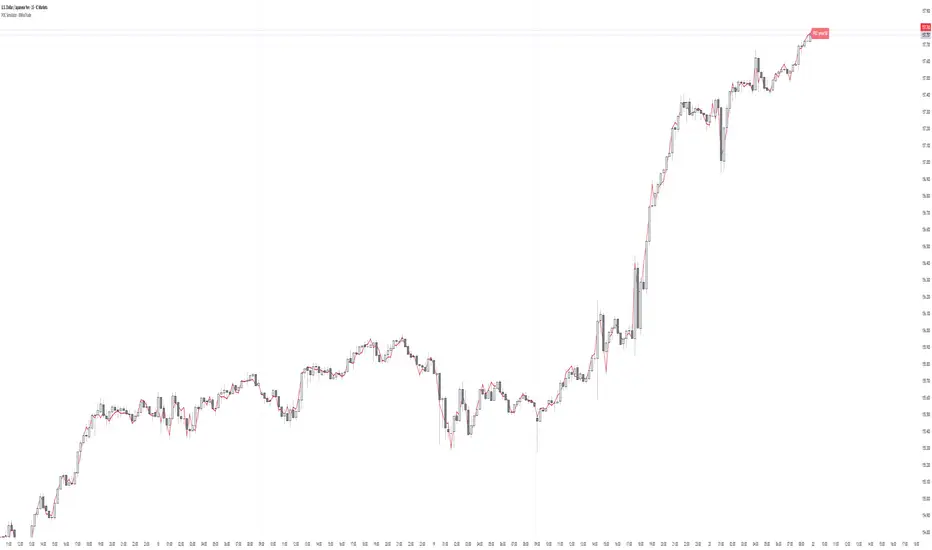
POC Simulator - XWiseTradeReal-time Point of Control (POC) for the current candle using lower timeframe volume data.
This indicator calculates the price level with the highest traded volume within the current bar (based on 1s to 15min data) — a dynamic approximation of the developing POC.
Features:
• Selectable lower timeframe source (1s, 15s, 1, 3, 5, 15min)
• Clean POC line + price label
• Lightweight and responsive
Perfect for intraday traders identifying developing value areas and potential support/resistance.
More premium indicators and strategies coming soon at:
xwisetrade.com
Be Wise. Trade X.
Estimated Volume - XWiseTradeReal-time projected volume for current and higher timeframes.
This indicator estimates the final volume of the current candle (and 3 selectable HTFs) based on elapsed time—perfect for spotting unusual activity early.
Features:
• Live estimated volume for current TF + 3 higher TFs
• Customizable table position
• Volume surge alert (when estimated volume exceeds previous candle by X%)
• Lightweight and accurate
Ideal for volume profile traders, breakout hunters, and anyone watching institutional activity.
More premium indicators and strategies coming soon at:
xwisetrade.com
Be Wise. Trade X.

WT + MACD Multi-Timeframe VisualWT + MACD Multi-Timeframe Visual is a technical analysis indicator that combines WaveTrend and MACD in a separate panel.
The script allows users to:
Visualize WaveTrend (WT1 and WT2).
Display the MACD using a selectable timeframe, independent from the chart timeframe.
Draw vertical lines when MACD crossovers are detected across multiple timeframes.
Important notes:
This indicator is a visual and educational tool and does not constitute financial advice.
The script uses multi-timeframe data through request.security().
Signals from higher timeframes may adjust while the higher timeframe candle is still forming.
lookahead_off is used to prevent the use of future data.
Users are encouraged to validate any analysis with proper market context and risk management.

Bli-Rik - IndicesIndices - uses : EMA Stack + RSI (Strong & Soft Signals) to predict buy and sell in Indian indices

AI Market Weather Forecast ProAI Market Weather Forecast Pro - Advanced Trading Indicator
Overview
AI Market Weather Forecast Pro is an innovative multi-timeframe trading system that uses global meteorological metaphors to visualize market conditions. By analyzing dimensional latitude regions, it transforms complex market data into intuitive global weather forecasts and temperature readings, helping traders quickly assess market sentiment and trend strength.
Core Features
🌍 Global Weather System
- Temperature Scale: -51°C to +51°C market temperature readings
- Weather Classifications: 9 distinct weather conditions from Freezing Cold to Scorching Heat
- Multi-Latitude Analysis: 5 climate zones representing different regional AI parameters
- Dynamic Temperature Engine: AI-powered algorithm calculates market "temperature" in real-time
- Trend Direction Indicator: Clear bullish/bearish/neutral classification
🌡️ Temperature-Based Signals
Hot Weather (Bullish Conditions):
- 🌡️ Scorching (35°C+): Strong Bull - Extreme bullish conditions
- ☀️ Hot (25°C-35°C): Bullish - Strong upward momentum
- 🌤️ Sunny (15°C-25°C): Mild Bull - Moderate bullish trend
- ⛅ Partly Cloudy (5°C-15°C): Weak Bull - Light bullish bias
Neutral Weather:
- ☁️ Overcast (-5°C to 5°C): Neutral - Consolidation/ranging market
Cold Weather (Bearish Conditions):
- 🌧️ Light Rain (-15°C to -5°C): Weak Bear - Light bearish bias
- 🌨️ Sleet (-25°C to -15°C): Mild Bear - Moderate bearish trend
- ❄️ Blizzard (-35°C to -25°C): Bearish - Strong downward momentum
- 🧊 Freezing Cold (-35°C-): Strong Bear - Extreme bearish conditions
📊 Five Latitude Climate Zones
Detects market conditions across 5 distinct "latitude zones", each representing progressively longer timeframes:
Each zone displays real-time weather status: ☀️ Clear (bullish), ❄️ Snow (bearish), or ☁️ Cloudy (neutral)
🎨 Advanced Visualization
Color-Coded Background:
- Orange/Yellow spectrum for bullish temperatures
- Gray for neutral conditions
- Blue spectrum for bearish temperatures
- Intensity increases with temperature extremes
Smart Weather Labels:
- Emoji-based weather icons for instant recognition
- Temperature readings in degrees
- Auto-positioned to avoid chart clutter
- Updates dynamically with trend changes
Comprehensive Weather Panel:
- Current weather condition
- Market temperature (°C)
- Trend direction classification
- Real-time status of all 5 latitude zones
- Current price and percentage change
Configuration Options
Display Settings
- Panel Position: 9 position options (corners, edges, center)
- Show Weather Panel: Toggle weather information panel on/off
- Show Background Color: Toggle background coloring on/off
- Show Weather Labels: Toggle weather labels on/off
- Background Display Days: Control how many days of coloring to display (1-30 days)
Alert System
Pre-configured alerts include:
- Weather Warming: Alert when temperature rises above 15°C
- Weather Cooling: Alert when temperature falls below -15°C
- Strong Trend Change: Alert when trend shifts to "Strong Bull" or "Strong Bear"
Information Panel Metrics
Real-time display includes:
- Current Weather: Visual weather condition with emoji
- Market Temperature: Numerical temperature reading (°C)
- Trend Direction: Clear classification (Strong Bull/Bullish/Mild Bull/Weak Bull/Neutral/Weak Bear/Mild Bear/Bearish/Strong Bear)
- Latitude Status: Weather conditions across all 5 climate zones
- Price & Change: Current price and percentage change
How to Interpret
Temperature Readings
- Above +25°C: Strong bullish conditions, consider long positions
- +15°C to +25°C*: Moderate bullish, good for trend following
- +5°C to +15°C: Mild bullish, cautious long bias
- -5°C to +5°C*: Neutral range, wait for clarity or range trade
- -15°C to -5°C: Mild bearish, cautious short bias
- -25°C to -15°C: Moderate bearish, good for short positions
- Below -25°C: Strong bearish conditions, consider short positions
Best Practices
1. Temperature Extremes: Focus on temperatures above +25°C or below -25°C for clear signals
2. Temperature Trend: Watch for rising/falling temperature trends, not just absolute values
3. Combine with Barometer*: Use alongside AI Market Barometer Pro for comprehensive analysis
4. Background Color: Quick visual assessment of overall market climate
Recommended Timeframes
- Scalping: 1-minute charts
- *Day Trading: 5-minute, 15-minute charts
Technical Requirements
- TradingView Pro, Pro+, or Premium account (required for multi-timeframe functionality)
- Compatible with all markets: Forex, Crypto, Stocks, Indices, Commodities
- Works on all timeframes from 1-minute to Monthly
Disclaimer
This indicator is a tool to assist with trading decisions. Past performance does not guarantee future results. Trading involves substantial risk of loss. Always use proper risk management and never risk more than you can afford to lose. The AI algorithms and temperature calculations are based on historical price patterns and technical analysis, not predictive guarantees.
What Makes This Different?
Unlike traditional indicators, AI Market Weather Forecast Pro:
- ✅ Uses intuitive meteorological metaphors for instant comprehension
- ✅ Analyzes multiple timeframe combinations simultaneously
- ✅ Calculates dynamic market "temperature" readings
- ✅ Provides 5-zone latitude system for confirmation
- ✅ Offers clear visual weather classifications
- ✅ Features unique temperature-based trend strength measurement
- ✅ Complements AI Market Barometer Pro for complete market analysis
Transform complex multi-timeframe analysis into simple weather forecasts. Know the market climate before you trade.
Perfect Companion to AI Market Barometer Pro
When used together with AI Market Barometer Pro:
- Barometer provides directional signals with AI confidence scores
- Weather provides overall market climate and temperature readings
- Combined gives you both precise entry signals AND broader market context
- Result: More informed trading decisions with better timing
© 2024 AI Market Weather Forecast Pro. All rights reserved. Proprietary algorithms and methodologies protected.

HaP MACDHaP MACD - Advanced DEMA Assisted Signal Indicator
Overview
The HaP MACD is an evolution of the classic MACD, designed for traders who demand faster response times and clearer trend visualisations. By integrating DEMA (Double Exponential Moving Average) logic into the standard MACD framework, this indicator filters out noise and highlights momentum shifts with a unique color-coded dot system.
How It Works
The indicator calculates two types of MACD: a standard one for the main lines and a DEMA-based one for signal generation. This dual approach ensures you stay in the trend while being alerted the moment the momentum starts to fade.
Visual Guide & Color Logic
The signal dots are placed directly on the MACD line to guide your decisions:
🔵 Blue Dot: The Entry Signal. Appears when DEMA conditions first align for a bullish move.
🟢 Green Dot: Strong Momentum. The trend is active and the MACD value is increasing.
🟠 Orange Dot: Warning Signal. The bullish trend is still active, but the momentum is slowing down (MACD is lower than the previous bar).
🔴 Red Dot: Exit Signal. The bullish condition has ended. It’s time to consider closing the position or tightening stops.
Key Features
Reduced Lag: DEMA integration provides earlier signals than standard EMA-based MACDs.
Trend Monitoring: Easily distinguish between a healthy trend (Green) and a tiring trend (Orange).
Customizable: Choose between EMA and SMA for both the oscillator and signal calculations.
Crossover Markers: Optional triangle markers for classic MACD crossovers (can be enabled in settings).

Trend DemoTrend with Colours...
Trend Changes it Colour while Moving Up and Down...
By Godwani Vijay

RSI(Crypto Market)Indicators applicable to multiple
This is a multi-period RSI indicator combined with a histogram, providing a visually intuitive presentation.

ARDO (v2.4.7) Moving Averages v1.1ARDO Moving Averages v1.1 (Overlay)
Companion overlay that recreates ARDO driver states (Spreads A/B, LinReg state + slope/gradient, tiers/MK tiers, gate pass/block) and maps those states onto up to 5 moving average overlays + one optional MA-to-MA fill.
ARDO v2.4.6 (original indicator)
What this overlay does
Computes ARDO “driver states” internally (no external source required): Spread A, Spread B, LinReg (4-state), LinReg slope/accel → gradient opacity, quartile/tier regimes, MK tiers, and Gate pass/block.
Paints MA overlays using selectable “Color Modes” (Spread A, Spread B, ARDO LinReg, MK Tier, Quartile Background, Gate Pass, Bull/Bear A vs B, or Fixed).
Optional Fill between two overlay MAs using a selected color mode (intended for regime/bull-bear shading between MA lines).
Core concepts (quick read)
Baseline / MA A / MA B define Spread A and Spread B (% distance vs baseline).
LinReg is a regression of a selected source (Spread A, Spread B, or Spread(A+B)).
LinReg State (4 colors) is derived from slope sign and acceleration (trend speeding up vs slowing down): Green / Orange / Red / Gray.
Gradient Opacity scales line opacity based on slope magnitude (strong vs weak).
Tier / Quartile maps current regime into bins (Q0–H4) using rolling percentiles (or manual thresholds).
MK Tier is an alternate tier engine (Standard / Asymmetric / Mirror BG).
Gate is a boolean pass/block that can combine spread and trend requirements (optional).
How to set it up (recommended workflow)
Pick ARDO Core MAs (Baseline, MA A, MA B) and your main LinReg Source.
Tune LinReg Length + Gradient Scale to match your timeframe (shorter = faster flips, longer = smoother).
Decide Tier mode (Standard vs Asymmetric) and whether tiers use All Bars or Pivots Only .
Set up Gate (or leave off): use it as a “permission layer” for entries.
Configure your overlay MAs (1–5) and assign each a Color Mode aligned to its job:
MA1 = fast impulse (often Spread A)
MA2 = trend state (often ARDO LinReg)
MA3 = slower confirmation (often Spread B)
MA4 = gate/permission readout (Gate Pass)
MA5 = regime (MK Tier)
Enable Fill only if you want regime shading between two MAs (keep it simple: one fill only).
Inputs explained (by group)
1) Sources & Moving Averages (ARDO Core)
Price Source : price used for MA calculations (default close).
Baseline MA Type/Length : reference MA for spreads.
MA A Type/Length : “A” spread driver (usually faster).
MA B Type/Length : “B” spread driver (often slower fast MA).
EMA Fast / EMA Slow : used only if the EMA gate toggle is enabled.
2) Linear Regression & Gradient
LinReg Length : lookback used by regression.
LinReg Source : Spread A, Spread B, or Spread(A+B).
Slope Lookback : bars used to compute slope as (linreg - linreg ) / n.
Adaptive Opacity Scale : derives slope “cap” from a rolling percentile (reduces volatility-regime distortion).
Fixed Scale Cap : used if adaptive scaling is off.
Min/Max Opacity : clamps gradient range.
3) Tiers & Population
Tier Mode : Standard vs Asymmetric (changes percentile boundary logic).
Tier Population : All Bars vs Pivots Only.
Manual Thresholds : if enabled, uses user cutoffs instead of computed percentiles.
Auto-Percentile Window : rolling window size for percentiles.
4) Region Rendering (BG / regime palette)
BG colors for Q0/Q1/Q2/Q3/Q4/H4 : the palette used for “Quartile Background” color mode and MK “Mirror BG”.
Pivot Sensitivity : relevant only for Pivots Only population.
5) Gate (Pass/Block)
Gate: SpreadA > LinReg (toggle)
Gate: EMA Fast > EMA Slow (toggle)
Min Spread A (%)
Min |LinReg Slope|
Gate PASS/BLOCK colors : also used by Gate Pass color mode.
6) Overlay Moving Averages (MA1–MA5)
MA Len / Type : SMA, EMA, WMA, Wilder, Triangular, HMA, Adaptive.
Color Mode :
Fixed
ARDO Spread A
ARDO Spread B
ARDO LinReg (4-state + gradient opacity)
MK Tier
Quartile Background (Q0–H4 palette)
Gate Pass
Bull/Bear (A vs B)
Base Color : used for Fixed (and as fallback).
Line Width
Style (if present): line / stepline / markers depending on the MA slot.
Bull/Bear (A vs B) definition
Bull when MA A > MA B
Bear when MA A < MA B
Alerts (built-in alertconditions in v1.1)
Spread A State
State changed (any change)
Turned Green / Orange / Red / Gray
LinReg State
State changed (any change)
Turned Green / Orange / Red / Gray
LinReg Gradient
Gradient High (slope strength high)
Gradient Low (slope strength low)
Gate
Gate Pass ON
Gate Pass OFF
Bull/Bear Flip
Bullish flip (A crosses above B)
Bearish flip (A crosses below B)
Tier / Quartile
Entered Q0
Entered Q1
Entered H3
Entered H4
Simple Alignment
LinReg Green AND SpreadA Green (basic “momentum aligned” condition)
How to use Gate (and how to loosen/tighten it)
Use Gate as a filter , not as the entire strategy: it’s best as “permission to trade” plus your own trigger.
If Gate is too strict :
Disable EMA Fast > EMA Slow gate (trend filter) OR disable SpreadA > LinReg gate (structure filter).
Lower Min Spread A threshold.
Lower Min |LinReg Slope| threshold.
Increase LinReg Length slightly to reduce noisy flips (sometimes helps pass stability).
If Gate is too loose :
Enable both gate components (SpreadA>LinReg AND EMA Fast>Slow).
Raise Min Spread A and/or Min |LinReg Slope|.
Shorten LinReg Length to react faster (but can increase chop).
Practical “read” using the default overlay roles
MA1 (fast, Spread A mode) : impulse / early acceleration cues.
MA2 (trend, LinReg mode) : regime + momentum state; opacity tells you strength.
MA3 (confirmation, Spread B) : slower confirmation; helps avoid “one-candle impulse traps”.
MA4 (Gate Pass) : permission layer; reduces counter-trend entries.
MA5 (MK Tier) : regime band; helps distinguish “deep OS/OB context” vs mid-zone noise.
Notes
This is an overlay; it’s designed to complement the original ARDO oscillator pane.

Fractal Reversal Stage 2Fractal Reversal Stage - is a high-precision trend-following and reversal indicator designed to capture market exhaustion points with mathematical accuracy. It utilizes a multi-timeframe analysis approach, combining momentum filtering with price action confirmation.
The indicator is built on a Non-Repainting Algorithm. Once a candle closes and a signal (BUY/SELL) is printed, it is fixed and will not disappear or shift. This makes it a reliable tool for both manual trading and alert-based strategies. The system includes a built-in state machine to manage trades, trailing trend lines, and a re-entry (averaging) system to optimize positions during deep pullbacks.
Main Features
Anti-Repaint Shield: Signals are confirmed only after the candle closes.
MTF Momentum Filter: Uses a higher timeframe RSI to filter out market noise.
State Machine Logic: Automatically tracks your trade from entry to exit.
Dynamic Re-entry: Provides signals to add to a position during extreme volatility.
Manual: Arguments & Settings
1. Timeframes / Таймфреймы
Working TF (Candles): The timeframe where you look for entry patterns and where the trend line is drawn.
RSI Filter TF: The timeframe for the momentum filter. Usually set higher than the Working TF to identify the global trend.
2. RSI Settings / Настройки RSI
RSI Length: The period for RSI calculation. Lower values are more sensitive; higher values are smoother.
Auto-Adjust Levels: When enabled, the script automatically tightens or loosens entry levels based on the RSI period.
Manual OB/OS Levels: Manually set the "Pale Zone" levels where the indicator starts looking for a trade.
3. Logic & Filters / Логика
Re-entry Dist (ATR Mult): Controls how far the price must move against you before an "Add" (▲/▼) signal appears. Uses ATR for volatility adjustment.
ATR Period: The lookback period for volatility calculation.
Min. Body %: A filter for candle strength. It requires the candle body to be a certain percentage of the total candle range to validate a signal.
4. Visuals / Визуал
Trend Line Width: Adjusts the thickness of the tracking line.
Colors: Customizable colors for exit dots and overbought/oversold background zones.
BUY/SELL Labels: Primary entry signals confirmed at the close of the candle.
Chevrons (▲/▼): Averaging points (Re-entry). These appear when the price moves against the initial trade into extreme zones, signaling an opportunity to optimize the position.
Black Dots: Trade Closure. These dots at the end of the trend lines mark the final exit point where the position should be fully closed.
Trend Lines: Visual tracking of the current active trade.
💡 Recommended Settings for Ethereum (ETH/USDT)
This specific configuration is optimized for the cyclical nature of Ethereum, aiming for "peak-to-peak" trade management:
Working TF: 15 min
RSI Filter TF: 2 hours
RSI Length: 10
Re-entry Dist: 1.5
ATR Period: 14
Min. Body %: 0.6
Note: Markets are diverse. You MUST adjust these settings for each specific coin or asset to account for different volatility and liquidity levels.
For questions regarding setup or optimization, please send a private message.
//______________________________________________________________________________//
Fractal Reversal Stage — это высокоточный трендовый и разворотный индикатор, разработанный для фиксации точек истощения рынка с математической точностью. Он использует мультифрактальный анализ, сочетая импульсную фильтрацию с подтверждением ценового действия.
Алгоритм индикатора не перерисовывает график. Как только свеча закрывается и появляется сигнал (BUY/SELL), он фиксируется и больше не исчезает. Это делает его надежным инструментом как для ручной торговли, так и для стратегий на основе алертов. Система включает в себя встроенную логику управления состоянием сделки, линии сопровождения тренда и систему усреднения (Re-entry).
Основные характеристики
Защита от перерисовки: Сигналы подтверждаются только после закрытия свечи.
MTF Фильтр: Использование старшего таймфрейма RSI для фильтрации рыночного шума.
Логика состояний: Автоматическое ведение сделки от входа до выхода.
Динамическое усреднение: Сигналы для добора позиции при экстремальной волатильности.
Мануал: Аргументы и Настройки
1. Timeframes / Таймфреймы
Working TF (Candles): Рабочий таймфрейм свечей, на котором ищутся паттерны и строится линия тренда.
RSI Filter TF: Таймфрейм для RSI фильтра. Обычно ставится выше рабочего для определения глобального тренда.
2. RSI Settings / Настройки RSI
RSI Length: Период расчета RSI. Меньшие значения более чувствительны, большие — более плавные.
Auto-Adjust Levels: При включении скрипт сам корректирует уровни входа в зависимости от периода RSI.
Manual OB/OS Levels: Ручная настройка уровней «бледной зоны», где начинается поиск сделки.
3. Logic & Filters / Логика
Re-entry Dist (ATR Mult): Определяет, как далеко цена должна уйти против вас, чтобы появился сигнал «Add» (▲/▼). Использует ATR для подстройки под волатильность.
ATR Period: Период усреднения волатильности.
Min. Body %: Фильтр силы свечи. Требует, чтобы тело свечи составляло определенный % от всего диапазона свечи.
4. Visuals / Визуал
Метки BUY/SELL: Основные сигналы на вход, подтвержденные закрытием свечи.
Шевроны (▲/▼): Точки для усреднения (Re-entry). Появляются, когда цена идет против сделки в экстремальные зоны, давая сигнал на добор позиции.
Чёрные точки: Закрытие сделки. Эти точки на концах линий тренда обозначают место выхода, где позиция должна быть полностью закрыта.
Линии тренда: Визуальное сопровождение активной сделки.
💡 Пример настройки для Ethereum (ETH/USDT)
Данная конфигурация оптимизирована для цикличного движения Эфира и нацелена на максимально точный выход на пиках:
Рабочий ТФ: 15 мин
ТФ Фильтра RSI: 2 часа
Период RSI: 10
Dist. Re-entry: 1.5
ATR Period: 14
Мин. тело свечи: 0.6
Важно: Рынки различаются. Вы ДОЛЖНЫ подбирать индивидуальные настройки для каждой монеты или актива, учитывая их волатильность и ликвидность.
По вопросам настройки и оптимизации пишите в личные сообщения.

BreakPoint LITE - Structure Shift SignalsBreakPoint LITE – Structure Shift Signals
Spot market structure shifts instantly and trade with clarity.
BreakPoint LITE helps traders identify key swing highs and lows, visualize potential structure shifts, and signal trade opportunities directly on your chart. With simple yet powerful filters like EMA and RSI, plus optional break-and-retest logic, it provides actionable insights while keeping your chart clean. The LITE version focuses on essential signals, making it perfect for traders who want a free, lightweight, and effective market structure tool.
✨ Features (LITE Version)
🔸 Swing High / Low Detection
🔸 Break + Retest Signals (optional)
🔸 EMA Trend Filter (optional)
🔸 RSI Filter (optional)
🔸 Cooldown Bars Between Signals
🔸 On-Chart BUY / SELL Labels
🔸 Simple HUD Display of Current Trade
🔸 Fully Free & Lightweight
Note: All PRO features are locked and visually marked, so LITE users are focused on essential functionality.
Make trading decisions based on LITE signals; consider PRO upgrade for full HUD and advanced features.
🔍 In-Depth Feature Breakdown
BUY/SELL Labels
🔹Plots clear signals directly on the chart
🔸 Instant, easy-to-read trade cues
Swing Detection
🔹Automatically detects swing highs and lows based on user-defined length
🔸 Identifies critical structure points for trade entries
Break + Retest Signals
🔹Optionally requires price to retest the breakout level before signaling
🔸 Reduces false signals and improves trade reliability
EMA Trend Filter
🔹Filter signals based on trend relative to EMA
🔸 Trade with the trend for higher probability setups
RSI Filter
🔹Filter signals using RSI above/below a midline
🔸 Avoid trades during overbought/oversold extremes
HUD Display
🔹Shows the current trade state (Long/Short/None) in a small table
🔸 Keeps track of market bias at a glance
Cooldown Bars
🔹 Prevent repeated signals too close together
🔸 Reduces signal noise and improves decision clarity
🛠️ Settings & Customization
▫️ Swing Length: 1–50 bars (default 5)
▫️ Use EMA Filter: On/Off
▫️ EMA Length: Default 200
▫️ Use RSI Filter: On/Off
▫️ RSI Length: Default 14
▫️ RSI Midline: Default 50
▫️ Require Break + Retest: On/Off
▫️ Retest ATR Tolerance: Default 0.5
▫️ Cooldown Bars After Signal: Default 10
Best Practices
Combine swing signals with EMA/RSI filters for higher accuracy.
Enable break-and-retest for more conservative trading.
Use cooldown bars to avoid repeated signals during volatile conditions.
Keep your chart clean; avoid cluttering with too many indicators.
Getting Started
Add BreakPoint LITE to your chart from the TradingView Public Library.
Adjust swing length, EMA, and RSI settings to your preference.
Enable break-and-retest if you want higher-confidence signals.
Watch for BUY / SELL labels and the simple HUD for trade bias.
💳 Unlock BreakPoint PRO for advanced HUD options, high-timeframe structure analysis, ATR-based stop loss/take profit, risk/reward visualization, and full customization. Upgrade to PRO to take your market structure analysis to a professional level!
⚠️ Disclaimer:
BreakPoint – Structure Shift Signals (LITE) is a technical analysis tool designed to highlight potential market structure shifts. It provides visual signals and trade bias suggestions based on swing highs/lows, optional EMA/RSI filters, and break/retest logic. It does not guarantee profits and should not be considered financial advice.
Users are responsible for their own trades. Always perform your own analysis and manage risk appropriately. Use proper stop-losses and position sizing. Trading involves significant risk of loss, and past performance is not indicative of future results.
By using this indicator, you acknowledge that the author cannot be held liable for any trading losses or financial outcomes resulting from its use.
If you'd like access or have any questions, feel free to reach out to me directly via DM.

GTA MARKET SENTIMENT [Pro]Advanced Market Sentiment, Trend & Reversal Analysis Tool
The GTA Market Sentiment Indicator is a powerful analytical tool designed to visualize market sentiment, identify trend direction, detect divergence, and highlight potential market reversals with improved clarity and reduced noise.
This indicator leverages multi-timeframe analysis to provide a deeper market perspective, helping traders make more informed and confident trading decisions.
🔍 Key Features
Market Sentiment Visualization
Clearly represents bullish and bearish sentiment, allowing traders to understand overall market strength and weakness at a glance.
Multi-Timeframe Analysis (MTF)
Uses a Time Frame Multiplier to analyze higher-timeframe data on the current chart, improving signal reliability without switching timeframes.
Noise Reduction Mechanism
Filters lower-timeframe market noise, resulting in smoother, more stable signals and fewer false entries.
Trend Detection
Identifies strong bullish and bearish trends, enabling traders to align their trades with the dominant market direction.
Divergence Detection
Helps spot regular and hidden divergences between price action and market sentiment — often an early sign of trend continuation or reversal.
Reversal Finder
Detects sentiment shifts and momentum weakness that may indicate potential trend reversals before they fully develop.
⚙️ Customizable Inputs
Time Frame Multiplier – Adjust according to your trading style
Lower values for scalping
Medium values for intraday trading
Higher values for swing or positional trading
Additional smoothing and sensitivity settings allow fine-tuning based on market conditions.
📈 Suitable For
All timeframes
Ideal for scalpers, day traders, and swing traders seeking higher-quality signals with reduced market noise.
⚠️ Disclaimer
This indicator is intended for educational and analytical purposes only. It should not be considered financial advice. Always use proper risk management and combine it with price action or other confirmation tools before executing trades.

Investment Analysis Bar v2What It Does
A comprehensive analysis bar combining fundamental metrics with technical signals, designed for long-term investors who prioritize quality over momentum.
Core Philosophy: Quality companies trading below their 200 EMA in accumulation zones = opportunities, not warnings.
Tier 1 Bar Metrics
Margins: GM, OM, NIM, FCF Margin
Returns: ROCE, ROE
Growth: Revenue YoY, EPS YoY
Valuation: PE TTM, Forward PE, PEG
Zone: Accumulate / Hold / Trim / Exit
Signal: PRIME / BUY / TRIM / SELL / NEUTRAL
Performance: 1W to 1Y returns
Two Strategy Modes
Value Accumulator (Default) - For long-term position building. Treats below-200-EMA as an opportunity when fundamentals are intact. PRIME signals require: RSI bounce + Volume + Accumulate Zone + All Quality Gates Pass + Below 200 EMA.
Trend Follower - Traditional momentum approach. Prefers entries above 200 EMA.
Quality Gates System
Four fundamental checkpoints:
Gross Margin ≥ 40%
ROCE ≥ 15%
Debt/Equity ≤ 50%
SBC/Revenue ≤ 15%
Strong signals require quality confirmation. PRIME signals require ALL gates to pass.
Zone System
Three calculation methods:
52W Range: Accumulate in bottom 25%, Trim in top 25%
Manual Levels: Set your own price targets
ATR-Based: Dynamic zones from EMA ± ATR
Signal Hierarchy (Value Mode)
SignalMeaning
PRIME 💎Optimal entry - all conditions aligned
BUY 🔼Strong accumulation signal
BUY? ↗Decent entry, not ideal zone
ACCUM 🎯In accumulation zone, quality OK
WAIT ⏳Setup forming, no bounce yet
TRIM 📤Consider taking profits
Alerts Included
Zone transitions (Accumulate, Trim, Exit)
PRIME Entry Signal
Strong Buy / Sell signals
Quality Gate failures
Quality Accumulation Setup
Best Used On
US stocks with fundamental data available. Technical features work on all symbols.
Settings
Fully customizable:
Toggle each metric category
Adjust quality gate thresholds
Choose zone calculation method
Configure RSI/volume parameters
Position bar and panel anywhere

Gold Scalping MACD ProGold Scalping MACD Pro is a custom-built technical indicator specifically optimized for gold (XAUUSD) scalping. It is based on an advanced adaptation of the classic MACD (Moving Average Convergence Divergence) concept, enhanced to provide faster, clearer, and more reliable signals in highly volatile gold markets.
🔹 Core Purpose
The indicator is designed to:
Capture short-term momentum shifts
Reduce market noise
Improve entry and exit timing during fast price movements
This makes it particularly effective for intraday and scalping strategies.
🔹 Key Features
Enhanced MACD-based momentum calculation for higher sensitivity
Early buy and sell signals during strong momentum phases
Noise filtering to reduce false signals in sideways markets
Optimized for gold’s volatility characteristics
Best performance on lower timeframes (M1, M5, M15)
🔹 How It Works
Gold Scalping MACD Pro analyzes the relationship between fast and slow moving averages, combined with momentum smoothing techniques.
By focusing on momentum strength rather than lagging confirmation, the indicator helps traders:
Identify high-probability scalping opportunities
Confirm short-term trend direction
Avoid weak or low-momentum setups
🔹 Best Use
Gold (XAUUSD) scalping
Momentum-based trading strategies
Trend confirmation on lower timeframes
Used alongside price action, support & resistance, or session timing
⚠️ Risk Disclaimer
Gold Scalping MACD Pro is a technical analysis tool and does not provide trading advice. Trading leveraged instruments such as gold involves significant risk. Proper risk management and confirmation from other analysis methods are strongly recommended.

Multi Stochastic OscillatorMulti Stochastic Oscillator provides three stochastic oscillators in one panel. Stochastic 1 with K period 15 and D period 3. Stochastic 2 with K period 32 and D period 3. Stochastic 3 with K period 50 and D period 3.

Multi-Timeframe RSI 14 - Daily/Weekly/MonthlyThe MTF RSI 14 indicator displays the Relative Strength Index (RSI) across three critical timeframes simultaneously on a single chart, eliminating the need to switch between different timeframe views.
━━━━━━━━━━━━━━━━━━━━━━━━━━━━━━━━━━━━━━━━━━━━━━━
📊 WHAT THIS INDICATOR SHOWS
✅ Daily RSI 14 (Blue Line) - Current timeframe momentum
✅ Weekly RSI 14 (Orange Line) - Medium-term trend strength
✅ Monthly RSI 14 (Purple Line - Thicker) - Long-term market direction
All three RSI readings are displayed simultaneously, allowing you to:
- Identify multi-timeframe trend alignment
- Spot divergences between timeframes
- Time your entries with precision
- Reduce false signals with timeframe confirmation
━━━━━━━━━━━━━━━━━━━━━━━━━━━━━━━━━━━━━━━━━━━━━━━
🎨 VISUAL FEATURES
📈 Real-Time Info Table (Top Right Corner):
Displays current RSI values for all three timeframes with color-coded status:
- Green = Oversold (<30)
- Gray = Neutral (30-70)
- Red = Overbought (>70)
🎨 Background Coloring:
- Light GREEN background = All 3 RSI aligned bullish (>50)
- Light RED background = All 3 RSI aligned bearish (<50)
- No color = Mixed signals
📊 Horizontal Reference Lines:
- 70 = Overbought zone (red shaded area)
- 50 = Neutral line (gray dotted)
- 30 = Oversold zone (green shaded area)
━━━━━━━━━━━━━━━━━━━━━━━━━━━━━━━━━━━━━━━━━━━━━━━
💡 HOW TO USE FOR OPTIONS TRADING
🟢 BULLISH SETUP:
- Monthly RSI > 50 (long-term uptrend confirmed)
- Weekly RSI > 50 (medium-term strength)
- Daily RSI 30-50 (short-term pullback in uptrend)
🔴 BEARISH SETUP (Sell Covered Calls / Bear Call Spreads):
- Monthly RSI < 50 (long-term weakness)
- Weekly RSI < 50 (medium-term downtrend)
- Daily RSI 50-70 (short-term bounce in downtrend)
⚪ NEUTRAL/RANGING (Iron Condors / Strangles):
- Mixed RSI signals across timeframes
- No clear alignment
━━━━━━━━━━━━━━━━━━━━━━━━━━━━━━━━━━━━━━━━━━━━━━━
🔔 BUILT-IN ALERTS
This indicator includes 4 customizable alerts:
1. **Bullish Alignment Alert** - All 3 RSI > 50
2. **Bearish Alignment Alert** - All 3 RSI < 50
3. **Weekly RSI Exits Oversold** - Crosses above 30
4. **Weekly RSI Exits Overbought** - Crosses below 70
To activate alerts:
- Right-click on the indicator name
- Select "Add Alert"
- Choose your preferred condition
- Set notification method (popup, email, webhook)
━━━━━━━━━━━━━━━━━━━━━━━━━━━━━━━━━━━━━━━━━━━━━━━
⚙️ CUSTOMIZATION OPTIONS
You can adjust all parameters in the indicator settings:
- RSI Length (default: 14)
- Show/Hide each timeframe independently
- Overbought level (default: 70)
- Oversold level (default: 30)
- Line colors and widths
- Background coloring on/off
━━━━━━━━━━━━━━━━━━━━━━━━━━━━━━━━━━━━━━━━━━━━━━━
📚 BEST PRACTICES
✅ Use on DAILY charts for best results
✅ Combine with price action and support/resistance
✅ Wait for timeframe alignment before taking high-conviction trades
✅ Use weekly and monthly RSI for trend filter
✅ Use daily RSI for precise entry timing
❌ Don't rely on RSI alone - combine with other analysis
❌ Don't ignore higher timeframe signals
❌ Don't trade against all three timeframes aligned
━━━━━━━━━━━━━━━━━━━━━━━━━━━━━━━━━━━━━━━━━━━━━━━
🎯 IDEAL FOR:
- Options traders (especially premium sellers)
- Swing traders looking for 1-6 week holds
- Multi-timeframe analysis enthusiasts
- Traders who want simplified timeframe confirmation
- Anyone tired of switching between chart timeframes
━━━━━━━━━━━━━━━━━━━━━━━━━━━━━━━━━━━━━━━━━━━━━━━
📊 TECHNICAL DETAILS
- Written in Pine Script v5
- Uses request.security() for MTF analysis
- No repainting - all values are real-time
- Lightweight and fast performance
- Works on all instruments (stocks, forex, crypto, indices)
━━━━━━━━━━━━━━━━━━━━━━━━━━━━━━━━━━━━━━━━━━━━━━━
💬 FEEDBACK & SUPPORT
If you find this indicator useful, please:
⭐ Leave a LIKE - it helps others discover this tool
💬 COMMENT with your feedback or questions
🔔 FOLLOW for updates and new indicators
I actively respond to all comments and continuously improve based on user feedback.
━━━━━━━━━━━━━━━━━━━━━━━━━━━━━━━━━━━━━━━━━━━━━━━
⚠️ DISCLAIMER
This indicator is a technical analysis tool and should not be considered as financial advice. Trading stocks, options, and other securities involves substantial risk of loss. Always do your own research and consider consulting with a licensed financial advisor. Past performance does not guarantee future results.
Use this indicator as part of a comprehensive trading strategy, not as a standalone signal generator.
━━━━━━━━━━━━━━━━━━━━━━━━━━━━━━━━━━━━━━━━━━━━━━━
📈 Happy Trading!
If you have suggestions for improvements or want to see additional features, drop a comment below!
---
Version: 1.0
Last Updated: December 2024
Pine Script Version: 5

B + A + D v0.4This script combines a momentum histogram (B-Xtrender) with trend strength and direction filters (ADX + DI).
The histogram is built from EMA differentials processed through RSI, showing short- and long-term momentum shifts around the zero line. ADX with DI+ / DI− is used to confirm whether the market is trending and in which direction.
Bullish signals appear when the histogram turns positive and DI+ dominates DI− with sufficient trend strength.
Bearish signals appear when the histogram turns negative and DI− dominates DI+ with sufficient trend strength.
Important note for users:
The strongest and most reliable signals are those that appear immediately after the histogram crosses the zero line (from negative to positive or from positive to negative). Signals that appear later, while the histogram is already extended in the trend, tend to be weaker and should be treated as continuation signals rather than high-probability reversals.
Credits:
Special thanks to the authors of the original concepts and scripts:

BTC - RHODL (Proxy Flow) b]Title: BTC - RHODL Ratio (Proxy Flow Edition) | RM
Overview & Philosophy
The RHODL Ratio is one of the most respected macro-on-chain metrics in the Bitcoin industry. Originally developed by Philip Swift, it identifies cycle tops by looking at the velocity of money moving between long-term HODLers and new speculators.
Why a "Proxy" instead of the "Original"? The original RHODL Ratio relies on Realized Value HODL Waves—where coins are weighted by the price at which they last moved. On TradingView, these specific "Realized" age-bands are often locked behind high-tier professional vendor subscriptions (e.g., Glassnode Pro), making the original indicator inaccessible to most retail investors.
To solve this, I present this Proxy Flow Edition. Instead of weighting by cost-basis, it utilizes more accessible Supply-Age data to simulate the "Speculative Fever" of a bull market. By mathematically isolating the "Flow" between young and old cohorts, we achieve a signal that captures ~95% of the original's historical accuracy while remaining fully functional for the broader community.
Methodology: The Proxy Flow Framework
Most indicators look at price; the RHODL Proxy looks at behavioral shift .
1. The Young vs. Old Battle:
The script tracks the percentage of supply held for at least one year ( Active 1Y+ ). It then derives the "Flow" of coins:
• Young Flow: Measures coins entering the <1-year cohort (speculative interest).
• Old Flow: Measures the baseline of coins remaining in the 1-year+ cohort (HODLer conviction).
2. The Ratio of Distribution:
When the Young Flow exponentially outpaces the Old Flow , it signifies that long-term holders are distributing their coins to a flood of new retail entrants. Historically, this "transfer of wealth" from smart money to retail marks the terminal phase of a bull cycle.
3. Age Normalization:
Bitcoin’s network naturally matures over time. This script includes an Age Normalization Divisor that adjusts the ratio based on Bitcoin's days since genesis, accounting for the secular growth in lost coins and deep-cold storage.
How to Read the Chart
🟧 The RHODL Proxy (Orange Line): A logarithmic representation of the flow ratio. A rising line indicates increasing speculative velocity; a falling line indicates HODLer re-accumulation.
🔴 The Overheated Zone (> 0.5): The danger zone. This area captures the "Speculative Fever" typical of cycle peaks. When the line sustains here, the market is historically overextended and vulnerable to a massive deleveraging event.
🟢 The Accumulation Zone (< -0.5): The maximum opportunity zone. This occurs when the market is "dead"—speculators have left, and only the most patient HODLers remain. Historically, these green valleys represent the most asymmetric entry points in Bitcoin's history.
Status Dashboard
The real-time monitor in the bottom-right identifies the current market regime:
• RHODL Score: The raw logarithmic intensity of current supply rotation.
• Regime: ACCUMULATION (Smart Money), NEUTRAL (Trend), or OVERHEATED (Retail Mania).
Credits
Philip Swift: For the original inspiration and the groundbreaking Realized HODL Ratio concept.
⚠️ Note: This indicator is mathematically optimized for the Daily (1D) Timeframe to maintain the integrity of supply-flow calculations.
Disclaimer
This script is for research and educational purposes only. On-chain metrics are probabilistic, not deterministic. Always manage your risk according to your investment horizon.
Tags
bitcoin, btc, rhodl, on-chain, hodl, cycles, speculation, rotation, macro, Rob Maths

Dual-Engine Regime and Flow OscillatorDual-Engine Regime & Flow Oscillator (DERFI)
OVERVIEW
The DERFI is a market structure study that decouples price velocity from institutional volume participation. By combining an adaptive momentum engine with a normalized liquidity gauge, it highlights:
High-conviction trends backed by strong volume
Low-participation or "exhaustion" phases where price diverges from volume
TECHNICAL LOGIC & ORIGINALITY
Published as Protected to safeguard our proprietary regime-detection methodology. DERFI leverages two data streams:
Momentum Engine (Adaptive Price Velocity)
Dual-lookback smoothing with a 50-median center
Visualizes relative move velocity vs historical volatility
Liquidity & Activity Gauge (Volume Flow Proxy)
Normalized volume flow filtered for noise
Linear regression smoothing (10-period) to isolate institutional activity
HOW TO USE: ANALYZING MARKET REGIMES
High-Conviction Trends (Convergence)
Bullish: Momentum > 50 and Liquidity Gauge > 50 → price supported by institutional flow
Bearish: Both engines < 50 → strong selling pressure confirming downtrend
Spotting Thin Moves (Divergence)
Liquidity Lag: Momentum high (>80) but Liquidity <50 or falling → weak participation, possible pullback
Absorption Phase: Rising Liquidity with neutral Momentum → accumulation or distribution without major price move
Volatility Extremes
Exhaustion Zones: 80 (Overbought) and 20 (Oversold) act as caution flags, not automatic fade signals
Squeeze Read: Extreme Momentum + strong Liquidity → trend likely continues; drop in Liquidity → trend may end
USER INPUTS
Fast/Slow Momentum Lengths: Adjusts sensitivity of momentum engine
VFI Length: Smooths liquidity gauge for your timeframe
VFI Cutoff: Sets threshold for significant volume flow
NOTES
For historical visualization and educational purposes only. No trade signals, alerts, or financial advice. All calculations are proprietary and protected to maintain GammaBulldog research integrity.

Beast Mode - Flux OscillatorBeast Mode – Flux Oscillator (BM-FLUX) is a momentum + volatility-compression oscillator designed to help traders visualize (1) directional momentum shifts and (2) “pressure build-up” periods where volatility contracts and expansion risk increases. It combines a MACD-style momentum core with a Bollinger Bands vs. Keltner Channels squeeze filter, displayed in a clean oscillator pane (overlay=false).
---
What makes it useful/original:
1) You can switch the smoothing method between EMA and VWMA. When VWMA is enabled, the fast/slow averages are volume-weighted, which can help emphasize momentum moves that occur on higher participation.
2) It includes built-in volatility squeeze context by detecting when Bollinger Bands are inside Keltner Channels and marking those compression periods on the zero line, helping you interpret momentum signals differently during contraction vs. expansion regimes.
---
How it works (overview):
Momentum core:
- The script calculates a fast MA and slow MA from close (EMA or VWMA depending on the “Weight with Volume?” setting).
- The Fast Flux (MACD line) is: fast_ma − slow_ma
- The Slow Flux (signal line) is: EMA(macd_line, Signal Length)
- The Flux Histogram is: macd_line − signal_line
Squeeze detection:
- Bollinger Bands are calculated using BB Length and BB Mult.
- Keltner Channels are built using the same basis and a True Range average over KC Length scaled by KC Mult.
- A squeeze is active when the Bollinger Bands are fully inside the Keltner Channels.
---
How to read it:
Histogram colors (direction + acceleration):
- Bright green = above zero and rising (bullish momentum strengthening)
- Dark green = above zero but falling (bullish momentum weakening)
- Bright red = below zero and falling (bearish momentum strengthening)
- Dark red = below zero but rising (bearish momentum weakening)
Lines:
- Teal line = MACD line (Fast Flux)
- Orange line = Signal line (Slow Flux)
Squeeze dots:
- A white dot on the zero line indicates “Squeeze Active” (volatility compression).
---
Alerts:
- Flux Cross UP: MACD crosses above signal (momentum turns bullish)
- Flux Cross DOWN: MACD crosses below signal (momentum turns bearish)
- Squeeze Active: volatility compression detected (BB inside KC)
Alerts are informational conditions and do not guarantee outcomes.
---
Limitations / notes:
- This is an indicator (not a strategy) and does not provide backtest results.
- Like most momentum tools it can whipsaw in ranging markets.
- Squeeze conditions highlight volatility compression but do not predict direction by themselves.
- Always use proper risk management and confirm signals with your broader trading plan.

Auto Option Screener Pro Multi-Symbol Technical Dashboard# **Auto Option Screener Pro – Multi-Symbol Technical Dashboard**
**Real-time options screening with 15+ indicators, custom filters, and institutional-grade analytics**
***
## 📊 **What This Indicator Does**
**Auto Option Screener Pro** is a comprehensive **multi-symbol technical analysis dashboard** designed specifically for **NSE options traders**. It simultaneously monitors **30 symbols** (calls/puts) and displays real-time data for **15+ professional indicators** in a sortable, filterable table format.
Instead of flipping between charts, you get **instant visibility** across your entire watchlist: momentum, trend strength, volatility, volume analysis, and gap detection—all in one screen.
***
## 🎯 **Key Features**
### **Multi-Symbol Monitoring**
- Track **30 symbols simultaneously** (calls + puts)
- Toggle symbols on/off with checkboxes
- Optimized for **NSE options** (but works with any symbol)
- Lightweight code using matrix operations for speed
### **15+ Built-In Indicators**
- **RSI** (Relative Strength Index) – Overbought/oversold detection
- **TSI** (True Strength Index) – Double-smoothed momentum
- **ADX** (Average Directional Index) – Trend strength measurement
- **SuperTrend** – Trend-following with ATR-based stops
- **MACD** – Crossover and momentum signals
- **CMF** (Chaikin Money Flow) – Institutional money flow tracker
- **OBV** (On-Balance Volume) – Volume-price relationship
- **BB Power** (Bull/Bear Power) – Elder Ray indicator
- **Choppiness Index** – Trend vs. chop detection
- **∆VWAP** – Deviation from VWAP (value/trading)
- **Relative Volume** – Surge detection vs. average
- **RDX Score** – Custom ADX+RSI combo score (-5 to +5)
- **ATR Volatility** – Volatility ranking (Low/Medium/High)
- **Gap Detection** – Gap Up/Down with percentage
- **Price Change** – Real-time premium movement
### **Smart Filtering System**
- Filter any column by **custom range** (e.g., RSI 30-70, ADX > 25)
- **Column-specific thresholds** for each indicator
- **Toggle filters on/off** with one click
- Example: Show only options where RSI < 35 AND ADX > 30
### **Visual Intelligence**
- **Color-coded cells**: Green (bullish), Red (bearish), Gray (neutral)
- **ATR Volatility labels**: Lo/Md/Hi with color coding
- **Gap detection**: UP/DN/NO with directional colors
- **RDX Score**: -5 to +5 visual scoring system
- **Compact dashboard**: 18 columns × 40 rows maximum
### **Customizable Dashboard**
- **9 position options**: Top/Bottom/Middle + Left/Center/Right
- **Adjustable font sizes**: Small, Normal, Large, Huge
- **Theme-aware**: Works on dark/light TradingView themes
- **Auto-clearing**: Refreshes every bar for accuracy
---
## ⚙️ **How to Set Up**
### **Step 1: Add Your Symbols**
1. Click **Settings** (gear icon) on the indicator
2. Scroll to **Symbols** section
3. **Enable/disable symbols** using checkboxes (u01-u30)
4. **Replace default symbols** with your preferred options:
- Format: `NSE:SYMBOLYYMMDDCPRICE`
- Example: `NSE:NIFTY251230C25900`
### **Step 2: Configure Filters (Optional)**
1. Go to **Filter** section
2. **Enable filter** by checking "Filter" box
3. Select **Column** to filter (Price, RSI, TSI, ADX, SuperTrend, etc.)
4. Set **From** and **To** values
5. Only symbols meeting criteria will display
### **Step 3: Adjust Indicator Settings**
- **RSI Length**: Default 14 (overbought 65, oversold 35)
- **TSI Lengths**: Long 25, Short 13 (thresholds ±25)
- **ADX Smoothing**: Default 14 (threshold 30)
- **SuperTrend**: ATR 10, Factor 3.0
- **CMF**: Length 20 (thresholds ±0.3)
- **Choppiness**: Period 14 (trending <38.2, choppy >61.8)
- **RDX ADX**: Length 14, Threshold 14
- **ATR Volatility**: Period 14 (High >1.5%, Medium >1.0%)
### **Step 4: Position Dashboard**
- Choose **Dashboard Position** from dropdown
- Recommended: **Top right** or **Top left** for minimal chart overlap
- Adjust **font size** for readability
### **Step 5: Set Alerts (Optional)**
- Create alerts for individual symbols
- Use **combined conditions** from the dashboard
- Example: Alert when RDX Score = 5 AND ADX > 30
***
## 📈 **Indicator Guide**
### **Column Explanations**
| Column | What It Shows | How to Read |
|--------|---------------|-------------|
| **NnSexOpt** | Symbol name | Gray background |
| **Price** | Current premium | Always shown |
| **RSI** | Momentum (0-100) | >65 green (OB), <35 red (OS) |
| **TSI** | True strength | >25 red (OB), <-25 green (OS) |
| **ADX** | Trend strength | >30 green (strong trend) |
| **Sptrd** | SuperTrend | "Up" green, "Down" red |
| **MACD** | MACD trend | 1=uptrend green, -1=downtrend red |
| **CMF** | Money flow | >0.3 green, <-0.3 red |
| **OBV** | On-Balance Volume (Cr) | Positive/negative flow |
| **OHL** | Open=High/Low | "OH" red (bearish), "OL" green (bullish) |
| **BB+** | Bull Power | Positive green, negative red |
| **Chop** | Choppiness Index | <38.2 green (trending), >61.8 red (chop) |
| **∆VWAP** | VWAP deviation | Above green, below red |
| **RVol** | Relative volume | >1.5 green (surge) |
| **RDX** | ADX+RSI score | -5 to +5, color-coded |
| **ATR%** | Volatility % | Actual percentage value |
| **Vol** | Volatility label | Lo/Md/Hi with color |
| **Gap** | Gap type/size | UP/DN green/red + % |
***
## 🎨 **Color Coding**
- **Green Cells**: Bullish signals (overbought, uptrend, positive flow)
- **Red Cells**: Bearish signals (oversold, downtrend, negative flow)
- **Gray Cells**: Neutral or no signal
- **White Text**: All values for readability
- **Gray Header**: Row separators for scannability
---
## 🔧 **Advanced Usage Tips**
### **Finding High-Probability Setups**
1. **Bullish Combo**: RDX > 0 + ADX > 30 + ∆VWAP > 0 + CMF > 0.3
2. **Bearish Combo**: RDX < 0 + ADX > 30 + ∆VWAP < 0 + CMF < -0.3
3. **Momentum Surge**: RSI crossing 50 + RVol > 1.5 + ATR Volatility = Hi
4. **Trend Confirmation**: ADX > 30 + Chop < 38.2 + SuperTrend = Up
### **Avoiding False Signals**
- **Choppy Markets**: Skip when Chop > 61.8
- **Low Volume**: Ignore if RVol < 1.0
- **Weak Trend**: ADX < 20 = no trend, avoid directional trades
### **Options-Specific Strategies**
- **Premium Buyers**: Look for low RVol + RDX turning positive
- **Premium Sellers**: Target high RVol + Chop > 61.8 (rangebound)
- **Expiry Day**: Focus on Gap column + ∆VWAP for mean reversion
---
## ⚡ **Performance Notes**
- **Optimized for 30 symbols**: Uses matrix operations for speed
- **Updates on bar close**: Minimal repainting
- **Works on any timeframe**: 1m to 1D
- **NSE options tested**: Compatible with Indian options format
- **RAM usage**: ~50MB for 30 symbols on 1m chart
---
## 🎯 **Supported Instruments**
**Primary Use Case:**
- **NSE Options**: NIFTY, BANKNIFTY, FINNIFTY, MIDCPNIFTY, stock options
**Also Works With:**
- **Equity cash**: NSE, BSE stocks
- **Futures**: NIFTY, BANKNIFTY futures
- **Global instruments**: Any TradingView-supported symbol
***
## ⚠️ **Disclaimer & Risk Warning**
**IMPORTANT**: This indicator is for **educational and informational purposes only**.
- Options trading involves **substantial risk of loss**
- Past performance does not guarantee future results
- **Test thoroughly** on paper trading before live use
- Verify **liquidity and spreads** before trading
- **No signals are guaranteed**—use with proper risk management
- Creator is **not responsible** for any trading losses
**Always consult a financial advisor** before making trading decisions.
***
## 📝 **Version History**
**v1.0 (Current)**
- Initial release
- 30-symbol multi-screener
- 15+ indicators integration
- Custom filter system
- Gap detection
- ATR volatility labeling
- RDX scoring system
***
## 💬 **Feedback & Support**
Found this screener helpful? Please:
- ⭐ **Leave a rating** on TradingView
- 💬 **Share your strategies** in comments
- 📊 **Post chart ideas** using this indicator
- 🔔 **Follow for updates**
**Questions?** Drop a comment below—I'll help you optimize your settings!
***
**Tags**: Options Screener, NSE Options, Multi-Symbol, Technical Analysis, RSI, ADX, SuperTrend, MACD, CMF, VWAP, Volatility, Gap Detection, RDX Score, Intraday Trading, Options Trading
***
**Legal**: This tool does not constitute financial advice. All trading decisions are your responsibility. Always use risk capital you can afford to lose.
